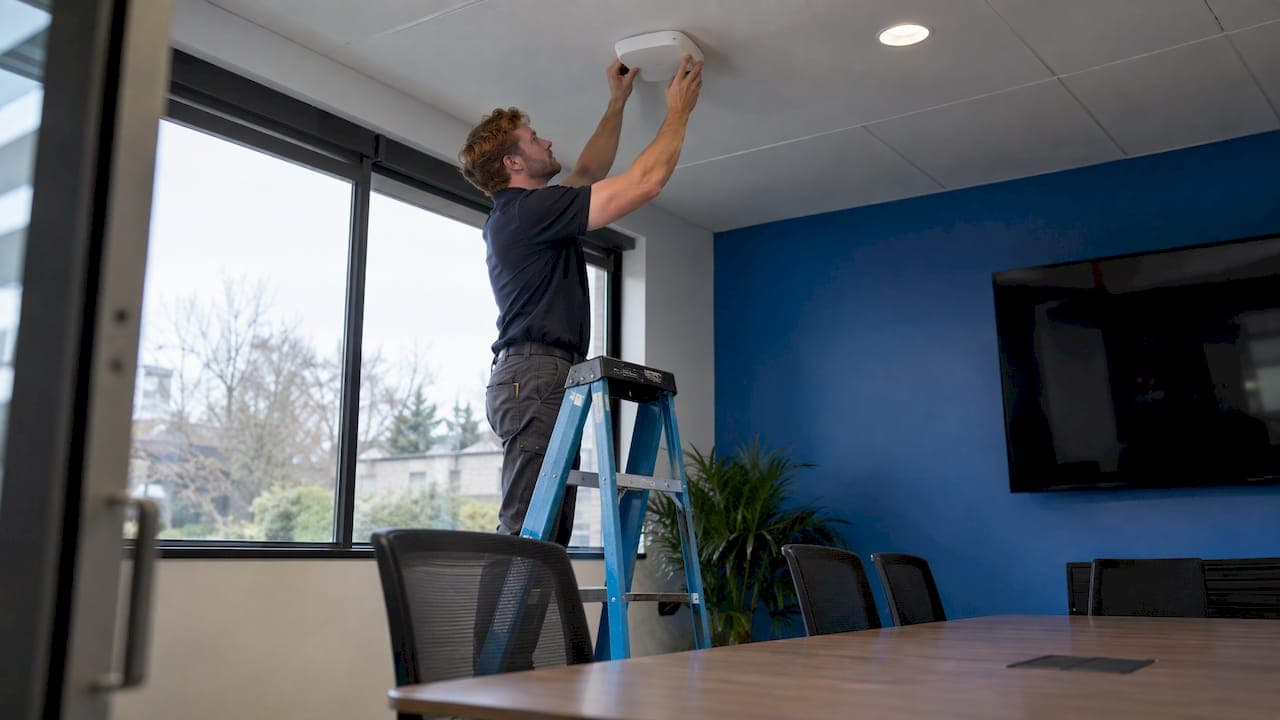
Wi-Fi 6E is Wi-Fi 6 extended into the 6 GHz band. For a business, that means a large block of clean spectrum for laptops, phones and tablets that support it. It pays off most in crowded offices, clinics, and conference spaces, and wherever video, voice and cloud applications compete for airtime. To use it you need 6 GHz access points, 6 GHz-capable client devices, a wired network that can feed the access points, and a deployment that follows U.S. rules for the band.
This guide covers what 6E adds, what it requires, where it is worth the investment, and how to plan and secure a rollout.
TL;DR
- Wi-Fi 6E uses the same Wi-Fi 6 standard as before but adds the 6 GHz band, which only Wi-Fi 6 and newer devices can use.
- You need 6E access points, 6 GHz-capable client devices, and switches and cabling that will not bottleneck the new radios.
- It is most valuable in high-density, latency-sensitive environments. A small office with light traffic may be well served by Wi-Fi 6 for now.
- WPA3 or Enhanced Open is mandatory on 6 GHz, so security planning is part of the design, not an afterthought.
- A site survey and a wired-network review before purchase prevent most rollout problems.
Table of Contents
- What Wi-Fi 6E adds to Wi-Fi 6
- What you need to run Wi-Fi 6E
- Is Wi-Fi 6E worth it for your business?
- Planning considerations before you buy
- Securing a Wi-Fi 6E network
- A step-by-step rollout plan
- Our perspective
- Get a Wi-Fi 6E plan built around your office
- FAQ
- Sources
What Wi-Fi 6E adds to Wi-Fi 6
Wi-Fi 6E is not a new generation. According to the Wi-Fi Alliance's 6E overview, it extends Wi-Fi 6 into the 6 GHz band, adding spectrum capacity for high-bandwidth applications that need faster throughput and lower latency. The "E" stands for extended.
For years, business Wi-Fi has lived in two bands: 2.4 GHz and 5 GHz. Both are shared with older devices, neighboring networks and non-Wi-Fi equipment. Every access point has to coexist with clients that speak older protocols, which makes airtime and capacity harder to predict.
The 6 GHz band changes that in three practical ways:
- More channels. The additional spectrum gives room for more wide channels, including 80 MHz and 160 MHz channels, so busy spaces can spread clients out instead of stacking them on a few channels.
- No legacy devices. The 6 GHz band only allows Wi-Fi 6 and newer devices, which makes it a legacy-free environment. Older clients cannot slow down the airtime for everyone else.
- Lower latency. Cisco's white paper describes optimized latency of under 2 milliseconds one way, including in high-density environments. That is a vendor-stated design target, so actual results depend on your environment and equipment.
The same white paper makes the point that moving clients to 6 GHz leads to a more deterministic environment, because the mix of legacy clients in older bands creates variable capacity that is hard to plan around.
What you need to run Wi-Fi 6E
This is the section most buyers skip, and it is where deployments stall. A 6E access point on its own does nothing for a laptop that cannot see 6 GHz.
| Requirement | What it means in practice |
|---|---|
| 6 GHz access points | Look for tri-band or 6 GHz-capable models. Wi-Fi 6 access points do not carry the 6 GHz radio. |
| 6 GHz client devices | Per HPE Aruba's planning guide, client driver and OS support is needed: Android 13 or later, iOS 16.1 or later, or Windows 11 or later with a capable network card. |
| WPA3 or Enhanced Open | Mandatory for every 6 GHz connection, per the same guide. Devices that cannot use them cannot join the band. |
| Wired capacity | Switches and cabling need to carry the access points' bandwidth. Multigigabit PoE switch ports and suitable cabling are often needed. |
| Regulatory mode | In the U.S., access points run either as Low Power Indoor or Standard Power, with different rules described below. |
Device inventory comes first
Before you buy anything, list the devices that actually connect: staff laptops, phones, tablets, handheld scanners, conferencing equipment, printers and specialty devices. Many business tools such as barcode scanners, medical carts and point-of-sale terminals have long replacement cycles and may not support 6 GHz. They will keep using 5 GHz or 2.4 GHz, which your 6E access points still support. A 6E network is a three-band network, not a replacement for the other two.

If you are also planning for how many devices and how much traffic your office needs to support, our office bandwidth calculator gives you a starting figure.
U.S. regulatory conditions
The FCC divides 6 GHz equipment into classes. TÜV SÜD's testing overview notes that these include 6ID for low-power indoor access points and 6SD for standard power access points.
In practice:
- Low Power Indoor (LPI) access points work inside buildings and do not require AFC. Most office deployments start here.
- Standard Power access points, indoor or outdoor, must use Automatic Frequency Coordination (AFC) to prevent interference with incumbent licensed services.
- A Standard Power access point must refresh its AFC authorization at least once every 24 hours to stay compliant with FCC rules.
- It also must report its geographic coordinates and antenna height to the AFC system, typically through an integrated GPS/GNSS module or a location derived from a neighboring anchor access point.
For most offices, clinics and professional-services firms, indoor low-power operation is the practical route. Standard Power is relevant for outdoor areas, large campuses and warehouse-style spaces where extra reach matters.
Is Wi-Fi 6E worth it for your business?
The honest framing is fit. TechTarget's analysis says the decision to upgrade should be driven by business and network requirements, and that 6E can deliver higher client density, higher speeds, lower latency and better support for bandwidth-intensive applications.
Use these questions to decide.
Environments that benefit most
- High-density spaces. Conference rooms, training rooms, open-plan offices, waiting areas and reception zones where dozens of devices connect at once. Intel says 6E can relieve congestion and improve performance in crowded environments.
- Real-time workloads. Video meetings, VoIP and softphones, screen-sharing and virtual desktops, where consistent latency matters more than peak speed.
- Large file and cloud workflows. Law firms moving large document sets, accounting and mortgage teams using cloud platforms, and creative teams syncing large files.
- Mission-critical applications. Cisco's FAQ recommends using the greenfield 6 GHz spectrum for applications that demand the highest levels of speed, security and low latency.
- Offices already due for a refresh. If access points are at the end of their life, choosing 6E hardware means you buy once and add 6 GHz capacity as devices catch up.
When Wi-Fi 6 is enough for now
A small office with a dozen mostly older devices and light cloud use will see limited gains from 6 GHz today. Wi-Fi 6 access points can still be a well-planned choice, and a design that leaves cabling and switching ready for later 6E upgrades protects the investment. If your fleet is mixed, the benefit of 6E grows as laptops and phones are replaced over the next few years.
Is Wi-Fi 6E still relevant with Wi-Fi 7 available?
Yes. Many devices in business use today support Wi-Fi 6E at the high end, and 6 GHz is the foundation that newer generations also use. A well-designed 6E network, with proper cabling and a good channel plan, remains a sound base. Our advice is to match the choice to your device fleet and refresh cycle, not to the newest label on a box.
Planning considerations before you buy
Six-gigahertz deployments reward preparation. The points below are where a design either performs well or needs rework.
Wired infrastructure
Faster radios need a network behind them. Network World's deployment tips point out that bottlenecks can appear if switches, routers and cabling do not support 6E's bandwidth, and that deployment should include checking for multigigabit PoE switch support and suitable cabling. Verify uplinks, PoE budgets and cable runs before ordering access points. Our office network cabling checklist walks through what to confirm and why fixing cabling early costs far less than retrofitting later.
Coverage and access point density
The 6 GHz signal behaves differently from 5 GHz. According to HPE Aruba's guidance, the different propagation characteristics may call for a higher density of access points, and thorough site surveys are advised. Network World adds that higher frequencies generally reduce range, although little difference is expected between 5 and 6 GHz.
The takeaway is to design from measured conditions, not from square footage. Walls, glass, elevators, filing rooms and shielding all affect real coverage. Our Wi-Fi site survey checklist covers what to capture, from floor plans and materials to client types and peak-hour usage.
Early-hardware maturity
TechTarget has noted that early 6E hardware can carry risks such as vendor code bugs and the cost of large-scale enterprise rollouts. The practical response is to standardize on one platform, pilot in one area, keep firmware current, and expand once the pilot is stable.
Channel planning
With 6 GHz you can use wide channels more freely, but wider is not always better. In dense environments, a plan with several 80 MHz channels often serves more users consistently than a few 160 MHz channels that overlap. Let your survey data and the controller's reporting guide the final settings.
Securing a Wi-Fi 6E network
Wi-Fi 6E builds security in, but a business network still needs a deliberate design.
- WPA3 is the baseline. WPA3 or Enhanced Open is mandatory on all 6 GHz connections. For staff networks, WPA3-Enterprise with individual credentials is the strongest fit.
- Protected Management Frames. Network World's tips list WPA3 and Protected Management Frames among the security features to enable.
- Segment the network. Keep staff, guest, IoT and point-of-sale traffic on separate VLANs. Our guide to guest Wi-Fi security for your office and the restaurant guest Wi-Fi isolation case show how isolation works in practice.
- Inspect traffic at the edge. Faster wireless means more encrypted traffic reaching your firewall. Read about next-generation firewall features and why visibility into encrypted traffic matters.
- Align with your standards. Regulated businesses should map wireless controls to the frameworks they follow. This information security standards guide gives helpful background for that work. For a broader view of wireless risks, see our practical guide to wireless network security.
A step-by-step rollout plan
- Define the goals. Name the problems you are solving: dropped video calls, slow cloud sync, crowded conference rooms, or a refresh cycle.
- Inventory devices. Record operating systems, Wi-Fi network card models and age. Mark which can use 6 GHz.
- Review the wired network. Check switch ports, PoE budget, uplink speed and cable category.
- Run a site survey. Measure coverage and interference, and place access points based on real conditions.
- Choose indoor or standard power. Most offices use Low Power Indoor. Plan for AFC only where Standard Power is needed.
- Design security and segments. Set WPA3 policies, VLANs, guest isolation and firewall rules before go-live.
- Pilot. Deploy to one department or floor, gather performance data and fix issues.
- Roll out and monitor. Expand in stages, monitor continuously, and review channel plans and firmware on a schedule.
Our perspective
Most Wi-Fi 6E projects we see are decided by the quality of the preparation, not the quality of the access point. The radios are capable. What separates a smooth rollout from a frustrating one is whether the cabling, switching, security policy and survey work were done first.
We treat wireless as part of the whole network. That means designing the wired backbone, the access points, the firewall and the monitoring together, so that a faster band delivers a faster experience for staff instead of exposing a weak link elsewhere. Preventative planning is how we approach all IT: find the bottleneck before users feel it.
For regulated organizations such as healthcare practices, law firms and financial companies, we also design wireless around compliance from the start, with segmentation, WPA3 and logging that support HIPAA, SEC and CMMC expectations. Our service commitment includes 24/7 monitoring and a 99.9% uptime guarantee, so the network you invest in stays visible and supported after installation.
Alex
Get a Wi-Fi 6E plan built around your office
Secure Techies provides managed IT, infrastructure design, network security with firewalls and wireless solutions, and 24/7 monitoring for small and mid-size businesses in Southern California. If you are weighing 6E, our team can help you assess your devices and wiring, plan the rollout and keep the network secure and monitored. Start with our network security solutions or talk to us about managed infrastructure services.
If you want wireless, security and support handled by one local team, see how our managed IT services work.
FAQ
What is the difference between Wi-Fi 6 and Wi-Fi 6E?
Wi-Fi 6E uses the Wi-Fi 6 standard but adds the 6 GHz band to the existing 2.4 and 5 GHz bands. The extra spectrum supports more wide channels and a cleaner environment, since only Wi-Fi 6 and newer devices can use it.
What are the requirements for Wi-Fi 6E?
You need 6E access points, client devices with 6 GHz support, and WPA3 or Enhanced Open security. Devices generally need a recent operating system such as Windows 11, Android 13 or iOS 16.1. Your switches and cabling also need to carry the extra bandwidth.
Do I need AFC for a business Wi-Fi 6E network?
Not for indoor Low Power Indoor access points, which is how most offices deploy. Standard Power access points need Automatic Frequency Coordination, including a daily authorization refresh and location reporting.
Will Wi-Fi 6E improve range?
Not by itself. Higher frequencies generally reduce range, although little difference is expected between 5 and 6 GHz. Good coverage comes from a site survey and correct access point placement, and some environments may need more access points.
Is Wi-Fi 6E worth it for a small business?
It is worth it when you have crowded spaces, video and voice traffic, or large cloud workloads, or when your access points are due for replacement. If your traffic is light and your devices are older, a well-designed Wi-Fi 6 network can still meet your needs while you prepare the wiring for a later move.
Sources
- Wi-Fi 6E Highlights, Wi-Fi Alliance
- What is Wi-Fi 6E?, Renesas
- Wi-Fi 6E: The Next Great Chapter in Wi-Fi White Paper, Cisco
- Planning and deployment, HPE Aruba Networking
- Wi-Fi 6E Testing and Compliance, TÜV SÜD
- Wi-Fi 6E, TechTarget
- Automatic Frequency Coordination (AFC) on Cisco IOS-XE
- What Is Wi-Fi 6E?, Intel
- Cisco Catalyst 9100 and Wi-Fi 6/6E FAQ
- 7 tips for deploying Wi-Fi 6E, Network World
- Information security standards implementation guide