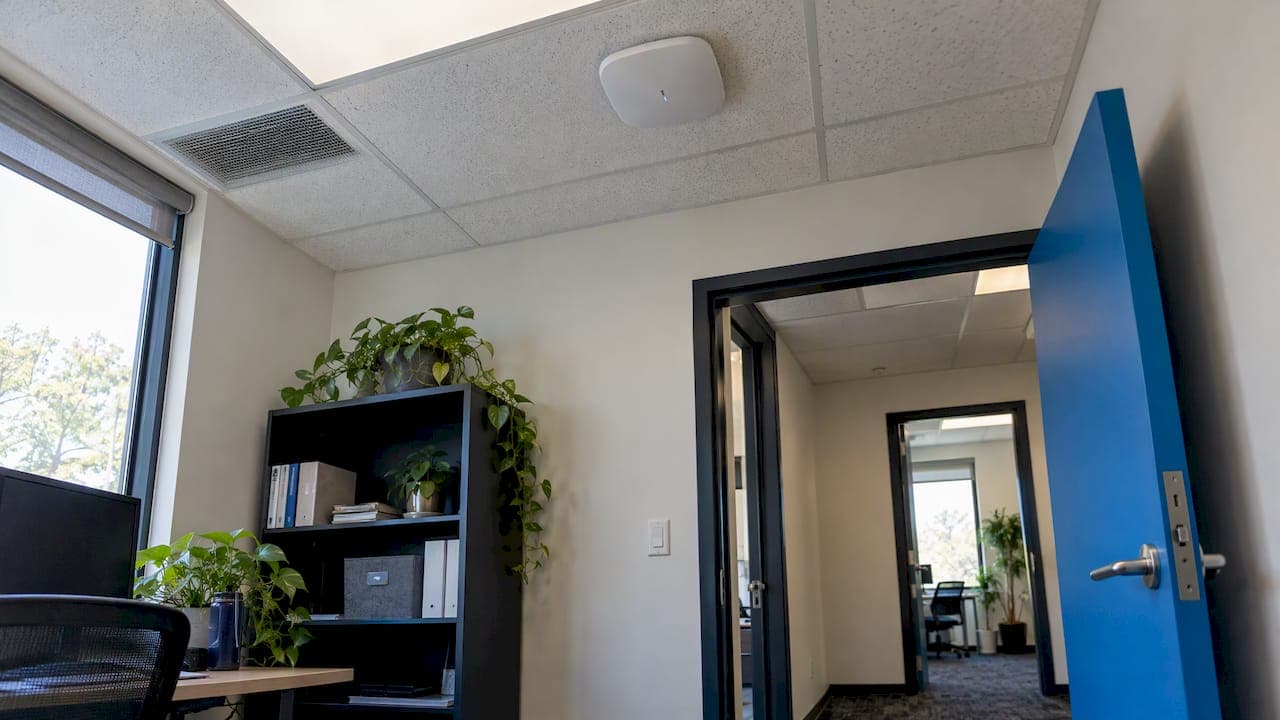
Wireless network security is the set of controls that keeps outsiders off your Wi-Fi and keeps the data crossing it private. For a business, that means strong encryption (WPA3 where supported, WPA2 at a minimum), managed access points, a separate guest network, regular patching and continuous monitoring. This guide explains the threats, compares the protocols, and gives you a step-by-step hardening plan, with notes for healthcare, legal and financial organizations that carry compliance duties.
TL;DR
- Use WPA3 if your equipment supports it. The FTC says businesses should use at least WPA2 with encryption turned on.
- Change default router credentials, turn off remote management and keep firmware patched.
- Put guests and personal devices on a separate network, and keep the main network for business-managed devices.
- Encryption alone is not enough. Inventory your access points, watch for rogue devices and assess the network on a regular schedule.
- Regulated organizations (HIPAA, financial institutions) must treat Wi-Fi as part of a documented risk program, not a one-time setup.
Table of Contents
- What wireless network security covers
- The main threats to business Wi-Fi
- WPA, WPA2 or WPA3: which protocol to use
- How to secure a business Wi-Fi network: eight steps
- Guest Wi-Fi and network segmentation
- Monitoring and maintaining wireless security over time
- Wireless security for healthcare, legal and financial organizations
- Our perspective: treat Wi-Fi as infrastructure, not a setting
- Getting help with your wireless network
- FAQ
- Sources
What wireless network security covers
NIST defines a wireless local area network (WLAN) as wireless devices in a limited area, such as an office building, that exchange data by radio. Wireless network security protects the clients, access points, wireless switches and related components across their whole lifecycle. That wording matters. Security is not a password on the router. It starts at design, continues through deployment and maintenance, and ends only when equipment is retired.
The reason is simple physics. Cisco explains that without Wi-Fi security, any device within range of the router's signal can reach the network. A wired network requires someone to plug in. A wireless one extends past your walls into the parking lot, the hallway and the suite next door. The FFIEC puts it directly for banks: wireless LANs are inherently less secure than wired networks because their radio signals are broadcast and available to others.

The main threats to business Wi-Fi
NIST notes that wireless transmissions can be intercepted or altered by an attacker within radio range, who may then obtain sensitive information, commit fraud, disrupt operations or attack other systems. In practice, the threats fall into a few groups.
Eavesdropping and interception
Cisco lists eavesdropping and man-in-the-middle attacks, IP spoofing and DNS-cache poisoning among the common wireless threats. If traffic is weakly encrypted or not encrypted, an attacker nearby can read or alter it. CISA also warns that many public access points are unsecured and carry unencrypted traffic, which puts sensitive communications and transactions at risk when staff work from cafes, hotels or airports.
Rogue and evil-twin access points
CISA's enterprise Wi-Fi guide lists hidden or rogue access points, misconfigured access points, evil-twin access points, client misassociation and denial-of-service attacks as enterprise wireless threats. A rogue access point can be as innocent as an employee plugging a cheap router into a wall jack. An evil twin is deliberate: an attacker broadcasts a network name that looks like yours and waits for devices to connect.
Password theft and unauthorized use
CISA says enterprise wireless networks face packet sniffing, rogue access points, password theft and man-in-the-middle attacks, and that a successful attack can slow processes, hinder connectivity or crash systems. Piggybacking and wardriving, both named by Cisco, are the low-effort versions: someone simply uses your connection or maps your network from the street.
Threat activity changes constantly, and it helps to keep an eye on current reporting. A monthly roundup of critical cyber threats is a reasonable way to see how attackers combine network, software and phishing techniques rather than relying on a single weakness.

WPA, WPA2 or WPA3: which protocol to use
The most common question about wireless security is which standard to choose. Cisco says WEP is no longer secure, WPA uses TKIP, WPA2 uses AES, and WPA3, released in 2018, is designed for stronger encryption than its predecessors, up to 192-, 256- and 384-bit security.
| Protocol | Encryption approach | Business guidance |
|---|---|---|
| WEP | Legacy, no longer secure | Never use. Replace any device that only supports it. |
| WPA | TKIP | Obsolete. Upgrade the equipment. |
| WPA2 | AES | Acceptable minimum. The FTC says to use at least WPA2 and confirm encryption is enabled. |
| WPA3 | Stronger encryption design | Preferred. CISA recommends WPA3 where supported. |
Personal mode versus enterprise authentication
A shared password (often called pre-shared key or personal mode) is workable for a very small office, but everyone uses the same secret. When an employee leaves, you either change the password on every device or accept the risk. For larger organizations, CISA's guide recommends EAP-TLS certificate-based authentication or better, which protects the full authentication transaction and ties access to individual devices or users instead of one shared password.
What does not work well
Cisco notes that MAC-address filtering remains susceptible to spoofing, so it is not a substitute for encryption. Hiding the network name has similar limits. Treat both as minor extras at best.
How to secure a business Wi-Fi network: eight steps
The FTC's small business guidance and CISA's recommendations point to the same core measures. Here is how we sequence them for a typical office.
- Change every default credential. The FTC advises changing default router credentials and turning off remote management. Default administrator logins are published online, and attackers try them first.
- Enable WPA3, or WPA2 at minimum. Check every access point and every client device. One old printer that forces a downgrade can weaken the whole network, so list those exceptions and plan to replace or isolate them.
- Use strong, unique credentials. If you still use a shared Wi-Fi password, make it long and store it in a business password manager. Our guide to password management best practices for business covers storage and rotation.
- Keep firmware and software current. CISA recommends keeping access-point software patched, along with firewalls and up-to-date antivirus. Assign an owner and a schedule, or the task will not happen.
- Restrict access and disable what you do not need. CISA also advises restricting access and turning off unnecessary file sharing. Limit who can administer the wireless controller and require multi-factor authentication for that account.
- Separate networks by purpose. Business-managed devices go on the primary network. Guests, visitors and personal phones go on a different one (more below).
- Stop automatic joining of public Wi-Fi. The FTC lists this among its recommendations for mobile devices. Configure it centrally through device management rather than asking each employee.
- Review and document. Keep an inventory of access points, their locations, firmware versions and who approved them.
Owners who also need a wider cybersecurity checklist can find general advice on improving company cybersecurity that complements router and access-point hardening.
Guest Wi-Fi and network segmentation
The FTC recommends setting up a separate public network for guests or personal devices and limiting the primary network to business-managed devices. This single change prevents a visitor's infected laptop from sitting on the same network as your file server, point-of-sale system or medical records application.
A well-built guest network has these properties:
- Its own network name and its own address range, with no route to internal systems.
- Client isolation, so guest devices cannot see each other.
- Bandwidth limits, so a guest streaming video does not slow down your business applications.
- A rotating password or a simple sign-in page, depending on how many guests you host.
We describe the setup in more detail in guest Wi-Fi security for your office, and we document a real-world example in our restaurant guest Wi-Fi isolation case. If you want to go further and divide internal systems into zones, our network segmentation plan for IT teams lays out a 30, 60 and 90 day approach.
Monitoring and maintaining wireless security over time
The most common failure in wireless security is not a bad initial setup. It is drift: a new access point added without approval, a firmware update missed, a guest rule changed during troubleshooting and never restored.
NIST SP 800-153 recommends continuous monitoring for WLAN-specific and general network attacks, vulnerability monitoring and patching at least as often as for comparable wired systems, and technical assessments at least annually, generally quarterly unless continuous monitoring provides the necessary information.
Wireless intrusion detection and prevention
CISA's Wi-Fi guide explains that WIDS/WIPS tools can centrally monitor wireless threats, send automated alerts to a security operations center, block clients from rogue access points and help locate rogue devices. That last point is practical. Rogue devices can be mobile, intermittently powered or hard to find by hand, so visibility has to be automated.
A simple maintenance rhythm
- Continuously: monitoring and alerting on rogue access points, failed authentications and unusual traffic.
- Monthly: patch review for access points, controllers and firewalls.
- Quarterly: a technical assessment of the wireless environment, including a scan for unapproved devices. Our overview of network vulnerability assessment for small and mid-size businesses explains what a good assessment includes.
- Annually: a review of the access-point inventory, authentication method and guest policy against any changes in the business.
Wireless security for healthcare, legal and financial organizations
Good Wi-Fi security supports compliance but does not by itself achieve it. Regulators ask for a risk-based program with documentation, and the wireless network is one part of it.
Healthcare and HIPAA
The HIPAA Security Rule requires regulated entities to use reasonable and appropriate administrative, physical and technical safeguards to protect the confidentiality, integrity and availability of electronic protected health information. Wi-Fi that carries patient data falls within that scope. Encryption, access control, guest separation and monitoring are technical safeguards. Written policies, workforce training and risk analysis are the administrative ones. If your practice is unsure whether its wireless setup would stand up to review, talk with a compliance specialist and your own privacy officer.
Banks, mortgage companies and other financial institutions
The FFIEC expects institutions to manage wireless as an enterprise-risk issue: approve and inventory access points, detect rogue devices, isolate guest networks, apply risk-appropriate encryption and secure remote connections. The FDIC identifies wireless risks that include compromise of customer information or transactions, intrusion into institutional networks, unauthorized transactions and loss of customer confidence.
Law firms and professional services
Law firms carry a duty of confidentiality, and client files travel over Wi-Fi every day. The same measures apply: strong encryption, individual authentication, a separate guest network for clients waiting in reception, and monitoring. Conference rooms deserve particular attention because outside visitors connect there most often.
Our perspective: treat Wi-Fi as infrastructure, not a setting
We see the same pattern at many small and mid-size organizations in Southern California. The wireless network was installed years ago by whoever was available, the password has not changed since, and nobody can say how many access points exist. The network works, so it is assumed to be safe.
Our approach is preventative. We inventory the wireless environment, move it to current encryption, separate guest and business traffic, and put monitoring in place so that a rogue access point or a failed patch is flagged before it becomes an outage or a breach. NIST's view that WLAN security covers every component through the whole lifecycle matches how we work: design, deployment, maintenance and monitoring are one continuous responsibility.
Three things we would tell any business owner:
- Do not rely on a single control. Encryption without monitoring leaves you blind, and monitoring without segmentation leaves too much exposed.
- Plan for staff turnover. A shared password you cannot revoke is a standing risk.
- Match the effort to the data. A dental office, a mortgage broker and a coffee shop need different levels of control, but all three need separate guest access.
— Alex
Getting help with your wireless network
If you would rather not manage this yourself, our network security solutions cover firewalls, wireless design and ongoing protection for Southern California businesses, with 24/7 monitoring behind them. For organizations that need documented evidence for HIPAA, SEC or other frameworks, our compliance and security audits assess how your wireless environment fits the wider program. To have one team own the whole environment, see our managed IT services.
FAQ
Which is better, WPA2 or WPA3?
WPA3 is the stronger and newer standard, and CISA recommends it where supported. WPA2 with AES encryption remains an acceptable minimum, and the FTC advises businesses to use at least WPA2. Check that your access points and your devices both support WPA3 before switching, because a single older device can force a mixed mode.
How do I secure a wireless network for my business?
Start by changing default credentials, turning off remote management and enabling WPA3 or WPA2. Keep firmware patched, give guests a separate network, and limit the main network to managed business devices. Then add monitoring so you notice rogue access points or unusual activity.
What are the biggest security threats to a wireless network?
The most common are eavesdropping and man-in-the-middle attacks, rogue or evil-twin access points, and password theft. Unsecured public Wi-Fi is a further risk for staff who work away from the office. Misconfigured access points and unpatched firmware often make each of these easier.
How often should we test our Wi-Fi security?
NIST guidance calls for technical assessments at least annually and generally quarterly, unless continuous monitoring already gives you the same information. Patching and vulnerability review should run at least as often as for your wired systems.
Is a strong Wi-Fi password enough?
No. A strong password helps, but it does not stop rogue access points, does not separate guests from internal systems, and is hard to revoke when employees leave. Pair it with current encryption, segmentation, patching and monitoring, and consider individual authentication as you grow.
Sources
- What Is Wi-Fi Security? (Cisco)
- Guidelines for Securing Wireless Local Area Networks (NIST)
- ITL Bulletin on securing WLANs (NIST)
- NIST SP 800-153, Guidelines for Securing WLANs
- A Guide to Securing Networks for Wi-Fi (CISA)
- Securing Wireless Networks (CISA)
- Securing Enterprise Wireless Networks (CISA)
- Cybersecurity for Small Business (FTC)
- FFIEC IT Examination Handbook, Wireless Network Considerations
- Wireless Networks and Customer Access (FDIC)
- Summary of the HIPAA Security Rule (HHS)
- Critical cyber threats roundup (Bootable USBs)
- How to Improve Your Company's Cybersecurity (Capital for Business)