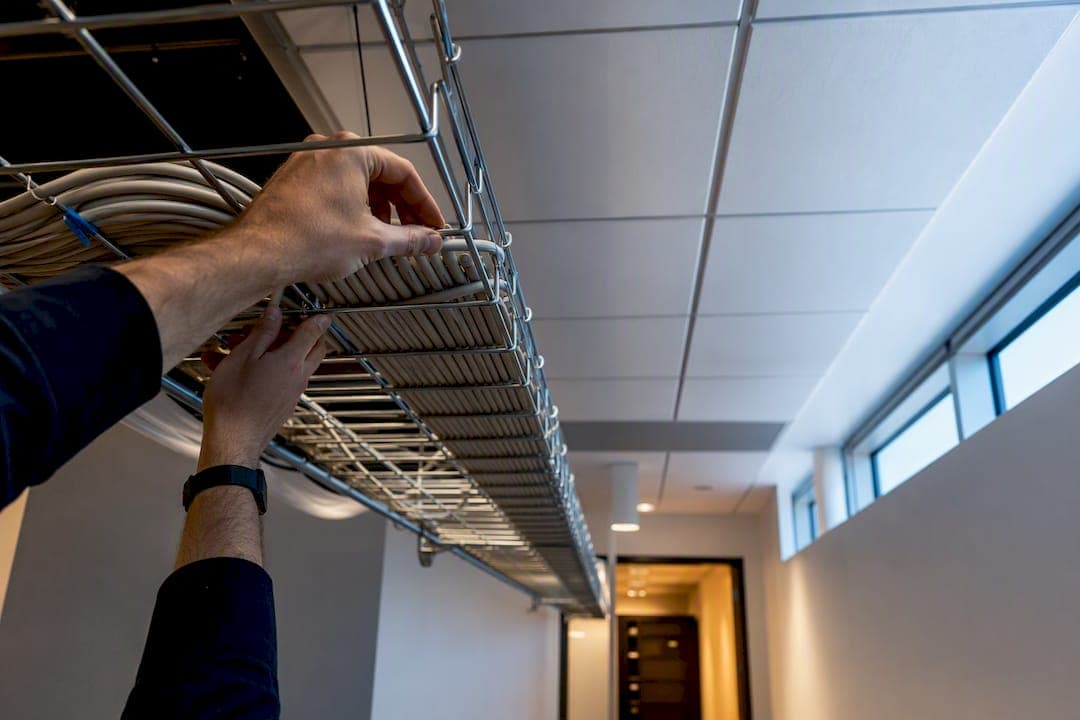
For most new office builds and upgrades, run Cat6A for horizontal cabling, use single-mode OS2 fiber for the vertical backbone, and follow TIA-568 pinout consistency throughout the facility. Before anything gets pulled, schedule a site survey to confirm MDF/IDF locations and count drops per workstation. No cabling job should be signed off without full certification testing on every run.
TL;DR:
- Conduct a thorough site survey to confirm MDF/IDF locations, room layouts, access points, ceiling conditions, and existing pathways before pulling any cables.
- Use Cat6A for all horizontal cabling supporting 10 Gbps and single-mode OS2 fiber for backbone runs, with at least 12 to 24 fiber strands per IDF-to-MDF connection.
- Ensure every cable run is certified for performance, including attenuation and crosstalk, and avoid relying solely on continuity checks to prevent network issues.
- Implement proper cable management, labeling, and documentation practices, removing abandoned cables and regularly updating wiring diagrams for long-term organization.
- Follow safety protocols during installation, including using rated ladders, protective gear, and managing fiber glass debris carefully to prevent injuries and ensure compliance.
Table of Contents
- What Does an Office Network Cabling Project Actually Require?
- Cat6A, Fiber, or Something Else? Choosing Your Cable Types
- Where Should Equipment Closets and Backbone Cabling Go?
- What Installation Mistakes Cause the Most Cabling Failures?
- Why Full Certification Testing Matters More Than a Continuity Check
- How Should Racks and Patch Panels Be Organized?
- How Much PoE and Bandwidth Headroom Should You Plan For?
- What Does an Office Cabling Project Typically Cost?
- What Should You Expect From a Managed Cabling Project?
- Interference, Crosstalk, and Cable Faults: How to Troubleshoot Them
- How Do You Keep Cabling Systems Organized Over Time?
- What Safety Rules Matter Beyond Firestopping?
- A Few Things I'd Flag Before Anyone Signs a Cabling Contract
- Let Secure Techies Handle the Infrastructure So You Don't Have To
- Sources
What Does an Office Network Cabling Project Actually Require?
A cabling project succeeds or fails based on decisions made before anyone touches a cable spool. The site survey is where those decisions get made, and skipping it is the single most common reason projects run over budget.
Here's what to document during the survey, room by room:
- Workstation counts and layout — desks, cubicles, benching arrangements, and any areas likely to add headcount within two years.
- Conference rooms and huddle spaces — these typically need more drops than a standard desk (video conferencing units, displays, and room controllers each want their own run).
- Access point locations — mark ceiling grid positions where Wi-Fi coverage requires an AP, since each one needs its own dedicated cabling path.
- Ceiling plenum status — determine whether the space above the drop ceiling is a return-air plenum, which dictates the jacket rating you're legally required to use.
- Existing pathways and conduits — note what's already in place versus what needs to be built, including sleeves through fire-rated walls.
For drop counts, running multiple Cat6A drops per workstation is the standard baseline. It costs far less to pull an extra cable during construction than to open a wall or ceiling again in eighteen months. Conference rooms and executive offices often warrant three or four drops given the mix of phones, displays, and conferencing gear.
One constraint shapes everything else: the permanent link distance limit for horizontal copper, measured from patch panel to wall jack, with roughly 10 meters reserved for patch cords on each end. Any workstation farther than that from its serving closet needs a new IDF, not a longer cable. Map your floor plan against this number early, because it determines how many equipment closets you need and where they go.
For bid packages, gather building access hours, available conduit paths, firestopping requirements at any wall or floor penetration, and scheduling constraints like after-hours-only work in occupied spaces.
Cat6A, Fiber, or Something Else? Choosing Your Cable Types
Cat6A is the practical default for new horizontal cabling in almost every office scenario today. ANSI/TIA-568.2-E guidance points installers toward Cat6A or higher specifically because it supports PoE++ and multi-gig speeds that older cable types can't reliably carry over full channel lengths. Cat6 or even Cat5e can still make sense for low-priority runs, like a single drop to a break room display, but that's a narrow exception, not a strategy.
- Cat6A for all primary workstation and AP drops, supporting 10 Gbps at full 100-meter channel length.
- OS2 single-mode fiber for backbone runs between floors or buildings, where distance and future bandwidth headroom matter most.
- OM4 multimode fiber as a lower-cost alternative for shorter backbone runs within a single building where distance stays well under single-mode's advantage range.
- Plenum-rated (CMP) jacket for any cable routed through return-air ceiling spaces; riser-rated (CMR) for vertical shafts between floors.
Fiber strand counts deserve real thought, not an afterthought. Specify at least 12 strands of OS2 per IDF-to-MDF run, with 24 recommended where redundancy matters, and build in roughly 30% spare capacity. Pulling new fiber through a finished ceiling two years later costs far more than the extra strands would have cost on day one.
Shielded cabling (STP or FTP) earns its keep near heavy electrical interference, elevator machine rooms, or industrial equipment. It also demands proper grounding and shielded connectors on both ends. Skip the grounding step and shielded cable performs worse than unshielded.
Pro Tip: Always confirm your local fire code's plenum requirements before ordering cable. Some jurisdictions require CMP even in spaces you'd assume are riser-only, and a failed inspection over jacket rating is an expensive way to learn that.
Where Should Equipment Closets and Backbone Cabling Go?
Plan one IDF per floor as a starting rule, adding a second when a single floor exceeds roughly 10,000 to 15,000 square feet or when the 90-meter horizontal limit can't reach every workstation from one closet. Larger or irregular floors sometimes need additional IDFs to maintain cable distance limits.
Backbone design connects those IDFs back to the main distribution frame:
- Specify single-mode OS2 fiber for any backbone run of real distance, minimum 12 strands, with spare capacity built in from the start.
- Use copper backbone only for very short, low-bandwidth connections between adjacent closets, and treat it as a stopgap rather than a long-term plan.
- Route pathways through dedicated conduits, J-hooks spaced per manufacturer guidance, or ladder tray in larger closets, always leaving room for future cable additions.
- Firestop every penetration through a rated wall or floor the same day the cable goes through, not weeks later during a punch-list cleanup.
Document the boundary between the permanent link (the fixed infrastructure cabling) and the channel (permanent link plus patch cords on both ends). Procurement and acceptance testing both depend on knowing exactly where one ends and the other begins. Multi-floor buildings especially benefit from mapping this out on paper before a single cable gets pulled, since fiber backbone becomes close to mandatory once you're avoiding vertical copper bottlenecks between floors.
What Installation Mistakes Cause the Most Cabling Failures?
Most cabling performance problems trace back to a handful of installation errors, and nearly all of them are preventable with the right rules enforced on-site.
- Respect pull tension limits. Copper cable has a maximum pulling tension specified by the manufacturer, usually in the 25-pound range for four-pair cable. Exceeding it stretches conductors and degrades performance in ways that won't show up until certification testing, or worse, after the network is live.
- Maintain bend radius throughout the run. Cable guides and radius-limiting spools prevent installers from bending cable tighter than four times its outer diameter. A sharp bend around a rack edge or conduit corner creates a permanent weak point.
- Never crush pairs with zip ties. Velcro-style ties or hook-and-loop wraps let you bundle cable without deforming the internal pair geometry. Standard nylon zip ties, cinched tight, are a leading cause of localized crosstalk failures.
- Keep distance from power runs. NEC Article 800 provides spacing guidance for communications cable running near electrical conductors, and local code should always be the final word.
- Firestop every penetration and label every link. Each permanent link needs a unique ID at both ends, recorded before drywall or ceiling tile goes back in place.
Pro Tip: Keep a serial-numbered log of spare cable and connector stock left on-site. When a drop fails certification months later, you'll know exactly what materials the original installer used.
Why Full Certification Testing Matters More Than a Continuity Check
A continuity check only confirms the wires are connected. It says nothing about the electrical performance that determines whether your network actually runs at the speed you paid for. Full certification testing, using a Fluke-style copper certifier or equivalent, measures attenuation, crosstalk, return loss, and length against the category standard your cable is rated for.
- Copper: certify to the Cat6A permanent link or channel standard, whichever your contract specifies.
- Fiber: use an OLTS (optical loss test set) for baseline loss measurements on every strand, and request OTDR traces for backbone runs where fault location matters.
- Coverage: certify 100% of backbone fiber without exception; horizontal copper can sometimes be sampled on very low-risk projects, but 100% remains the safer standard for any office deployment.
Every acceptance package should include PDF test reports for each link, the raw saved test files (not just summaries), and clear notation of whether each result reflects a permanent link or full channel measurement. Without those files, you have no way to verify a contractor's claims after the fact, and no leverage if problems surface six months in.
How Should Racks and Patch Panels Be Organized?
Cross-connect architecture keeps closets serviceable: permanent cabling terminates on patch panels, and short patch cords connect panels to switches. Never punch a permanent cable directly into a switch port. That separation is what lets you troubleshoot or swap equipment without touching the fixed infrastructure.
- Label both ends of every cable with a matching ID, and keep the wiring diagram and port map updated after every change, not just at project close.
- Use vertical and horizontal cable managers to route patch cords cleanly, leaving a service loop so a panel can be pulled forward for maintenance.
- Standardize on Velcro ties rather than zip ties inside racks, where cables get touched far more often than in the ceiling.
- Remove abandoned cable rather than leaving it in place. It's a fire code issue in plenum spaces and it clutters pathways for years.
- Keep a small stock of spare patch cords in standard lengths (3, 7, and 14 feet cover most needs) so a bad cord never becomes an outage.
How Much PoE and Bandwidth Headroom Should You Plan For?
Power over Ethernet budgeting has become as important as bandwidth planning, largely because access points, cameras, and phones now draw far more wattage than a decade ago. PoE++ (802.3bt) can deliver up to 90 watts per port, and Wi-Fi 7 access points frequently need most of that. Cat6A handles the higher current with less heat buildup than Cat6, which matters when you have dozens of PoE cables bundled together in a closet.
- Run two drops per access point where the deployment supports it, one for primary connectivity and one as a spare or for a future secondary radio.
- Calculate per-floor power budgets by adding up expected PoE draw across all connected devices, then add headroom before sizing your switch's PoE power supply.
- Cat6A comfortably supports 2.5, 5, and 10 Gbps multi-gig backhaul, which is what most modern access points and desktop switches now demand.
- Plan spare copper and fiber capacity for growth. Retrofitting a single new AP location two years later costs far more than pulling one extra cable during initial construction.
Pro Tip: Large bundles of PoE++ cables generate real heat. Follow manufacturer bundle-size guidance and consider slightly heavier conductor gauge cable for high-density PoE runs to avoid derating issues.
What Does an Office Cabling Project Typically Cost?
Per-drop pricing for installed and certified Cat6A cabling commonly falls in the $150 to $350 range, with the wide spread driven by ceiling type, conduit availability, building access restrictions, and how many certifications the contractor needs to deliver.
- Group bid line items by category: horizontal cabling, backbone fiber, rack and patch panel hardware, and certification/documentation, so you can compare quotes apples to apples.
- A mid-size office of 50 to 75 workstations, with two drops each, typically anchors the bulk of the budget in horizontal cabling and labor rather than materials.
- Expect a timeline running from survey and design through installation, then testing and acceptance, generally spanning several weeks for a mid-size office depending on access windows.
- Tie final payment to delivery of certified test reports, not just a verbal confirmation that "it's working." This protects you if problems surface after the contractor has left the building.
What Should You Expect From a Managed Cabling Project?
A well-run cabling project mirrors how Secure Techies approaches infrastructure work broadly: survey first, document everything, and verify before handoff. On help desk and infrastructure engagements, that discipline shows up as fewer post-install trouble tickets and faster resolution when something does come up.
A managed provider typically coordinates:
- A formal site survey and written design spec before any contractor is engaged.
- Contractor oversight during installation, checking pull tension, labeling, and pathway compliance in progress rather than after the fact.
- Certification review of every test report before signoff, catching marginal results before they become live-network problems.
- Post-install monitoring so a degrading cable or failing port gets flagged before it causes an outage.
Require these same deliverables in any vendor contract, regardless of who you hire.
Interference, Crosstalk, and Cable Faults: How to Troubleshoot Them
Most cabling performance complaints trace back to one of three root causes, and each one has a distinct signature you can learn to recognize.
Crosstalk shows up as intermittent slowdowns or dropped connections that worsen under heavy traffic. It's usually caused by damaged pair twists from an overly tight bend, a zip tie cinched too hard, or a termination where the twist was untwisted too far back from the jack. A certification test will flag near-end or far-end crosstalk failures precisely, but a quick field check is to look for crushed or kinked cable jacket near the failure point.
Electromagnetic interference from fluorescent ballasts, motors, or power conduits run too close to data cable produces a different symptom: consistent, location-specific packet loss that doesn't correlate with traffic load. The fix is almost always physical separation, following NEC Article 800 spacing, rather than a cable swap.
Cable faults, meaning a broken conductor, a bad termination, or water damage, tend to cause complete link failure rather than degraded performance. A time-domain reflectometer or the TDR function built into most certification testers pinpoints the fault location along the cable run, which saves hours versus guessing.
Before troubleshooting any of these, check the obvious first: a loose patch cord or mismatched pinout between T568A and B causes more "network problems" than any cabling defect ever will.
How Do You Keep Cabling Systems Organized Over Time?
Cabling infrastructure that isn't maintained degrades in usefulness even when the cable itself is fine. The most common failure isn't physical, it's informational: nobody knows what's connected to what anymore.
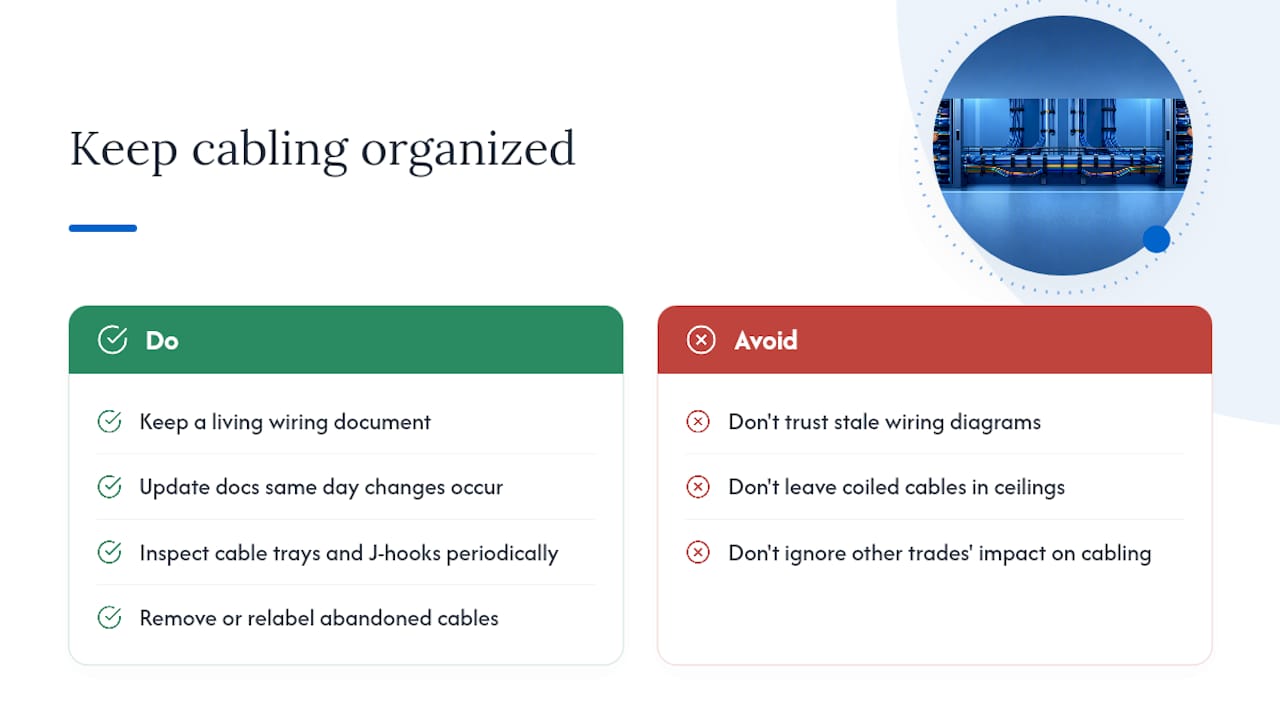
Keep a living document, not a one-time diagram, that records every port assignment, cable ID, and closet layout, and update it the same day any change happens. A wiring diagram that's two years stale is often worse than having none, because people trust it and get misled.
Cable trays and J-hooks need periodic visual inspection, particularly in ceilings where other trades (HVAC, electrical) frequently work after your cabling is installed. It's common for a contractor doing unrelated work to shift or rest equipment on a cable tray, creating sag or added tension nobody notices until performance drops.
Set a policy for abandoned cable removal. Every time a workstation moves or a device gets decommissioned, the old cable should either get relabeled for reuse or physically removed, not left coiled in the ceiling. Fire codes in most jurisdictions actually require removing abandoned cable from plenum spaces, and a growing tangle of dead cable makes future troubleshooting much harder.
Finally, review your labeling scheme annually. Labels fade, tape falls off, and printed panel inserts get replaced with handwritten notes that don't match the documentation. A quarterly walk-through of your main closet, checking labels against the port map, catches small drift before it becomes a major reconciliation project.
What Safety Rules Matter Beyond Firestopping?
Working above a drop ceiling carries real physical risk that gets overlooked in the rush to finish a project. Ceiling grids aren't rated to support a person's weight, and stepping on the wrong tile is a common cause of installer falls. Always use a properly rated ladder and distribute weight across ceiling grid T-bars rather than standing directly on tile.
Ceiling spaces also hide hazards beyond structural ones: HVAC ductwork edges, exposed electrical junction boxes, and insulation that may contain older materials in older buildings. Anyone working overhead for extended periods should know the building's asbestos and lead paint history before starting, particularly in structures built before the 1980s.
Fiber optic cable introduces a hazard many office staff never encounter elsewhere: glass shards from cleaved fiber ends. Fiber cleaving produces tiny glass fragments that can embed in skin and are difficult to see. Always cleave fiber over a designated collection cup or tray, never over open flooring, and dispose of fragments in a sharps-style container rather than a regular trash can. Never look directly into a live fiber connector or transceiver. Even invisible infrared light from an active optical link can cause retinal damage, and there's no way to tell by looking whether a fiber is live.
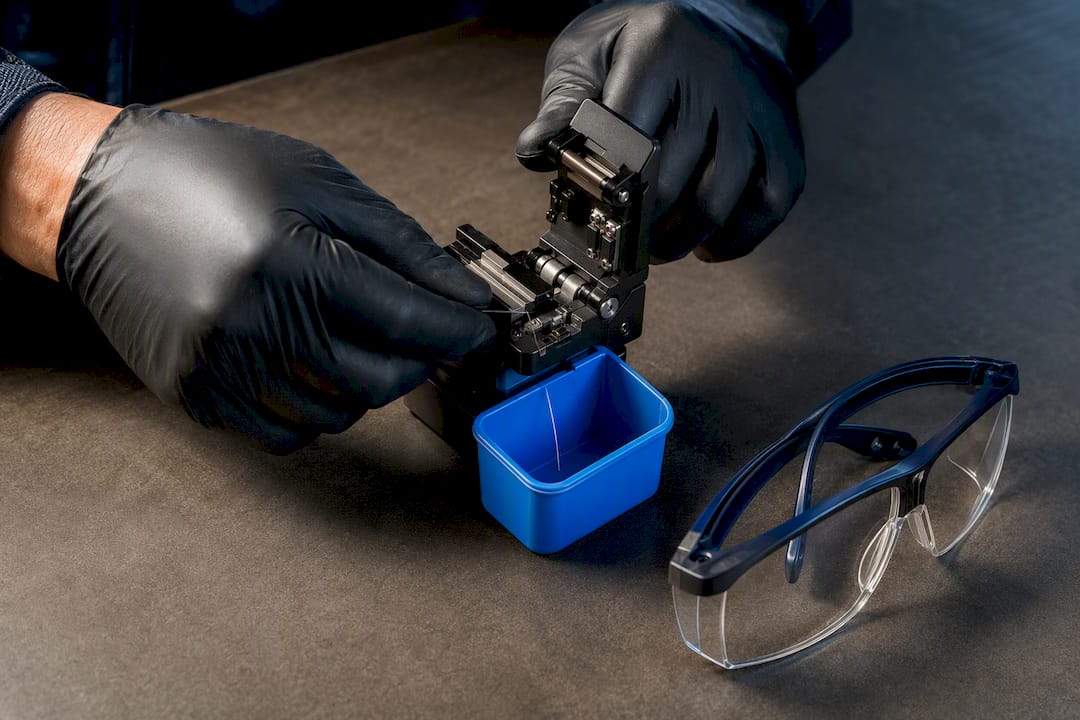
Basic precautions cut risk substantially: eye protection during any cleaving or termination work, gloves when handling cut cable ends, and a clear rule that nobody works alone in a ceiling space for extended periods.
A Few Things I'd Flag Before Anyone Signs a Cabling Contract
The recurring mistakes I see aren't exotic. Contractors get looped in after the floor plan is locked, so pathways get squeezed into whatever's left. Buyers skip the second drop per desk to save a few dollars, then pay ten times that in a retrofit. And pinout inconsistency between closets turns a simple move into a half-day troubleshooting job.
The fixes are almost boring in their simplicity: bring cabling input into the design phase early, standardize on two Cat6A drops per desk without exception, and refuse to accept any work that hasn't been fully certified end to end. If you'd rather have a managed team apply that discipline for you, Secure Techies knowledge center is a reasonable next stop.
— Alex
Let Secure Techies Handle the Infrastructure So You Don't Have To
A managed service provider gives businesses a single accountable partner for cabling and related infrastructure, instead of juggling a cabling contractor, a network vendor, and an IT team who each blame the other when something breaks.

That gap between "the cable is installed" and "the network actually works reliably" is where most projects quietly fail. Securetechie closes it by running the site survey, writing the design spec, overseeing the contractor's installation work, and reviewing every certification report before signoff, then keeping the whole system monitored 24/7 once it's live. When you request a proposal, ask for the same deliverables covered here: PDF test reports for every link, updated wiring documentation, and a clear plan for ongoing support after cutover.
If your office is planning a build-out, a move, or an overdue cabling refresh, start with a conversation about managed infrastructure services or explore the full range of managed IT services Secure Techies provides across Southern California. Reach out for a proposal and get a project plan built around the checklist you just read.
Sources
For procurement language and acceptance criteria, cite the TIA-568 standards family, ISO/IEC 11801 for international projects, and NEC Article 800 for electrical separation rules. These are the documents your contract should reference directly, not paraphrase.
- Multi‑Floor Office Network Design: From Backbone to Workstation – AMPCOM
- Guidelines and Best Practices For Data Networking Equipment – Electrical Engineering Portal
- New Office Network Cabling Plan: Step‑by‑Step Guide - Cablify