
The fastest way to stop losing track of laptops, licenses, and equipment is to create a minimal asset register today, then decide whether a lightweight AIM tool or a managed IT partner keeps it current. Base that decision on three things: how many assets you own, how much time your team has, and how much compliance risk you're carrying.
If you have fewer than 100 assets and no regulatory obligations, a spreadsheet-turned-tool or a low-cost AIM platform will likely cover you. However, if you're in healthcare, finance, or legal services, or your headcount is scaling past what one person can track in their head, a managed provider closes the gaps a DIY setup tends to miss.
Here's what each path gets you:
- DIY tool: Fast setup, low cost, decent visibility for small, static asset counts.
- Managed service: Continuous discovery, audit-ready reporting, and someone else accountable for keeping records accurate.
Pro Tip: Start your register in a spreadsheet today, even if you plan to migrate to software next month. A messy list beats no list, and migrating existing data is far easier than starting from zero.
Key Takeaways
An accurate asset inventory reduces audit prep time, cuts duplicate purchases, and only works long term when someone owns its maintenance on a fixed schedule.
| Point | Details |
|---|---|
| Start with a minimal register | Capture asset ID, type, owner, location, and status before adding advanced fields. |
| Spreadsheets go stale fast | Vendor data suggests many businesses only update manual spreadsheets every six to twelve months. |
| Pilot before scaling | Import one category, verify mappings, and audit a sample before rolling out company-wide. |
| Match the tool to your risk | Low asset counts with no compliance pressure fit DIY tools; regulated or distributed teams fit managed support. |
| Securetechie supports ongoing accuracy | Securetechie pairs continuous monitoring and compliance experience with infrastructure support for SMBs that need sustained inventory accuracy. |
Table of Contents
- What Fields Belong in Your Asset Inventory for SMB Tracking
- Why SMBs Are Moving Off Spreadsheets for Asset Tracking
- How to Build an Asset Inventory Step by Step
- DIY Tool or Managed IT Service: Which Fits Your Business?
- Implementation Checklist: What Makes Rollouts Succeed or Fail
- What a Managed Provider Adds to Inventory Accuracy
- Why the Spreadsheet Habit Is Harder to Break Than It Should Be
- A Managed Path to a Reliable Asset Inventory
- Sources
What Fields Belong in Your Asset Inventory for SMB Tracking
Your register needs a consistent set of fields before it needs a fancy tool. Skip this step and you'll spend more time reformatting data later than you would have spent entering it correctly the first time.
Every asset entry should capture:
- Asset ID (a unique tag or serial reference)
- Type (laptop, server, software license, vehicle, furniture)
- Serial or model number
- Owner (the person or department responsible)
- Location (physical site or "remote")
- Purchase date and cost
- Warranty expiration
- Status (active, in repair, retired)
- Department and tags for filtering
Categories matter as much as fields. You're tracking IT hardware, software and licenses, SaaS subscriptions, physical equipment, vehicles, furniture, and digital assets like domain names or cloud storage accounts. Asset inventory management tracks these items through their full lifecycle, which is a different job than a point-of-sale inventory system tracking stock for sale.
Once the basics are in place, add depreciation schedules, vendor contacts, and contract renewal dates. These optional fields turn a static list into a reporting tool you can use for budgeting and vendor negotiations.

Why SMBs Are Moving Off Spreadsheets for Asset Tracking
Spreadsheets fail quietly. One person updates it, then leaves, and six months later nobody trusts the numbers. That staleness is the core problem: a spreadsheet is only accurate the moment someone edits it, and most don't get touched often enough to stay useful.
Vendor-reported data suggests roughly 80% of companies still maintain Excel-based inventories that get updated manually every six to twelve months, which means the "current" list is often a stale snapshot from months prior. That gap shows up hardest during audits, when you can't explain where forty laptops actually are.
A living inventory fixes the failure points spreadsheets can't:
- Real-time visibility into what you own and where it sits
- Maintenance scheduling tied to warranty and service dates
- License optimization that catches unused SaaS seats before renewal
- Audit speed, since centralized asset registers with barcode scanning replace hours of manual reconciliation with a few clicks
How to Build an Asset Inventory Step by Step
Building this correctly the first time saves you from rebuilding it in a year. Follow this sequence and resist the urge to skip steps to save a weekend.
- Scope the project and assign one owner. Pick a single person accountable for the inventory, even if multiple people contribute data. Split ownership is the fastest way back to spreadsheet chaos.
- Choose your categories and a minimal data model. Use the fields from the earlier section as your baseline. Don't add twenty custom fields on day one; you can expand later once the core process is working.
- Collect existing data from every source you have. Pull from old spreadsheets, purchase receipts, invoices, and any partial records IT or finance already keeps. For physical items, a barcode or QR scan during a walkthrough beats manual entry for accuracy and speed.
- Import and normalize the data. Standardize naming conventions before you import anything, since "Dell Laptop," "DELL laptop," and "Laptop (Dell)" will all read as different assets otherwise. Quick CSV uploads with auto-mapping features shorten this step considerably for small teams.
- Label and tag physical assets consistently. Use a tagging scheme you can scan or read at a glance, and apply it the same day you enter the item into the register, not weeks later.
- Set governance processes. Build a check-in/check-out procedure for shared equipment, and tie onboarding and offboarding checklists directly to the inventory so departing employees can't walk out with unreturned laptops.
- Run scheduled audits. Quarterly for high-value or high-risk assets, annually for low-risk items like furniture.
- Prioritize integrations that reduce manual entry. Connecting your inventory to your finance system, mobile device management (MDM) platform, or IT service management (ITSM) tool means new purchases and enrolled devices populate the register automatically instead of waiting on someone to type them in. Continuous discovery tools that scan your network on a schedule catch devices nobody remembered to log manually.
- Verify before you scale. Run a physical sample audit on a subset of assets to confirm the data matches reality before you roll the process out company-wide.
Pro Tip: Pilot your import with one department or one asset category first. Verify the mappings and run a spot-check audit before expanding to the full inventory. This catches naming and data errors while the fix is still a small job.
DIY Tool or Managed IT Service: Which Fits Your Business?
The right choice depends less on preference and more on measurable factors specific to your operation. Walk through these before you sign anything:
- IT staff capacity. If nobody on your team has bandwidth to own discovery, tagging, and reporting every month, that job doesn't disappear. It just gets neglected.
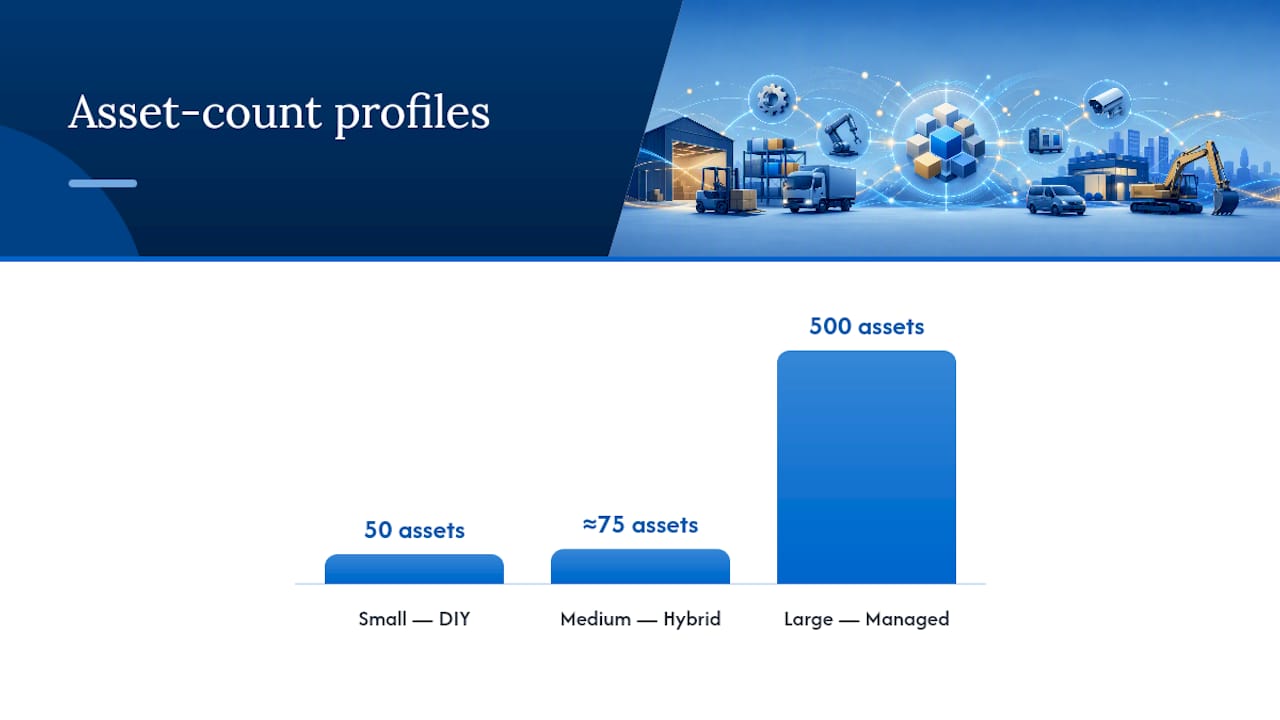
- Asset volume. A business with 50 assets manages differently than one with 500 spread across remote employees.
- Compliance exposure. HIPAA, SOC 2, GDPR, or CMMC obligations raise the cost of an inventory gap from "annoying" to "reportable incident."
- Remote workforce complexity. Distributed teams make manual discovery nearly impossible without automated tools that can find devices outside a single office network.
- Required integrations. Do you need this to connect to Active Directory, an MDM platform, or a cloud connector, and does anyone on staff know how to configure that?
- Budget and total cost of ownership. Software licensing is only part of the cost; factor in the hours someone spends maintaining it.
Three profiles tend to emerge. DIY, low volume fits businesses under roughly 75 to 100 assets with no regulatory pressure and a designated owner willing to run quarterly audits. Hybrid, pairing a lightweight tool with occasional managed support, suits growing teams that need automation but aren't ready for full outsourcing. Fully managed fits compliance-heavy businesses, distributed workforces, or any team where an inventory gap carries real financial or legal risk.
Whichever direction you lean, ask any tool vendor or managed provider these questions before committing: How is discovery performed, agent-based or agentless? What reporting formats do audits require, and can the system export them without manual reformatting? How is data secured and who has access? What's the total cost once support hours are included, not just the license fee?
Implementation Checklist: What Makes Rollouts Succeed or Fail
Most inventory rollouts don't fail on strategy. They fail on execution details nobody wrote down.
Before you start:
- Get stakeholder sign-off from finance, IT, and department heads so nobody discovers the project mid-rollout and blocks it.
- Back up existing records, however messy, before you touch them. You can't reconstruct a lost spreadsheet.
- Finalize your minimal data model so you're not redesigning fields halfway through data entry.
During rollout:
- Label physical assets first, since retrofitting tags after data entry doubles the work.
- Run a pilot import on one category or department before touching everything at once.
- Verify owners and locations against reality, not against what the old spreadsheet claimed.
After rollout:
- Set permission levels so only designated staff can edit records.
- Schedule recurring audits, quarterly for critical assets and annually for the rest.
- Establish a reporting cadence so leadership sees inventory health monthly, not just when something goes missing.
The most common pitfall is over-customization: teams add forty fields before they've proven the basic ten work. A close second is skipping discovery entirely and trusting that everyone remembers every device, which never holds past twenty employees. Inconsistent tagging, mixing barcode formats, asset numbers, and department codes, causes the same confusion spreadsheets created in the first place.
Pro Tip: Document your chain of custody for every asset transfer. Audit-ready exports in PDF or CSV format turn a multi-day compliance review into an afternoon task.
What a Managed Provider Adds to Inventory Accuracy
Internal teams can build a solid register. What they often struggle to sustain is the discipline of keeping it accurate month after month while also handling help desk tickets, security patches, and everything else on their plate.
Securetechie approaches asset inventory as part of a broader preventative IT strategy rather than a one-time project. That means continuous monitoring, compliance experience with frameworks like HIPAA and GDPR, and infrastructure support built around measurable reliability, including a 99.9% uptime guarantee backed by 24/7 monitoring.
A representative outcome pattern looks like this: centralized records replace scattered spreadsheets across departments, audit preparation drops from weeks of manual reconciliation to a documented export, and duplicate purchases decline once procurement can see what's already owned before buying more.
An accurate, continuously updated inventory isn't a compliance nicety. It's the foundation every audit, every incident response plan, and every hardware refresh budget depends on.
If you're vetting any managed partner, ask for specifics before signing:
- What discovery method do they use, and how often does it run?
- What's the documented response time for a discovered discrepancy?
- Can they produce a compliance-ready audit export on request, not just annually?
- How do they handle onboarding and offboarding asset transfers?
Why the Spreadsheet Habit Is Harder to Break Than It Should Be
Most advice on this topic treats software selection as the hard part. It isn't. The hard part is governance, the unglamorous discipline of enforcing ownership, running the audit on schedule, and updating a record the moment an asset moves. A $30-a-month tool with nobody accountable for it fails exactly the way a spreadsheet does.
What the research actually supports is a sequencing argument: fix the process first, then pick the tool. Businesses that jump straight to software often import messy, inconsistent data and end up with a prettier version of the same broken spreadsheet. The ones that succeed spend a week on naming conventions and ownership assignments before they touch any platform.
Where I'd push back on conventional wisdom: compliance risk should weigh more heavily in the DIY-versus-managed decision than asset count does. A ten-person healthcare practice with thirty devices carries more inventory risk than a hundred-person retailer with no regulatory exposure. If your business sits in that first category, the case for managed support isn't about convenience. It's about not becoming the audit finding nobody saw coming.
— Alex
A Managed Path to a Reliable Asset Inventory
Securetechie gives SMBs something a standalone tool can't: a team that treats your inventory as a living system instead of a one-time setup project. Where a DIY tool leaves you responsible for running audits, chasing down unlabeled devices, and rebuilding trust in the data after every staff change, Securetechie's managed infrastructure approach keeps discovery, tagging, and reporting running continuously in the background.

That matters most if you're carrying compliance obligations like HIPAA or SOC 2, where an outdated inventory turns a routine audit into a scramble. Securetechie's managed infrastructure services pair 24/7 monitoring with a 99.9% uptime guarantee, so the same team keeping your network secure is also the team keeping your asset records accurate.
If you're running a growing business in Southern California and don't have the internal bandwidth to own this process month after month, request an infrastructure assessment from Securetechie and find out what a managed, audit-ready inventory would look like for your specific asset count and compliance needs.
Sources
- Asset Management For Small Businesses | Compare Prices
- What Is Asset Inventory Management? Small Business Guide
- Always-Updated Asset Inventory in One Central View