
For most small and mid-size businesses, the right path is a governed managed file transfer (MFT) solution or a managed IT provider that pairs SFTP or HTTPS backends with centralized audit controls and end-to-end encryption (E2EE) where regulations require it. The two trust signals to confirm before signing anything: a HIPAA Business Associate Agreement (BAA) and an immutable audit log you can export on demand. If a vendor cannot demonstrate both in a live demo, keep looking. SMBs that rely on email attachments or consumer cloud links are operating without the audit trails, role-based access control (RBAC), or centralized retention that HIPAA and SOC 2 require.
Table of Contents
- What are the main secure file transfer options for SMBs?
- What technical and governance features must your solution include?
- What does a compliance checklist look like for HIPAA, CMMC, and SOC 2?
- How do you evaluate and choose the right provider?
- How do you implement a governed file transfer solution step by step?
- Why do SMBs benefit from a managed provider for secure file transfer?
- Key Takeaways
- The part most SMBs get wrong about secure file transfer
- Securetechie makes compliance-ready file transfer manageable
What are the main secure file transfer options for SMBs?
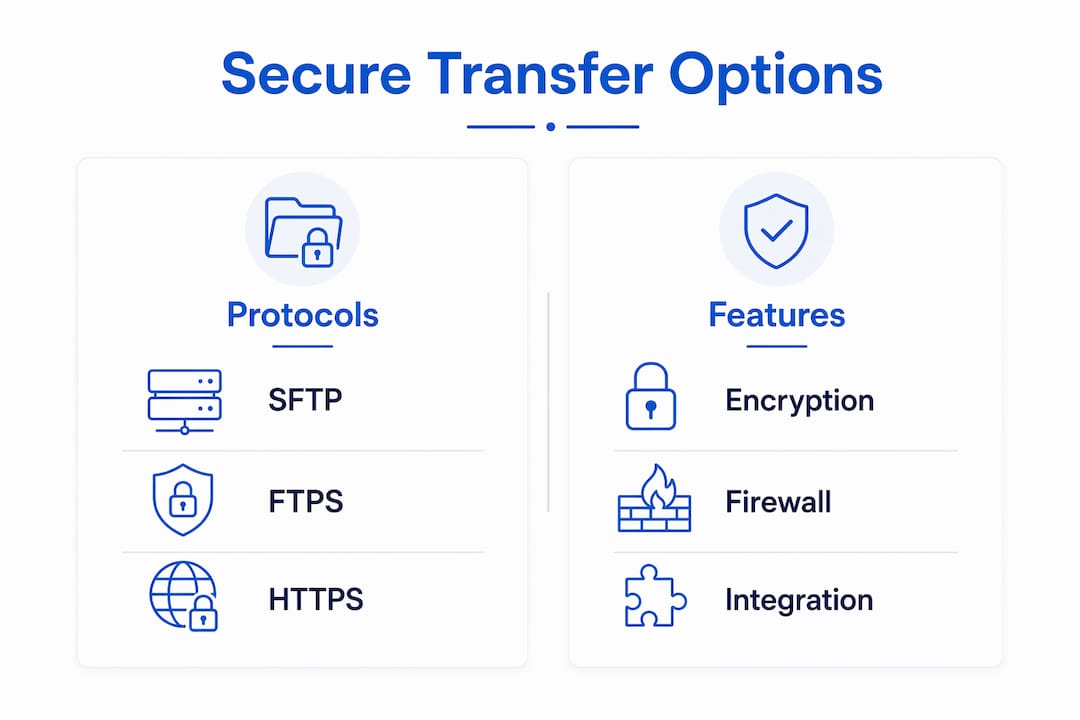
Three protocol-level choices form the foundation of any file transfer security strategy.
SFTP (SSH File Transfer Protocol) runs over SSH and encrypts both commands and data in transit. Its single-port design (port 22) reduces firewall complexity and attack surface, which is why most IT managers prefer it for server-to-server transfers unless legacy compatibility forces another choice.
FTPS (FTP over TLS/SSL) extends traditional FTP with SSL/TLS encryption and supports x.509 certificate authentication. It can deliver higher raw throughput on stable networks, but it requires multiple ports for data channels, which complicates firewall rules and increases the attack surface. FTPS makes sense when a legacy partner ecosystem already depends on it or when maximum transfer speed is the priority on a controlled internal network.
HTTPS-based sharing covers web portals, branded share links, and API-driven file exchange. It is the most user-friendly option and works through standard port 443, making it practical for sharing files with clients or partners who have no SFTP client installed.
Beyond protocols, the platform-level decision matters just as much.

| Option | Encryption in transit | Encryption at rest | E2EE capability | Firewall complexity | Integration ease |
|---|---|---|---|---|---|
| SFTP | TLS/SSH | Depends on server config | No (server-side only) | Low (single port 22) | High (AD, SSO, scripts) |
| FTPS | TLS/SSL | Depends on server config | No (server-side only) | High (multi-port) | Moderate |
| HTTPS portal / MFT | TLS 1.2+/1.3 | AES-256 standard | Optional (E2EE add-on) | Low (port 443) | High (APIs, M365, AD) |
| E2EE file store | Client-side encryption | AES-256 | Yes | Low | Moderate |
MFT platforms add governance on top of any protocol: immutable audit logs, granular RBAC, link expiration, password-protected downloads, and recipient binding. Ad-hoc cloud links (consumer tools repurposed for business) provide none of those controls. E2EE file stores encrypt on the client before upload, so even the service provider cannot read the contents. That is the gold standard for highly sensitive regulated data, though it requires careful attention to how metadata and filenames are handled, since some implementations protect content but not file names or extensions.
Pro Tip: When configuring SFTP, lock the firewall to port 22 only and disable legacy FTP and FTPS ports entirely unless a specific partner integration requires them. This single change removes a significant portion of your exposed attack surface without touching any application logic.
What technical and governance features must your solution include?
A solution that passes a compliance audit needs more than encryption. The following controls are the minimum bar.
Core technical requirements:
- AES-256 encryption at rest and TLS 1.2+ (preferably TLS 1.3) in transit
- E2EE capability for regulated data categories (PHI, PII, financial records)
- Immutable audit logs with tamper-evident storage
- RBAC with least-privilege enforcement
- MFA and SSO integration (Active Directory, Microsoft 365, Google Workspace)
- Malware scanning on inbound files
Governance and compliance controls:
- Branded share links and inboxes on your organization's domain
- Link expiry, password protection, and preview-only modes
- Recipient binding and single-use link options
- Access revocation at any time, including post-download
- Exportable, searchable audit logs with configurable retention periods
- BAA availability for HIPAA-covered entities
Operational controls:
- Data loss prevention (DLP) integrations with built-in PII and health-data detection
- Alerting on anomalous transfer activity
- SLA-backed support with defined response times
Branded portals serve a dual purpose: they give recipients a familiar, trustworthy interface and they keep every interaction inside a governed environment where IT retains full visibility. Replacing employee habits with these portals is as much a governance win as a technical one, because it eliminates the shadow IT that accumulates when staff use personal Dropbox or Gmail to move files quickly.
What does a compliance checklist look like for HIPAA, CMMC, and SOC 2?
Each regulation maps to specific technical controls. Knowing the mapping lets you ask vendors the right questions rather than accepting vague "we're compliant" claims.
| Regulation | Required control | What to verify |
|---|---|---|
| HIPAA | Audit logs + retention | Exportable logs, BAA signed before go-live |
| SOC 2 Type II | Access control + change logs | Third-party audit report, not self-attestation |
| CMMC | RBAC + MFA + incident response | CMMC readiness statement, pen-test summary |
| GDPR (if applicable) | Data residency + DSAR workflow | US data center confirmation, deletion workflow |
Documents to request from any vendor before signing: a SOC 2 Type II report, a HIPAA BAA, a CMMC readiness statement, a penetration-test summary dated within the last 12 months, and written documentation of encryption standards (AES-256 at rest, TLS 1.2+ in transit).
Pro Tip: Ask the vendor to run a live audit-log export during your evaluation call. A genuinely immutable log will show a cryptographic hash or chain-of-custody record alongside each entry. If the vendor hesitates or the export is a simple spreadsheet with no tamper-evidence mechanism, treat that as a red flag.
How do you evaluate and choose the right provider?
Start with a prioritized list of questions for every vendor or MSP you speak with.
- Can you provide a signed HIPAA BAA before we go live?
- Will you demonstrate a live audit-log export and explain the tamper-evidence mechanism?
- What encryption standards apply at rest and in transit, and do you support E2EE?
- What is your documented incident response plan for a file-transfer breach?
- How does your platform integrate with Active Directory, Microsoft 365, or Google Workspace?
- What is your uptime SLA, and what remedies apply if you miss it?
- Have you completed a third-party penetration test in the last 12 months?
Red flags to walk away from:
- No exportable audit logs or logs that cannot demonstrate tamper evidence
- No BAA offered for HIPAA-covered data
- Vague answers about encryption at rest versus in transit
- Consumer file-sharing workflows with a business price tag attached
- No documented incident response procedure
Pricing for governed file transfer typically follows one of three models: per-user monthly subscription, per-GB transfer or storage pricing, or an appliance/license model for on-premises MFT. Per-user pricing is most predictable for SMBs. Costs rise with longer retention periods, E2EE key management requirements, and higher throughput volumes. A realistic procurement and onboarding timeline runs 4–8 weeks from vendor selection through pilot, RBAC configuration, SSO integration, and full cutover.
How do you implement a governed file transfer solution step by step?
A phased rollout reduces risk and gives staff time to adapt before ad-hoc sharing tools are decommissioned.
Phase 1: Pilot (weeks 1–4). Select a small group of power users and one high-risk workflow (e.g., sending contracts or patient records). Configure RBAC, set link expiry defaults, and enable audit logging. Validate that the audit export meets your compliance team's requirements before expanding.
Phase 2: Policy and integration (weeks 3–6). Map roles to permissions, integrate with Active Directory or SSO, and deploy SSH keys or TLS certificates for server-to-server connections. Lock firewall rules to the required ports only.
Phase 3: Migration and cutover (weeks 5–8). Migrate existing shared folders, set retention and export policies, and formally decommission consumer sharing domains. Update your incident response runbook to include file-transfer breach scenarios.
Operational tasks post-cutover:
- Train staff on the new portal and security awareness best practices
- Schedule quarterly log exports and compliance reviews
- Monitor for shadow IT (unauthorized sharing tools) and address promptly
Pro Tip: Measure shadow IT reduction after 60 days by reviewing email gateway logs for outbound attachments to consumer cloud domains. A meaningful drop confirms adoption. If the number stays flat, the new portal has a usability problem worth solving before your next audit.
Why do SMBs benefit from a managed provider for secure file transfer?
Managing file transfer governance in-house requires ongoing attention: certificate renewals, log reviews, RBAC audits, and incident response readiness. For most SMBs, that workload competes with core business priorities.
A managed provider delivers:
- Faster compliance readiness, with pre-built templates for HIPAA, SOC 2, and CMMC controls
- Monitored audit trails reviewed by security professionals, not just stored
- Integrated incident response so a suspicious transfer triggers an immediate investigation
- Fewer internal admin hours spent on certificate management and log exports
- Local, dedicated support with defined SLAs rather than a generic help desk queue
Securetechie provides managed IT and cybersecurity services with a 99.9% uptime guarantee, compliance audit support across HIPAA, SOC 2, and CMMC, and the ability to deliver pilot projects and audit-readiness engagements for SMBs. A typical engagement covers Microsoft 365 or Google Workspace integration, MFT governance configuration, RBAC mapping, and a compliance evidence package ready for an auditor.
Trust signals to verify in any managed provider: a current SOC 2 Type II report, a signed HIPAA BAA, a documented uptime SLA, and a third-party penetration test summary.
Pro Tip: Ask your managed provider to walk you through their own audit log from a recent client engagement (anonymized). Seeing how they document access events and revocations in practice tells you far more than a sales deck.
Key Takeaways
Governed file transfer, not just encrypted transport, is the compliance standard for SMBs handling regulated data.
| Point | Details |
|---|---|
| Protocol choice matters | SFTP's single-port design reduces firewall complexity; choose FTPS only when legacy systems require it. |
| Governance over encryption alone | Immutable audit logs, RBAC, link expiry, and recipient binding are required for HIPAA and SOC 2 compliance. |
| E2EE for regulated data | Client-side encryption prevents provider-side access; verify that metadata and filenames are also protected. |
| Vendor verification steps | Request a SOC 2 Type II report, HIPAA BAA, pen-test summary, and a live audit-log export demo before signing. |
| Securetechie for SMB readiness | Securetechie delivers managed file transfer governance, compliance audits, and a 99.9% uptime SLA for SMBs. |
The part most SMBs get wrong about secure file transfer
The conversation in most SMB IT reviews focuses almost entirely on encryption: "Are files encrypted in transit? Yes? Good." That framing misses the larger risk. Transport encryption stops a network-level eavesdropper. It does nothing to prevent an authorized user from sharing a file with the wrong recipient, nothing to prove to an auditor that access was limited to the right people, and nothing to help you respond when a file goes somewhere it should not have.
The organizations that pass HIPAA and SOC 2 audits without scrambling are the ones that treated file transfer as a governance problem first and a technical problem second. They replaced email attachments and consumer cloud links with portals that bind links to recipients, expire automatically, and write every access event to a tamper-evident log. Zero-trust configuration, requiring recipient identity verification and enabling revocation on every sensitive exchange, is a high-impact control that many SMBs skip entirely because it sounds complicated. Configured correctly inside an MFT platform or a managed provider's environment, it takes minutes to set up and hours off your next audit.
Securetechie makes compliance-ready file transfer manageable
Securetechie works with small and mid-size businesses across Southern California that need file transfer governance without the overhead of managing it internally. The concrete difference: instead of piecing together a protocol, a platform, and a compliance checklist on your own, you get a pre-configured, audited environment with HIPAA BAA support, RBAC mapping, and monitored audit trails from day one.

Securetechie's compliance and infrastructure services cover the full deployment: firewall configuration, SSO integration, MFT governance setup, and the compliance evidence package your auditor will ask for. The cybersecurity and compliance audit team can also run a readiness review against HIPAA, SOC 2, or CMMC controls before you commit to a platform. To get started, contact Securetechie for a compliance readiness conversation or a pilot engagement scoped to your highest-risk file transfer workflow.