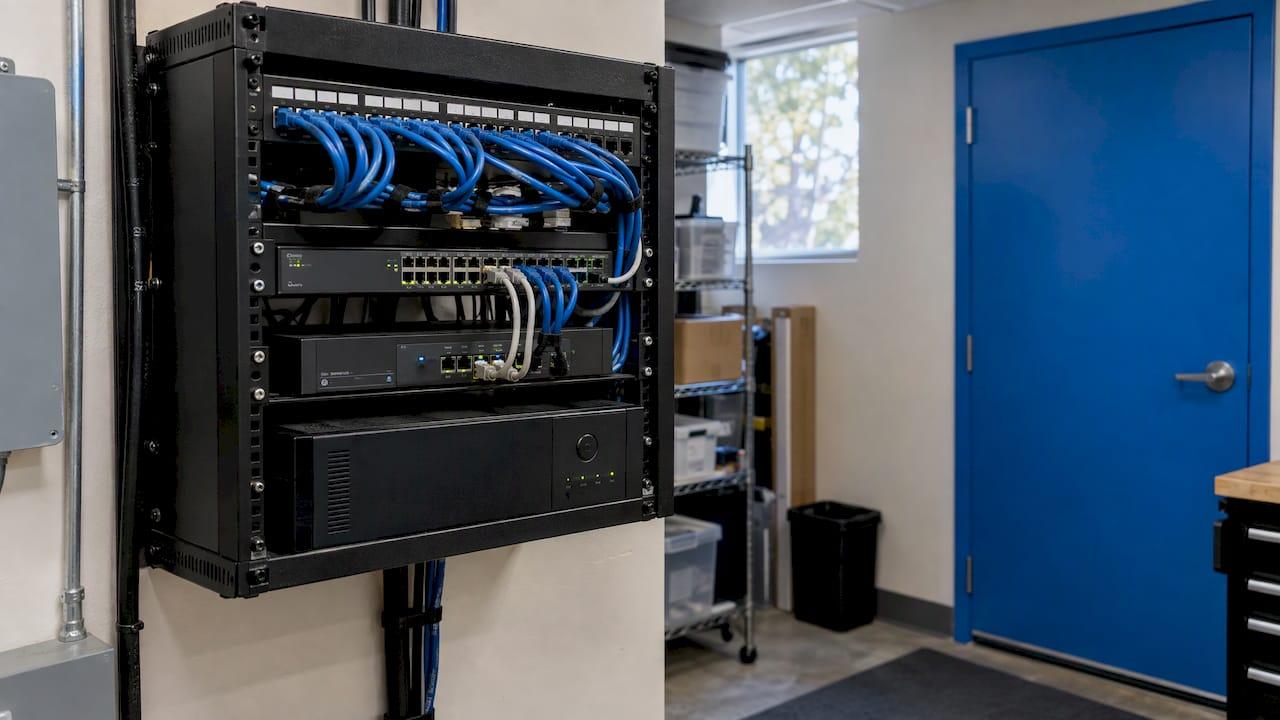
A startup's IT infrastructure should be built around one cloud identity platform, managed devices, secured email, a protected network, tested backups and a named owner for support. Get those six pieces right in the first months and adding people, offices and compliance duties later is a routine task, not a rebuild. Startups that handle patient, client or financial data should set the same foundation up to a compliance standard from day one, and a managed IT provider such as Secure Techies can run it for you in Southern California so a founder is not the help desk.
TL;DR
- Start with one identity platform (Microsoft 365 or Google Workspace), individual accounts for everyone and multi-factor authentication (MFA) turned on first for administrators.
- Manage every laptop and phone centrally, and treat backups as a tested recovery process, not a setting.
- Cloud-first is the sensible default for a young company, but know the difference between cloud, on-premises and hybrid before you commit.
- Healthcare, legal and financial startups need compliance built in early, because HIPAA and SEC rules attach to the data you hold, not to your size.
- Proactive management with 24/7 monitoring costs less in disruption than fixing things after they break.
Table of Contents
- What startup IT infrastructure actually includes
- Step 1: Choose one identity platform
- Step 2: Manage devices from the first hire
- Step 3: Secure the network
- Step 4: Decide between cloud, on-premises and hybrid
- Step 5: Build security in, not on
- Step 6: Treat backup as a recovery process
- Step 7: Decide who answers the phone
- Extra requirements for healthcare, legal and financial startups
- A first-ninety-days plan
- Why proactive management suits a startup
- Work with a Southern California IT team
- FAQ
- Sources
What startup IT infrastructure actually includes
IT infrastructure is everything your team uses to work and everything that keeps company data safe. Lenovo's small-business planning guide groups it into hardware, software, networking, cloud services, data and network protection, and data management. For a startup, that translates into a short list:
- User accounts and email: the login every employee uses for mail, files and applications.
- Devices: laptops, desktops and phones, plus the software that configures and secures them.
- Network: office Wi-Fi, internet access, firewall and, if you have one, a server room or closet.
- Cloud services: file storage, line-of-business software and any hosted databases.
- Security: MFA, patching, endpoint protection and training.
- Backup and recovery: copies of data and a plan for restoring it.
- Support: a person or team who answers when something breaks, and who watches for trouble before it does.
Notice that most of the list is not hardware. A company with ten people and no server can still have a complex infrastructure, because it lives in subscriptions and settings. That is why configuration mistakes, not equipment failures, cause most early problems.
Step 1: Choose one identity platform
Every other decision hangs from this one. Pick Microsoft 365 or Google Workspace as the system that holds your users, passwords and permissions, and use it for email, calendars and file sharing.
What to do:
- Register your company domain before you create accounts, so every address uses it.
- Create one account per person. Shared logins make it impossible to remove access cleanly when someone leaves.
- Create at least two administrator accounts, kept separate from daily-use accounts, so a single lost password never locks you out.
- Turn on MFA, starting with administrators.
Where it goes wrong: founders often run the first months on personal Gmail accounts or one shared login, then must untangle years of mail and files. Migrating that data later is possible, but it is easier to start clean.
If you already have mail somewhere else, Microsoft documents the path. Its Google Workspace migration guide tells you to verify your domain with a TXT record, create the users, then migrate in batches. It also tells you to disable retention and archive policies first so archived mail is not flagged as missing. Microsoft's migration best-practices page explains that IMAP migration covers hosted mail such as Gmail, and that a cutover migration can handle up to 2,000 on-premises mailboxes but 150 is the recommended ceiling because performance degrades above that. Those are the details a small team usually discovers halfway through a weekend migration. We handle email migration to both Microsoft 365 and Google Workspace as a project, so the cutover happens without your staff losing mail.
Step 2: Manage devices from the first hire
A laptop that the company cannot see is a laptop it cannot protect. Mobile device management (MDM) is software that lets you enforce settings, push updates and wipe a lost device remotely.
A workable baseline for a startup:
- Company-owned or enrolled devices, each tied to a named user.
- Disk encryption and a screen lock turned on by policy.
- Automatic operating-system updates.
- Endpoint protection installed and reporting to a central console.
- A written offboarding checklist: disable the account, recover the device, remove access to shared files.
The common failure is the bring-your-own-device habit that grows by accident. Three people in, it is harmless. Thirty people in, nobody knows which personal laptops hold customer files. Enrolling devices as you hire is far cheaper than auditing them later.
Step 3: Secure the network
If your team works from a shared office, the network is a business system. A business-grade firewall, separate Wi-Fi networks for staff and guests, and a documented list of what is connected are the minimum. If everyone is remote, your network is effectively each person's home router, which makes device protection and MFA more important, not less.

Where it goes wrong: consumer routers installed with default passwords, guest and staff devices on one network, and no one who knows the firewall's configuration. Our network security solutions cover firewalls and wireless design, and our managed infrastructure services cover the design and day-to-day management of the environment behind it.
Step 4: Decide between cloud, on-premises and hybrid
Most startups should begin in the cloud, but the terms deserve a plain definition.
- Cloud: you rent computing, storage or software from a provider and use it over the internet.
- On-premises: you own and run the servers in your own space.
- Hybrid: a mix, for example a local server for one specialized application and cloud services for everything else.
The California Department of Technology's Cloud Smart Playbook describes NIST's four deployment models (public, private, community and hybrid). It also notes that a traditional data center does not meet NIST's definition of cloud because it lacks on-demand self-service, broad network access, resource pooling, rapid elasticity and measured service. In practice, elasticity is the startup advantage: you add a user or storage when you need it and stop paying when you do not.
AWS's guidance for small and mid-size businesses suggests favoring managed services and choosing tools that integrate with the software you already run, such as QuickBooks, HubSpot, Microsoft 365 and Google Workspace. It also recommends validating pricing and the growth path before you commit. That last point matters because pay-as-you-go pricing can climb quickly as usage grows.
When a hybrid setup makes sense: a specialized database, a piece of lab or point-of-sale equipment, or a regulatory reason to keep certain data under tighter control. If a database such as SQL Server supports a bank or mortgage operation, the design questions are who can query it, how it is encrypted, how often it is backed up and how quickly it can be restored. Those belong in your infrastructure plan, with a named person responsible. Our cloud migration checklist and guide to cloud services go deeper on moving workloads and what they cost.
If financing the buildout is part of your planning, this small business funding checklist helps you organize the numbers before you commit to equipment and subscriptions.
Step 5: Build security in, not on
Security for a startup does not require an enterprise budget, but it does require discipline. CISA's Cyber Essentials, written for small organizations, recommends:
- MFA for all users, starting with privileged, administrative and remote access.
- Automatic, continuous backups of critical data and system configurations.
- Automatic updates and fast patch deployment.
- Least-privilege access, meaning each person can reach only what the job needs.
- Unique passwords for every account.
- Staff training on phishing and business email compromise.
- Tested incident response and disaster recovery plans.
The same document frames security as a leadership responsibility, not a task to delegate and forget. If your startup sells online, cybersecurity for e-commerce success shows how those basics connect to customer trust and revenue.
Two habits do the most work. First, train people: most attacks arrive through an email that someone clicks. Our employee security awareness training guide explains how to reduce that risk. Second, harden the tenant you chose in Step 1. Default Microsoft 365 settings are not a security configuration, and our Microsoft 365 security checklist walks through the changes. Our small business cybersecurity checklist covers the wider list, and our cybersecurity solutions include endpoint detection, incident response and risk assessment.
Step 6: Treat backup as a recovery process
A backup that has never been restored is a hope, not a plan. CISA's Cyber Essentials Starter Kit advises regular automated backups and redundancy for key systems, with physical security, encryption and offline copies.
Decide three things in writing:
- What is backed up: email, files, databases, configurations and the data held in software-as-a-service tools. Subscriptions are not backups.
- How long you can be down: the longest outage the business can absorb.
- Who restores it and how often it is tested: a test restore on a schedule, with the result recorded.
Our backup and disaster recovery service is built around that recovery goal, and our backup and disaster recovery plan guide shows what a written plan contains.
Step 7: Decide who answers the phone
In the first year, the default help desk is whichever founder or engineer is least busy. It works until a password reset or a Wi-Fi outage interrupts product work three times a week. Somewhere between five and fifteen employees, most startups need someone dedicated to support.
A managed help desk gives users one place to report problems, handles software and device issues and keeps a record of what was fixed. Pair it with monitoring so problems are caught before users notice. Our managed help desk support provides this, and our 24/7 monitoring is the layer that watches for trouble outside business hours.
Extra requirements for healthcare, legal and financial startups
If you handle protected health information, client confidences or financial records, compliance is part of the infrastructure, not a later project.
Healthcare. HIPAA's Security Rule applies to covered entities and their business associates, which includes vendors that handle patient data for them. HHS has been rewriting the rule: the proposed update was published on January 6, 2025, and the federal regulatory agenda lists it at the final-rule stage as of May 2026. The proposal, as summarized by a healthcare law firm, included an annually updated asset inventory and network map, patching critical risks within 15 days, ending access within one hour of a departure, MFA across technology assets, backup testing every six months and annual penetration testing. Whether or not each item survives in the final text, building a startup around them is a sound design target. Check the final rule on its publication for the exact requirements and dates.
Legal and financial. Law firms hold privileged material and financial firms hold account and transaction data, and both are expected to show access controls, encryption and incident readiness. Public companies also face the SEC's cybersecurity disclosure rules, effective December 2023, which require a Form 8-K within four business days of determining an incident is material. A startup preparing for investors or an eventual public offering should be able to detect an incident fast and document it.

Our compliance and security audits cover HIPAA, GDPR, SEC, SOC 2 and CMMC, so you can find gaps before an auditor, partner or investor does. For legal interpretation of a specific obligation, such as whether a rule applies to your entity, your attorney is the right person.
A first-ninety-days plan
| Timeframe | What to complete |
|---|---|
| Days 1 to 30 | Identity platform, domain, individual accounts, administrator accounts, MFA, device enrollment |
| Days 31 to 60 | Network and firewall setup, patching schedule, endpoint protection, backup configuration and a test restore |
| Days 61 to 90 | Security training, incident response contacts, offboarding checklist, compliance gap assessment, support process |
The same ninety-day logic applies when you hire a provider. Our managed IT onboarding guide lists the CISA and NIST checks to require by day 90, so you can hold any provider, including us, to a clear standard.
Why proactive management suits a startup
Break-fix support waits for something to fail, then bills for the repair. A startup has no slack for that: one outage during a funding demo or a client onboarding costs more than the hourly rate. Proactive management reverses it. Systems are monitored continuously, patches are applied on a schedule, and backups are verified, so issues are dealt with before they interrupt work.
What we recommend
We build startup environments around prevention. In our experience of what a young company needs, the right first step is not buying more tools but putting someone accountable behind the six pieces above: identity, devices, network, cloud, security and recovery.
Our approach is proactive and preventative, backed by 24/7 monitoring, a local team in Southern California and a 99.9% uptime guarantee. Billing is flat-rate and transparent, with no long-term contracts, so a growing company can add users and services without renegotiating. For healthcare, legal and financial startups, we design with HIPAA, SEC, SOC 2 and CMMC expectations in view from the beginning, because retrofitting compliance is slower than starting with it.
If you take one thing from this guide, make it this: decide who owns your IT before the first incident, not after.
Alex
Work with a Southern California IT team
If you would rather launch the product than run the infrastructure, our managed IT services cover remote and onsite support, infrastructure design and management, network security, 24/7 monitoring, help desk, Microsoft 365 and Google Workspace migration, backup and disaster recovery, and compliance audits. We work with small and mid-size businesses, healthcare providers, law firms, banks and mortgage companies across Southern California.
Tell us your headcount, the data you handle and the systems you already use, and we will map what your first ninety days should look like. Start at securetechie.com.
FAQ
How much IT infrastructure does an early-stage startup really need?
Very little hardware and a fair amount of configuration. A single identity platform, managed devices, MFA, a protected network, tested backups and a support path cover most companies under twenty people. Add specialized systems only when a real need appears.
Should a startup choose Microsoft 365 or Google Workspace?
Either works, and both integrate with the common business tools. Choose the one your team and customers already use, then secure it properly. If you need to switch later, mail can be migrated in batches, so the first choice is not permanent.
When should a startup hire a managed IT provider?
When IT questions start taking real time from people who should be building the product, or when a customer, investor or regulator asks for security evidence. For healthcare, legal and financial startups, that moment usually comes at the start, because compliance applies from the first record you hold.
Is cloud always cheaper than on-premises for a startup?
It is usually cheaper to begin, because you pay only for what you use and avoid buying servers up front. Costs rise with usage, so review pricing and growth paths before you commit to a service, as AWS also advises.
Sources
- How to Plan IT Infrastructure for Small Businesses, Lenovo
- Perform a Google Workspace migration to Microsoft 365, Microsoft Learn
- Microsoft 365 migration performance and best practices, Microsoft Learn
- Cloud Smart Playbook, California Department of Technology
- Cloud migration checklist for SMBs, AWS
- CISA Cyber Essentials
- CISA Cyber Essentials Starter Kit
- HIPAA Security Rule rulemaking record, Reginfo.gov
- HHS proposed revisions to strengthen the HIPAA Security Rule, Milligan Lawless
- Cybersecurity Compliance: The Breach That Triggers the Fine, Daeryun