
A SQL Server security checklist comes down to six areas: who can log in, what each account can do, how current the server is, how traffic and data are encrypted, who can reach the server over the network, and whether you can see and recover from what happens. This page gives you the checks for each area in the order we would work through them, so a business owner or office manager can follow the logic and an IT lead can use it as a working list.
It is written for organizations whose databases hold sensitive records: medical practices, law firms, banks, mortgage companies and growing startups. For those teams, SQL Server often sits behind the line-of-business application that holds client files, loan data or patient information. If your team does not have a database administrator (DBA, the person who maintains the database), the managed IT and cybersecurity work described near the end is how we take this checklist off your plate.
TL;DR
- Use Windows or Microsoft Entra authentication, give every account only the permissions it needs, and lock down the built-in
saaccount. - Stay on a supported SQL Server version and patch on a schedule, testing updates before production.
- Encrypt connections, backups and sensitive columns, and allow only known systems to reach the server on port 1433.
- Turn on auditing and review the records, then confirm backups actually restore.
- Work the list quarterly and after every major change, such as a new application or a migration.
Table of Contents
- Why a checklist works better than a one-time setup
- Identity: who can log in
- Permissions: what each account can do
- Patching and configuration: how current and how small
- Encryption and network access: protecting the data in motion and at rest
- Visibility and recovery: seeing and surviving problems
- A quick review table
- How often to run it
- Perspective
- Getting the checklist done for you
- FAQ
- Sources
Why a checklist works better than a one-time setup
SQL Server ships with many features, and a default installation is built for convenience. Microsoft's own security guidance for SQL Server recommends limiting enabled features to those you require and layering defenses, so that one failed control does not expose the data. A checklist turns that principle into specific items you can mark done, assign to a person and re-check.
The items below are grouped so that each group has an owner. Identity checks belong to whoever manages accounts. Patch and configuration checks belong to the person running the server. Network checks belong to whoever runs your firewall. Backup checks belong to whoever would be called at 2 a.m. when the data is gone.
Identity: who can log in
1. Prefer Windows or Entra authentication
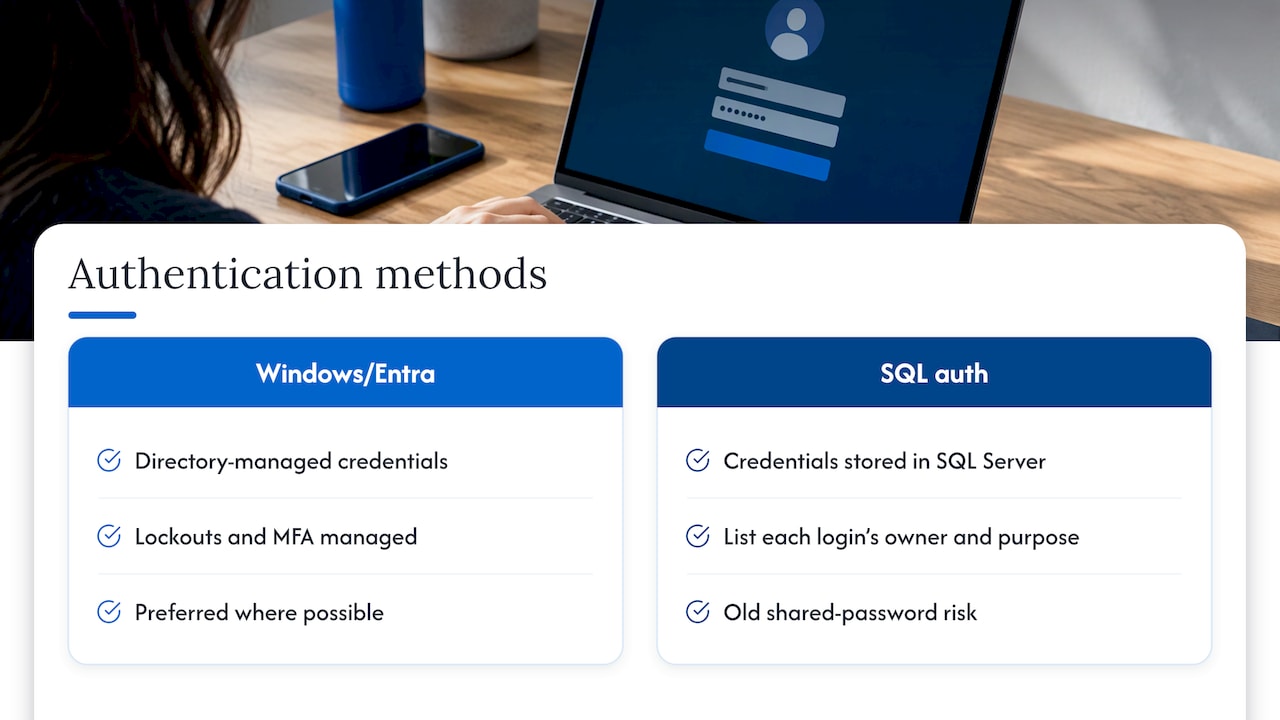
SQL Server accepts two kinds of logins. Windows authentication (or Microsoft Entra authentication in the cloud) relies on your directory, where passwords, lockouts and multi-factor authentication are already managed. SQL authentication stores credentials inside SQL Server itself. Microsoft's guidance is to prefer Windows or Microsoft Entra authentication over SQL authentication, and its installation guidance says to require Windows Authentication where you can.
What to verify: open the server properties and confirm the authentication mode. If an application needs SQL logins, list each one, who owns it and why it exists.
Where it goes wrong: old application accounts that nobody remembers, often with shared passwords written in a configuration file.
2. Protect the sa account
The sa account is the built-in administrator. The same installation guidance says to always assign it a strong password. Many teams go further and disable it once a named administrator account exists, so an attacker cannot target a well-known account name.
3. Require MFA where people reach the machine
Microsoft advises multi-factor authentication for accounts with machine-level access, including remote desktop (RDP). Anyone who can sign in to the Windows server can often reach the data regardless of database permissions, so this check matters as much as any database setting. Our guide to MFA for business covers how to roll it out without disrupting staff.
4. Separate administrator duties
The same Microsoft page recommends separating DBA duties rather than giving every DBA sysadmin rights. Sysadmin is the fixed server role that can do anything. List who holds it. For most small organizations the honest answer should be one or two named people, plus a break-glass account that is documented and monitored.
Permissions: what each account can do
5. Grant least privilege through roles
Microsoft's permissions guidance recommends granting permissions to roles where possible and granting only the least permission needed. Access works in two steps: a login gets you into the server, and a database user (mapped from that login) with its roles decides what you can touch inside a database.
A simple pattern:
- Create a directory group for each job function, such as loan processors or billing staff.
- Map each group to a database role with only the read and write rights that function needs.
- Add and remove people from the group, never by editing individual permissions.
Where it goes wrong: an application is given the db_owner role because it was quicker during setup, and nobody reduces it afterward. If your application's vendor insists on full rights, ask which specific permissions it uses and scope to those.
6. Run services under low-privilege accounts
SQL Server runs as Windows services. Microsoft says to run them with the lowest possible permissions using low-privilege Windows accounts, and recommends group-managed service accounts, which let Windows rotate the service password automatically. A service running as a domain administrator turns any SQL Server compromise into a whole-network compromise.
7. Limit what individual users see
Permissions decide which tables people can open. For finer control, Microsoft recommends Always Encrypted in its randomized form where possible, and describes Row-Level Security as a way to restrict users to the records relevant to them. Where staff need to work with data but should not see full values such as Social Security or account numbers, see our practical guide to SQL Server data masking.
Patching and configuration: how current and how small
8. Stay on a supported version and patch on a schedule
Each SQL Server version gets a fixed support window. Microsoft's lifecycle page states that every version receives five years of mainstream support and five years of extended support, and extended support covers security updates only. The same table lists extended support for SQL Server 2016 ending in 2026, so any 2016 instance still in production needs a migration or extended security update plan now. Check the lifecycle table for your own version, since it is the authority on dates.
The CIS SQL Server 2022 Benchmark, a widely used configuration standard, recommends identifying patch levels, installing the latest applicable security fixes and testing updates in non-production first. In practice that means a test copy of the server, a monthly or quarterly patch window, and a written rollback plan.
9. Switch off what you do not use
Every enabled feature is something an attacker can try to abuse. Microsoft recommends enabling only necessary features to reduce the attack surface and running vulnerability assessments to find misconfigurations. Review features such as remote administrative connections, unused network protocols, sample databases and legacy components, and document why each remaining one is on. If you want to understand how a formal assessment is structured, this security vulnerability assessment training course outlines the method. Our network vulnerability assessment guide shows what that looks like for a small business network around the database.
Encryption and network access: protecting the data in motion and at rest
10. Encrypt connections, backups and sensitive data
Three layers matter:
- In transit. For SQL Server 2022 and later, Microsoft's best-practices page says to use Force Strict Encryption; for earlier versions, set Force Encryption to Yes and Extended Protection to Required. Strict mode (TDS 8.0) needs a TLS certificate and compatible clients, such as ODBC Driver 18.1.2.1 or later, and it is the only mode that supports TLS 1.3. Inventory your applications before switching it on, because older drivers will stop connecting.
- At rest. The CIS benchmark recommends encrypting sensitive databases and backups, AES-128 or stronger for symmetric keys and asymmetric keys of at least 2048 bits.
- In the column. Always Encrypted protects particular fields even from administrators, as noted above.
Where it goes wrong: encrypting the database but leaving its backup files readable on a file share, or losing the certificate and so losing the data. Back up certificates and keys separately from the database backups, and record who holds them.
11. Restrict who can reach the server
SQL Server listens on port 1433 by default. Microsoft's guidance for SQL Server on Azure VMs notes that network security group rules can allow only specified source IP addresses, and Windows Firewall can add another restriction. The same principle applies on premises: the database should never be reachable from the open internet, and only application servers and named administrator workstations should be allowed in.
What to verify: scan your public IP addresses from outside your network and confirm that 1433 does not respond. Review firewall rules for any "allow all" entries added during a past troubleshooting session.
Visibility and recovery: seeing and surviving problems
12. Audit, then actually read the audit
Microsoft recommends auditing access and changes to sensitive data and configurations at the server and database levels, reviewing the records, and considering sensitive tables and columns. An audit that nobody reviews does not protect you. Decide in advance what counts as suspicious: logins outside business hours, permission changes, a sudden large export, failed logins from one source. Our SQL Server auditing guide walks through enabling, configuring and reviewing it.
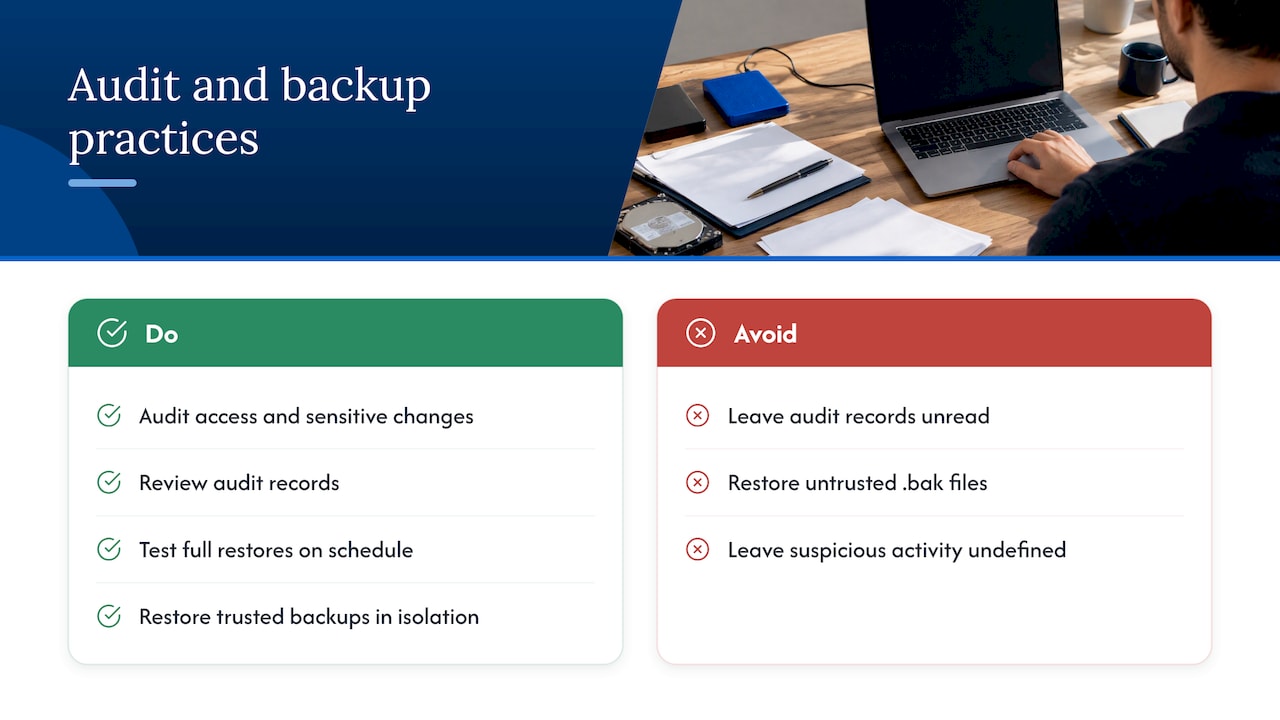
Backups belong in the same routine. Microsoft treats restoring untrusted .bak files as high risk, recommends restoring only trusted backups in isolated instances, and suggests auditing backup and restore events. Beyond that, test a full restore on a schedule and time how long it takes. A backup you have never restored is only a hope. If uptime matters to your operation, our overview of SQL Server high availability options explains how to keep the database running through failures.
A quick review table
| Area | Check | Evidence to keep |
|---|---|---|
| Identity | Windows or Entra authentication; sa secured; MFA for RDP | Server properties screenshot, MFA policy |
| Permissions | Roles mapped to groups; no unnecessary db_owner or sysadmin | Role membership export |
| Patching | Supported version; tested updates applied | Version and patch report |
| Configuration | Unused features off | Configuration review notes |
| Encryption | Forced encryption; encrypted backups; keys stored safely | Settings export, key custody record |
| Network | Port 1433 closed to the internet; allow-list in place | External scan result, firewall rules |
| Audit and recovery | Audit on and reviewed; restore test passed | Audit review log, restore test record |
Keep the evidence column. If you are a healthcare provider, law firm, bank or mortgage company, auditors and examiners ask to see exactly this kind of record, and your cyber insurance questionnaire will too.
How often to run it
Run the full list at least quarterly, and also after any event that changes the risk: a new application connecting to the database, a staff departure, a server migration, a version upgrade or a security incident. Identity and network checks change fastest, so many teams review those monthly. Our small business cybersecurity checklist puts the database list in the context of the wider environment.
Perspective
Most database exposure we see described in the industry is not a clever attack. It is an account nobody owns, a port that was opened for a vendor and never closed, or a backup that was never tested. Those are management gaps, which is why our approach is proactive and preventative rather than waiting for something to break.
A checklist is the right starting point, but it only helps when someone is responsible for repeating it. For a small or mid-size business in Southern California, hiring a full-time DBA and a security engineer is rarely realistic. A managed provider that monitors around the clock, patches on a schedule and ties database controls to your HIPAA, SEC or CMMC obligations gives you that coverage without the headcount.
Our position is simple: security and compliance come first, and the database is one of the places they have to be proven.
Alex
Getting the checklist done for you
Secure Techies provides managed IT services with 24/7 monitoring for small and mid-size businesses in Southern California, along with managed cybersecurity that includes endpoint detection, incident response and risk assessment. For regulated organizations, our compliance and security audits cover HIPAA, GDPR, SEC, SOC 2 and CMMC, and backup and disaster recovery addresses the restore side of the checklist. Our billing is flat-rate and transparent, without long-term contracts.
If you would like this checklist applied to your own SQL Server environment, start with our team through the Secure Techies site.
FAQ
What is the first thing to fix on an insecure SQL Server?
Start with exposure and identity. Confirm that port 1433 is not reachable from the internet, secure or disable the sa account, and list who holds sysadmin rights. These three checks close the most common routes into the database and take little time.
Does SQL Server security help with HIPAA or SEC requirements?
Yes. Access control, encryption, audit logging and tested backups are the technical safeguards those frameworks look for in systems holding patient or client data. A database checklist supplies the evidence, but compliance also covers policies, training and risk analysis, which a compliance audit addresses.
Should I encrypt everything with strict encryption?
For SQL Server 2022 and later, Microsoft recommends Force Strict Encryption. Inventory your applications and drivers first, because strict mode needs a TLS certificate and current client drivers. Roll it out in a test environment, then production.
How often should SQL Server be patched?
On a regular, scheduled cycle, such as monthly or quarterly, with urgent security fixes applied sooner. Test each update on a non-production copy first, as the CIS benchmark advises, and keep a rollback plan.
Sources
- Secure your SQL Server, Microsoft Learn
- Security considerations for a SQL Server installation, Microsoft Learn
- SQL Server security best practices, Microsoft Learn
- Get started with Database Engine permissions, Microsoft Learn
- SQL Server security best practices source document, Microsoft Docs
- Connect to SQL Server with strict encryption, Microsoft Learn
- SQL Server end of support options, Microsoft Learn
- Security best practices for SQL Server on Azure VMs, Microsoft Learn
- CIS Microsoft SQL Server 2022 Benchmark v1.1.0
- Security Vulnerability Assessment Training Course