
If your organization runs Microsoft 365, Azure, or Defender, evaluate Microsoft Sentinel first. If you operate a heterogeneous estate with on-premises infrastructure, legacy devices, or strict data residency requirements, evaluate Splunk Enterprise Security first. Three quick decision triggers: Microsoft 365/E5 plus Azure-centric workloads points to Sentinel; strict data sovereignty, air-gapped networks, or deep on-premises investment points to Splunk; a mixed environment warrants a parallel proof of concept or a federated architecture running both platforms.
The core architectural difference drives everything else. Microsoft Sentinel is cloud-native, built on Azure Log Analytics and Azure Data Explorer, with no on-premises deployment option. Splunk Enterprise Security supports on-premises, hybrid, and Splunk Cloud deployments. That single constraint is often the deciding factor before any feature comparison begins.
Table of Contents
- How do Microsoft Sentinel and Splunk compare across core decision axes?
- What features and capabilities differentiate each platform?
- How do deployment and integrations differ between the two platforms?
- What does each platform actually cost, and what drives TCO?
- What does it take to operate each platform day to day?
- How do scalability, performance, and reliability compare?
- Which organizations are the best fit for each platform?
- What should your migration and implementation plan include?
- How do you choose between Sentinel and Splunk for procurement?
- When does a managed SIEM provider make more sense than in-house operations?
- Key Takeaways
- The case for getting the operational model right before the platform
- Securetechie's managed SIEM services for Southern California organizations
- Useful sources and further reading
How do Microsoft Sentinel and Splunk compare across core decision axes?
The table below maps the dimensions security decision-makers use most during shortlisting.
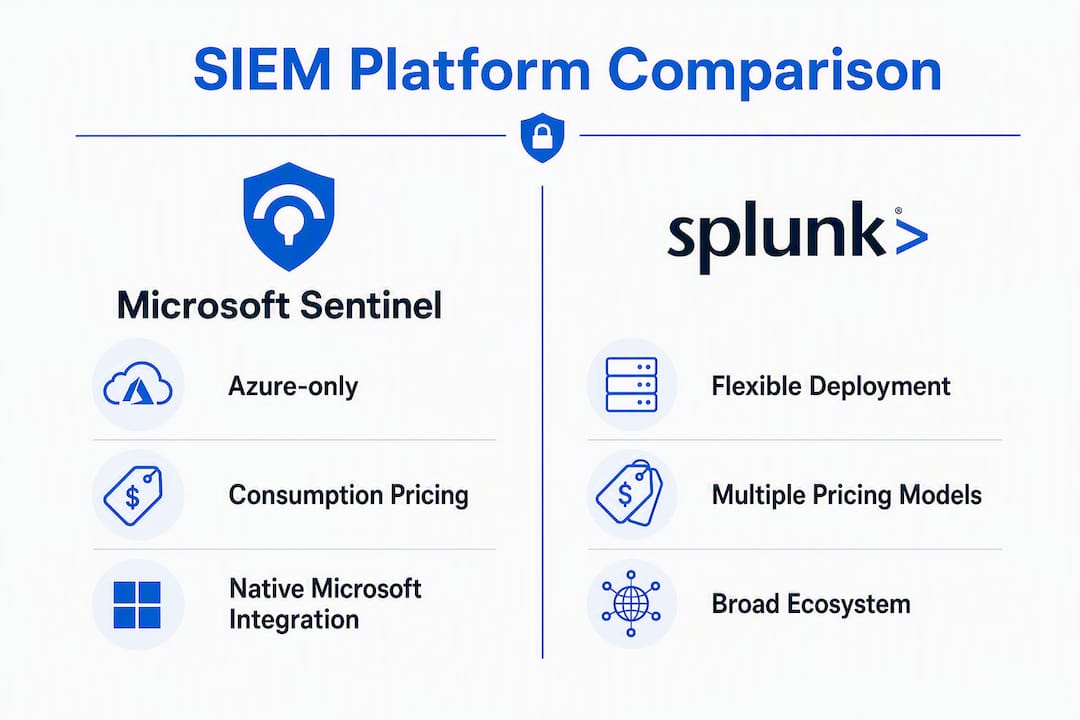
| Dimension | Microsoft Sentinel | Splunk Enterprise Security / Splunk Cloud |
|---|---|---|
| Core capabilities | Threat detection, KQL-based hunting, native SOAR via Logic Apps, built-in UEBA, Defender/Entra correlation | Threat detection, SPL-based hunting, mature SOAR module, UEBA module, broad third-party correlation |
| Deployment model | Cloud-native (Azure only) | On-premises, hybrid, or Splunk Cloud |
| Query language | KQL (Kusto Query Language) | SPL (Search Processing Language) |
| Integrations | Deep Microsoft 365, Azure, Defender, Entra ID; many data connectors | Splunkbase marketplace with thousands of apps; broad third-party and legacy device support |
| Pricing model | Consumption-based (pay-per-GB analytics tier) with commitment tiers; M365 data ingestion benefits | Ingest-based, workload/SVC, or predictive commitment models |
| Primary TCO driver | Ingestion volume and retention tier selection | Ingest volume, search workload, and ES/UEBA/SOAR add-on licensing |
| Scalability | Elastic Azure cloud scaling | Indexer clustering for on-prem; elastic for Splunk Cloud |
| Typical enterprise fit | Microsoft-first, cloud-native, or E5-licensed organizations | Regulated industries, large on-prem estates, OT/ICS environments |
Biggest practical trade-offs:
- Sentinel's tightest constraint is Azure dependency. Every log must flow through Azure, which adds latency and egress cost for on-premises or multi-cloud sources.
- Splunk's tightest constraint is licensing complexity. Ingest-based pricing can produce significant cost surprises during incident-driven volume spikes, and UEBA and SOAR modules often require additional licensing.
When both platforms run concurrently: Some enterprises operate Sentinel for Microsoft telemetry and Splunk for legacy or on-premises sources, using federated queries to reduce analyst context-switching. This dual-SIEM pattern captures each platform's strengths but adds licensing and operational overhead that most mid-market organizations should weigh carefully before committing.
What features and capabilities differentiate each platform?
Detection content and community ecosystems
Sentinel integrates natively with Microsoft Defender, Entra ID, and Microsoft 365 Defender signals, giving Microsoft-heavy SOCs immediate detection coverage without custom parsing. The Microsoft Sentinel GitHub repository and Content Hub provide community-maintained detection rules, workbooks, and playbooks. Splunk's detection content is mature and extensive, and Splunkbase hosts thousands of apps with ready-made parsers for non-Microsoft devices, making onboarding vendor logs faster out of the box for heterogeneous environments.
KQL vs SPL: what the query language difference actually costs you
KQL (Kusto Query Language) is used across Azure Monitor, Defender, and Sentinel, so analysts already working in those tools face a shorter ramp. SPL (Search Processing Language) is more mature, with extensive statistical and transformation functions that experienced Splunk analysts rely on for complex hunting. The practical cost is migration: rewriting advanced SPL hunts into KQL is nontrivial. Detection engineering teams should budget meaningful time for migrating saved searches, dashboards, and correlation rules when switching platforms. For new analysts, KQL tends to be easier to learn; for teams with years of SPL investment, the retraining cost is a real line item in the migration budget.
SOAR and automation
Sentinel's automation runs through Azure Logic Apps and Microsoft Sentinel playbooks, with deep Defender correlation built in. The integration is tight for Microsoft workflows but depends on Logic Apps connectors for third-party systems. Splunk SOAR (formerly Phantom) is a mature, standalone product with a broad playbook library and connector coverage across many security vendors. Organizations with existing Splunk SOAR investments will find the integration path smoother, while Microsoft-centric SOCs benefit from Sentinel's native playbook triggers on Defender incidents.

UEBA and behavioral analytics
Sentinel includes native UEBA with Defender and Entra correlations at no additional module cost in most configurations. Splunk's UEBA is a mature module, but it is often bundled in premium editions or requires separate licensing. For organizations evaluating total cost, the difference between "included" and "add-on" UEBA can shift the TCO comparison meaningfully.
Reporting, dashboards, and investigation workbooks
Sentinel uses Azure Workbooks for visualization, with a growing library of community-contributed workbooks in the Content Hub. Splunk's dashboard framework is more mature and flexible, with a large library of pre-built dashboards on Splunkbase. Both platforms support custom reporting, but Splunk's reporting tooling has a longer track record for complex operational reporting requirements.
Pro Tip: During a POC, test at least five detection rules against representative log types: Windows Security Events, Azure AD sign-in logs, firewall/proxy logs, endpoint telemetry, and one non-Microsoft network device. Parity on those five categories will tell you more about real detection coverage than any vendor feature sheet.
How do deployment and integrations differ between the two platforms?
Sentinel's Azure-only architecture
Sentinel runs exclusively on Azure, built on Log Analytics workspaces and Azure Data Explorer. All log data must flow into Azure, which has direct implications for latency, data egress costs from on-premises sources, and compliance with data residency requirements. For organizations already operating in Azure, this is a non-issue. For those with strict data sovereignty constraints or air-gapped environments, it is a hard blocker.
Sentinel's connector library covers Microsoft telemetry natively: Microsoft 365, Defender for Endpoint, Defender for Cloud, Entra ID, and Azure activity logs all ingest with minimal configuration. Third-party connectors use CEF, syslog, or REST API formats, and many require a Log Analytics agent or Azure Monitor Agent deployed on-premises or at the network edge.
Splunk's flexible deployment options
Splunk Enterprise Security supports on-premises deployment, hybrid architectures, and Splunk Cloud. This flexibility is decisive for regulated industries, OT/ICS environments, and organizations with air-gapped networks where sending logs to a public cloud is not permitted. Universal Forwarders handle log collection from virtually any source, and Splunk's heavy forwarder model supports parsing and filtering at the edge before data reaches the indexer.

Connector and parser coverage
For non-Microsoft devices, Splunk's ecosystem has a clear advantage. Splunkbase apps provide ready-made field extractions and dashboards for hundreds of network, security, and infrastructure vendors. Sentinel's third-party connector coverage has grown substantially, but organizations with many legacy or niche devices will typically spend more time on custom parsing and normalization work before detections are reliable.
Key integration considerations:
- CEF and syslog sources work with both platforms but require agent deployment and tuning.
- Splunk Universal Forwarders are well-established for on-premises log collection; Sentinel relies on Azure Monitor Agent or legacy Log Analytics Agent for similar coverage.
- Both platforms integrate with ITSM tools like ServiceNow and Jira, but the connector maturity and configuration complexity differ by vendor.
- Network security devices such as next-generation firewalls and IDS/IPS systems typically have more mature Splunk parsers available out of the box.
What does each platform actually cost, and what drives TCO?
Microsoft Sentinel pricing
Sentinel uses a consumption-based model: you pay per GB of data ingested into the analytics tier. Commitment tiers offer discounted rates at higher daily ingestion volumes. A significant cost benefit for Microsoft 365 E5 customers is that certain Microsoft data types, including Microsoft 365 Defender alerts and some Entra ID logs, ingest at reduced or no additional analytic cost. Data that does not require frequent querying can be stored in the basic logs or archive tier at lower cost, which matters for long-retention compliance use cases.
Sentinel is often materially cheaper for Microsoft-heavy workloads because of these ingestion allowances. The cost advantage narrows or reverses when large volumes of non-Microsoft logs are added to the workspace.
Splunk pricing options
Splunk offers ingest-based pricing (per GB/day), workload-based pricing (based on virtual CPU consumption), and predictive/commitment models. Splunk Enterprise Security, UEBA, and SOAR are typically licensed separately or bundled in premium tiers. Workload pricing can be advantageous when search load is light relative to ingest volume, but it requires careful modeling because search-heavy incident response periods can spike costs unpredictably.
TCO variables to model in your POC
| Variable | What to measure | Why it matters |
|---|---|---|
| GB/day ingestion (baseline) | Average daily log volume across all sources | Sets the floor for both platforms' pricing |
| Ingestion spike factor | Peak volume during incidents vs baseline | Vendor calculators often underestimate this; model at 3x–5x baseline |
| Retention days (searchable) | Days data must be immediately queryable | Hot/warm storage costs more than archive on both platforms |
| Archive/cold retention | Days data must be retained but not searched daily | Archive tier pricing differs significantly between platforms |
| Number of analysts | Concurrent search users | Affects Splunk workload pricing; less direct impact on Sentinel |
| Add-on modules | UEBA, SOAR, compliance reporting | May be included in Sentinel; often add-on cost in Splunk |
| Professional services | Migration, connector build, detection tuning | Frequently underestimated; can equal first-year license cost |
Steps to produce an apples-to-apples cost comparison:
- Pull 90 days of actual log volume data, broken down by source type.
- Identify which Microsoft log types qualify for Sentinel's reduced-cost ingestion.
- Model three retention scenarios: 30 days searchable, 90 days searchable, and 1-year archive.
- Get Splunk quotes for both ingest-based and workload-based models and compare at your baseline and at 3x spike volume.
- Include professional services estimates from at least two integrators for each platform.
- Add UEBA and SOAR licensing to the Splunk total if those capabilities are required.
What does it take to operate each platform day to day?
Skills and ramp time
The staffing cost of a SIEM is often larger than the license cost over a three-year period. KQL is generally easier for analysts new to both platforms, and the overlap with Microsoft Defender and Azure Monitor means existing Microsoft-skilled staff can contribute quickly. SPL is more powerful for complex statistical analysis but carries a steeper learning curve. Teams migrating from Splunk to Sentinel should budget for detection engineering rework; teams moving the other direction face the same challenge in reverse.
Detection engineering and content lifecycle
Both platforms require ongoing detection engineering: tuning rules to reduce false positives, updating content for new threat techniques, and maintaining playbooks. Sentinel's Content Hub provides Microsoft-managed and community-managed content with update notifications, but your team still owns the tuning cycle. Splunk's Enterprise Security content framework is mature, with a structured content management process, but it requires dedicated engineering time to keep pace with new attack techniques and vendor log format changes.
Staffing models
- In-house team: Appropriate for organizations with a mature SOC, dedicated detection engineers, and 24/7 analyst coverage. Requires KQL or SPL expertise, playbook development skills, and ongoing training investment.
- Co-managed: A hybrid where an external provider handles tier-1 triage, playbook maintenance, and after-hours coverage while internal staff own detection engineering and escalations. Works well for mid-market organizations with a small security team.
- Fully managed: The right model for organizations without dedicated security staff, those needing 24/7 coverage without the headcount, or teams that want to reach production quickly without a multi-month ramp.
Pro Tip: When writing a SIEM operator role description, include explicit SLAs for mean time to triage (target under 15 minutes for high-severity alerts), playbook review cadence (quarterly at minimum), and detection rule review cycles (monthly for high-fidelity rules, quarterly for lower-priority content). Vague role descriptions produce vague performance.
How do scalability, performance, and reliability compare?
Scale profiles
Sentinel scales elastically with Azure infrastructure. There is no indexer capacity planning, no storage provisioning, and no cluster management. For organizations with unpredictable or rapidly growing log volumes, this is a practical advantage. Splunk's on-premises deployment scales through indexer clustering and storage expansion, which requires capacity planning and hardware investment. Splunk Cloud removes that burden but introduces the same cloud dependency that Sentinel carries natively.
Retention and archive models
Both platforms support tiered storage. Sentinel uses hot (analytics tier), basic logs, and archive tiers with different query costs and access speeds. Splunk uses hot, warm, cold, and frozen bucket tiers, with frozen data typically requiring restore before search. For compliance use cases requiring multi-year retention with occasional retrieval, both platforms can meet the requirement, but the retrieval cost and time differ. Sentinel's archive tier allows direct querying at a higher per-query cost; Splunk's frozen tier typically requires a restore job first.
Performance and SLA considerations:
- Sentinel's search performance depends on Log Analytics workspace configuration, data volume, and query complexity. Large time-range queries over high-volume workspaces can be slow without careful workspace design.
- Splunk's search performance scales with indexer count and is well-understood for very large historic datasets, making it a common choice for organizations with multi-year retention requirements and frequent historical hunting.
- During ingestion spikes, both platforms can experience query latency. Sentinel's elastic scaling handles volume growth without manual intervention; Splunk on-premises requires pre-provisioned headroom.
- Verify SLA terms for log availability (RTO/RPO), search responsiveness under load, and support response times before signing contracts with either vendor.
Which organizations are the best fit for each platform?
Sentinel fits best when
- The organization runs Microsoft 365 E5, Azure workloads, or Defender for Endpoint as primary security controls
Splunk fits best when
- The environment includes significant on-premises infrastructure, OT/ICS systems, or air-gapped networks.
- The organization operates in a regulated industry with strict data residency requirements that preclude cloud-only log storage.
- The SOC has deep SPL expertise and a large library of existing detection content, saved searches, and dashboards.
- Vendor neutrality and broad third-party connector coverage are architectural priorities.
Common hybrid patterns
Some enterprises run both platforms concurrently: Sentinel handles Microsoft 365, Azure, and Defender telemetry, while Splunk ingests on-premises, network, and legacy device logs. Federated investigation tools or SOAR platforms sit above both to give analysts a unified workflow. This architecture captures each platform's strengths but requires careful governance to avoid alert duplication and to manage two licensing relationships.
Sample POC use cases by buyer profile:
- Microsoft-first org: Insider threat detection using Entra ID sign-in anomalies and SharePoint access patterns; cloud workload compromise via Azure activity log correlation.
- Heterogeneous/on-prem org: Network lateral movement detection from firewall and Active Directory logs; OT device anomaly detection from syslog sources.
- Regulated industry: Compliance reporting for HIPAA audit log retention; privileged access monitoring across hybrid Active Directory.
What should your migration and implementation plan include?
POC checklist
- Define success criteria before starting: detection parity on five representative rules, ingestion latency under 5 minutes for critical sources, and a cost estimate within 10% of the vendor quote.
- Identify required log types and confirm connector availability for each source.
- Ingest representative volumes for at least two weeks to capture normal and elevated traffic patterns.
- Validate retention targets: confirm data is queryable at 30, 90, and 365 days.
- Run sample detection rules against real data and compare alert fidelity to your current SIEM.
- Test SOAR playbook execution end-to-end for at least two high-priority incident types.
- Document ingestion costs at baseline and at simulated spike volume.
Coexistence strategies
Running both platforms in parallel during migration reduces operational risk. Dual ingestion, where logs flow to both the legacy SIEM and the new platform simultaneously, allows detection parity validation before cutover. Federated search tools can reduce analyst context-switching during the overlap period. Plan for a minimum 30-day parallel run before decommissioning the legacy platform.
Migration stages
- Discovery: Inventory all log sources, current detection rules, saved searches, dashboards, and playbooks.
- Connector validation: Confirm each source has a supported connector or parser on the target platform.
- Sample ingestion: Ingest a subset of sources and validate field extraction and normalization.
- Detection parity testing: Migrate priority detection rules and validate alert fidelity against the legacy platform.
- Cutover planning: Define the cutover sequence, rollback criteria, and communication plan.
- Post-cutover tuning: Plan a 60-day tuning period to reduce false positives and optimize retention tiers.
Questions to ask vendors and integrators
- What is the SLA for log ingestion availability and search responsiveness?
- Which connectors are natively supported versus requiring custom development?
- How are pricing changes communicated, and what protections exist against mid-contract price increases?
- What is the roadmap for connectors critical to your environment?
Migration red flags:
- Loss of context for Microsoft telemetry when moving away from Sentinel (Defender correlation is native; rebuilding it elsewhere requires significant engineering).
- Incompatible parsing for niche or legacy devices that lack a supported connector.
- Unexpected cost spikes during the POC caused by incident-driven ingestion that vendor calculators did not model.
- Integrator proposals that skip the detection parity validation phase.
How do you choose between Sentinel and Splunk for procurement?
Prioritized evaluation criteria
- Architecture fit: Does the platform support your deployment model (cloud-only, hybrid, on-premises)?
- Cost model alignment: Does the pricing model match your ingestion patterns and growth trajectory?
- Detection coverage: Does the platform have native or community connectors for your critical log sources?
- Analyst UX: Can your current team use the query language productively within 30 days?
- SOAR and automation: Does the automation capability match your playbook requirements without additional licensing?
- Vendor roadmap: Is the vendor investing in capabilities aligned with your three-year security strategy?
- Extensibility: Can the platform integrate with your existing ITSM, ticketing, and threat intelligence tools?
Actionable evaluation steps
- Model TCO using your actual 90-day ingestion data, not vendor sample scenarios.
- Run side-by-side detections on the same dataset during the POC.
- Validate SOAR playbooks against your top three incident types.
- Test search performance on a dataset representative of your largest historical query.
- Ask each vendor for a reference customer in your industry with a comparable environment size.
Vendor and contract questions
- What are the SLAs for support response at each tier, and what are the remedies for SLA breach?
- How is data egress priced if you need to export logs to a third-party tool?
- What is the process and timeline for adding new connectors for devices not currently supported?
- How does the vendor handle pricing for ingestion spikes caused by security incidents?
Red flags during demos or contract negotiations
- Opaque pricing with no clear per-GB or per-workload breakdown.
- Connectors for critical devices listed as "roadmap" rather than generally available.
- Forced data egress costs that were not disclosed in the initial quote.
- Demo environments that do not use data representative of your actual log types.
RFP/POC checklist:
- Architecture fit confirmed (cloud-only vs hybrid/on-prem)
- TCO modeled at baseline and 3x spike volume
- Detection parity validated on five representative rule types
- SOAR playbook tested end-to-end
- Retention tiers confirmed for compliance requirements
- Vendor SLAs reviewed and remedies documented
- Reference customer contacted
When does a managed SIEM provider make more sense than in-house operations?
For many mid-market organizations, the platform decision is less important than the operational model. A well-run managed SIEM on either platform will outperform a poorly staffed in-house deployment on the better platform.
Criteria for choosing managed over in-house
- Security team has fewer than three dedicated analysts.
- 24/7 coverage is required but hiring overnight staff is not feasible.
- Detection engineering bandwidth is limited and content falls behind new threat techniques.
- Compliance reporting (HIPAA, SOC 2, CMMC) requires consistent, documented monitoring that the internal team cannot sustain.
What a managed SIEM engagement typically covers
- 24/7 alert monitoring and tier-1 triage with defined escalation paths.
- Playbook development and maintenance aligned to your incident response plan.
- Detection content updates as new threat techniques emerge.
- Compliance reporting and log retention configuration for regulatory requirements.
- Integration testing when new log sources or security tools are added.
- Quarterly detection engineering reviews to tune false positives and add coverage gaps.
Securetechie provides managed cybersecurity services that include 24/7 monitoring, endpoint detection, incident response, and compliance audit support for HIPAA, SOC 2, CMMC, and GDPR. For Southern California organizations evaluating Sentinel or Splunk, Securetechie can operate either platform as part of a co-managed or fully managed engagement, handling the detection engineering and operational overhead so your internal team can focus on strategic security work.
Pro Tip: Before engaging a managed SIEM provider, ask for a sample monthly report and a sample incident escalation record. Those two documents will tell you more about operational quality than any sales presentation.
Key Takeaways
Microsoft Sentinel is the stronger fit for Microsoft-first organizations, while Splunk Enterprise Security leads for heterogeneous, on-premises, or regulated environments where deployment flexibility and broad connector coverage are priorities.
| Point | Details |
|---|---|
| Architecture drives the decision | Sentinel is Azure-only; Splunk supports on-prem, hybrid, and cloud. Match deployment model to your estate before comparing features. |
| TCO requires real data | Model ingestion costs at baseline and at 3x–5x spike volume; vendor calculators consistently underestimate incident-driven growth. |
| Query language has a staffing cost | Migrating from SPL to KQL (or vice versa) requires detection engineering rework; budget for it explicitly in your migration plan. |
| UEBA and SOAR cost differently | Sentinel includes native UEBA; Splunk's UEBA and SOAR are often add-on modules. Include both in your total cost comparison. |
| Securetechie managed option | Securetechie operates Sentinel or Splunk as a managed service for Southern California organizations, covering 24/7 monitoring, triage, and compliance reporting. |
The case for getting the operational model right before the platform
The SIEM market has spent years debating Sentinel versus Splunk on feature checklists, and that framing misses the more consequential question: who is going to run it?
The organizations that get the most value from either platform are not the ones that chose the "better" tool. They are the ones that staffed the operation correctly, built a detection engineering cadence, and treated the SIEM as a living system rather than a one-time deployment. A Sentinel deployment with no one tuning detections or updating playbooks will generate alert fatigue within 90 days. The same is true for Splunk.
The KQL versus SPL debate is real, but it is a second-order problem. The first-order problem is whether your team has the bandwidth to maintain detection content, respond to alerts at 2 AM, and keep up with new threat techniques. If the answer is no, the platform choice matters far less than finding an operational model that closes that gap.
One pattern worth watching: organizations that choose Sentinel primarily because it appears cheaper in a vendor calculator, without modeling ingestion spikes or retention costs against real data, frequently encounter budget surprises in year one. The cost advantage is genuine for Microsoft-heavy workloads, but it is not automatic. The same caution applies to Splunk's workload pricing model during high-activity periods.
The most defensible procurement decision is one built on a POC using your actual log volumes, your actual detection rules, and your actual analyst workflows. Everything else is vendor marketing.
Securetechie's managed SIEM services for Southern California organizations
Choosing between Sentinel and Splunk is only the first step. Getting to a production-ready, 24/7-monitored deployment without a dedicated security team is where most mid-market organizations stall.

Securetechie offers managed cybersecurity and managed infrastructure services that take organizations from platform selection through full production operation. A free Microsoft 365 security audit identifies your current coverage gaps, maps your existing log sources to connector requirements, and produces a prioritized onboarding plan for either Sentinel or Splunk. The typical audit-to-onboarding timeline is four to six weeks for organizations with fewer than 500 users. Securetechie's team handles connector deployment, detection content configuration, playbook development, and ongoing 24/7 triage, with compliance reporting built in for HIPAA, SOC 2, CMMC, and GDPR requirements. Contact Securetechie to schedule your free Microsoft 365 security audit and get a managed SIEM onboarding estimate based on your actual environment.
Useful sources and further reading
A short list of primary and authoritative references used in this article and recommended for POC planning:
- Microsoft Sentinel overview | Microsoft Learn — Official Microsoft documentation covering architecture, capabilities, and deployment guidance.
- Microsoft Sentinel product page | Microsoft Security — Vendor positioning, XDR integration overview, and licensing entry points.
- Microsoft Sentinel vs Splunk Enterprise Security | Gartner Peer Insights — Verified user reviews and side-by-side ratings from security practitioners.
- Compare Microsoft Sentinel and Splunk Enterprise Security | G2 — User-reported scores across log management, detection, and analyst experience dimensions.
- Microsoft Sentinel vs Splunk: SIEM Comparison | Protego — Practitioner comparison covering UEBA, SOAR, and pricing model differences.
- Splunk vs Microsoft Sentinel: Cloud-Native SIEM | Decryption Digest — Analysis of deployment flexibility, Splunkbase ecosystem, and hybrid architecture patterns.
- Azure Sentinel vs Splunk | VLink — KQL vs SPL comparison and staffing/retraining cost analysis.
- Microsoft Sentinel vs Splunk: 2026 SIEM Comparison | Ciphers Security — Feature-level comparison covering detection content, integrations, and connector depth.
For organizations ready to run a POC against real log volumes with managed support, Securetechie's team is available for a no-obligation consultation.