
A Data Subject Access Request, or DSAR, is any request from a person asking to see the personal data an organization holds about them, and it can arrive as an email, a form submission, or even a phone call. The moment one lands, log it, assign an owner, and start the clock. Verify identity, scope what the requester actually wants, search your systems, review and redact, then deliver. GDPR gives you a calendar month; CCPA gives you a longer calendar period to respond.
TL;DR:
- Most organizations should build a comprehensive system inventory before receiving a DSAR to ensure a complete and efficient search process.
- The response deadline is one calendar month under GDPR and 45 days under CCPA, with extensions possible for complex requests if properly notified.
- Verification steps should be proportionate to data sensitivity, using minimal identification methods and requiring documented authority for third-party requests.
- A standardized workflow with clear roles, templates, and a centralized tracker helps prevent missed deadlines and operational failures.
- Regular testing and audits of the DSAR process can identify gaps early, especially in systems handling cloud data, backups, and email archives.
Table of Contents
- What Does the DSAR Process Look Like Step by Step?
- How Long Do You Have to Respond to a DSAR?
- How Do You Verify Identity and Scope a DSAR?
- Where Should You Search for Responsive Personal Data?
- What Should You Redact and Which Exemptions Apply?
- How Should You Package and Deliver a DSAR Response?
- What Records Do You Need to Keep After a DSAR Closes?
- How Do You Scale the DSAR Workflow Across a Growing Team?
- How Secure Techies Supports DSAR Readiness
- What Most Businesses Get Wrong About DSAR Compliance
- Get Help Operationalizing Your DSAR Process
- Sources
What Does the DSAR Process Look Like Step by Step?
Every DSAR follows the same operational skeleton, whether it comes from a nervous job applicant or a departing employee's attorney. The details change, but the sequence doesn't.
1. Recognize and capture the request. The moment someone asks what personal data you hold on them, that's a live DSAR. It doesn't need to say "GDPR" or "CCPA." A DSAR is valid in any format, including a comment on social media or a verbal request at the front desk, so front-line staff need to know what one sounds like. Capture the channel, timestamp it, and generate a unique request ID immediately.
2. Assign an owner. One person owns the request from intake to closure, even if a legal reviewer and a search lead both touch it along the way. Diffuse ownership is how deadlines get missed.
3. Acknowledge receipt. Send a short confirmation within a day or two. Tell the requester you've received their request and give a realistic timeframe. This isn't a legal requirement everywhere, but it heads off follow-up complaints and buys goodwill if the search turns out to be complex.
4. Verify identity, and decide if you need to pause the clock. If you need more information to confirm who's asking, request it now. Asking for clarification on identity or scope is widely recognized as a way to stop the response clock until the requester answers, so do this early rather than three weeks into the process.
5. Scope the request. Some requesters want everything; most want something specific, like their billing history or support tickets. Ask.
6. Search, review, and redact. Cover every system that could plausibly hold the person's data.
7. Package and deliver. Send the response through a secure channel with a clear cover letter.
8. Log completion and file the evidence. Close the request ID and archive every artifact tied to it.
A few operational habits keep this from falling apart under real-world pressure:
- Track every request in one central log, not scattered email threads.
- Set an internal reminder at the halfway point of your deadline, not just at the due date.
- Escalate to legal or a privacy lead immediately if the request touches litigation, an employment dispute, or law enforcement.
- Review open requests weekly if your volume is low, daily if it's high.
Teams that run a documented process with a tracker and defined checkpoints tend to catch problems while there's still time to fix them, rather than discovering a missed deadline the week it happens.
Pro Tip: Build your tracker before you get your first real DSAR. A blank spreadsheet with columns for request ID, channel, date received, deadline, owner, verification status, and delivery date takes twenty minutes to build and saves you from scrambling under pressure later.
How Long Do You Have to Respond to a DSAR?
The two deadlines that matter most for most US and EU-facing businesses are one calendar month under GDPR and 45 calendar days under CCPA. Under the GDPR, you must respond without undue delay and at the latest within one calendar month; under the CCPA the outer limit is 45 calendar days. Both clocks run on calendar days, not business days, which trips up teams that mentally convert deadlines into workdays and end up short.
Calculating the deadline in practice:
- The clock generally starts the day you receive the request, or once you have enough information to verify the requester's identity.
- Weekends and holidays count toward the total. There's no pause for a three-day weekend.
- Requesting clarification on identity or scope is a recognized way to pause the clock until the requester responds.
- GDPR allows an extension of up to two further months for complex or numerous requests, but you must notify the data subject within the original one-month window and explain why.
- CCPA also permits a similar extension, typically another 45 days, when reasonably necessary, with notice to the requester.
If your business operates in California, the extension mechanics under CCPA/CPRA run on a different timeline than GDPR, and mixing the two up is a common compliance gap. Businesses juggling both frameworks often find it easier to build one internal deadline calculator that flags whichever regime applies, rather than relying on memory. For a deeper look at how California's rules compare, see this CCPA and CPRA compliance guide.
Set your internal reminder at the 20 day mark for GDPR requests and the 30 day mark for CCPA requests. That buffer gives you time to request an extension properly if the search is running long, instead of discovering on day 29 that you're not going to make it.
How Do You Verify Identity and Scope a DSAR?
Verification should be proportionate to the sensitivity of the data, not maximal by default. A request for a customer's own order history needs a lighter touch than a request for health records or financial account data, and asking for a notarized affidavit to confirm someone's name and email address is overcollection, not diligence. Regulatory guidance is consistent on this point: use reasonable and proportionate verification steps, not the strictest ones available.
Tiered verification examples:
- Low sensitivity (marketing preferences, newsletter data): confirm the email address on file matches the request.
- Medium sensitivity (order history, account activity): match a government ID or account credentials already on file.
- High sensitivity (health, financial, or biometric data): require a government ID plus a secondary confirmation, such as a callback to a verified phone number.
Third-party requesters, like an attorney acting for a client or a parent acting for a minor, need to show documented authority before you release anything. A power of attorney, a signed authorization letter, or a custody document should accompany the request.
Once identity is settled, scope the request with direct questions: "Are you looking for all data we hold, or a specific category like billing or support history?" and "Do you want data from a specific date range?" These questions aren't stalling. They're how you avoid handing over ten thousand records when the requester wanted three invoices, and asking them is itself a legitimate reason to pause the response clock while you wait for an answer.
Pro Tip: Flag any request that mentions litigation, a subpoena, law enforcement, or a workplace investigation for immediate legal review before you do anything else. These aren't standard DSARs anymore. They're legal matters wearing a DSAR's clothing.
Where Should You Search for Responsive Personal Data?
Most DSAR delays come from one thing: nobody built a list of every system that might hold the requester's data before the request arrived. Build that list once and reuse it for every future request.
Core systems to check:
- CRM and sales platforms (contact records, notes, deal history)
- Billing and payment systems
- Support ticket platforms and live chat logs
- Email archives, including shared inboxes
- Cloud storage and file-sharing platforms
- Backup systems and disaster recovery snapshots
- Analytics and marketing automation tools
- Identity and access management platforms
Working through this list system by system, rather than trying to search everything at once, keeps the process from stalling out. A practical sequence looks like this:
- Pull the master systems checklist and mark which ones plausibly hold data for this requester.
- Assign each system to whoever administers it, with a firm sub-deadline.
- Have each system owner export and confirm completion in the tracker.
- Consolidate everything under the request ID before review begins.
Cloud environments are often the hardest part of this checklist, since personal data tends to be scattered across storage buckets, logs, and backup tiers that nobody inventoried when they were set up. A cloud infrastructure compliance guide is worth reviewing if your systems span multiple cloud providers. Email archives create a similar challenge; archiving compliance guidance covers how to search historical email without missing relevant threads.
If any of the requester's data lives with a vendor or subprocessor, contact them directly with a specific, time-boxed request: name the data subject, the data categories needed, and the deadline you're working against. Export data in a consistent, readable format, CSV for structured records, PDF for documents and correspondence, so the final package doesn't look like a dump of raw database fields.
What Should You Redact and Which Exemptions Apply?
Not everything in a search result should go out the door. Third-party personal data mixed into the requester's records, like a coworker's name in an internal email thread, generally needs to be redacted unless that third party consents or the reference is incidental. Privileged legal communications and genuine trade secrets are also commonly excluded, though the exact scope of these exemptions differs by jurisdiction.
Common redaction categories:
- Names, contact details, or identifying information of other individuals
- Internal notes protected by attorney-client privilege
- Confidential business information or trade secrets embedded in the same record
- Data that would reveal the identity of a confidential source (in specific regulated contexts)
GDPR and CCPA don't handle exemptions identically. GDPR's right of access carries specific, narrower carve-outs tied to the rights of others and legal privilege. CCPA has its own set of exemptions, including for certain employment and business-to-business data depending on the exact provision in force. Treat "GDPR-compliant" and "CCPA-compliant" redaction as two separate checklists, not one.
When you redact something, document why. A simple internal note like "Redacted: contains identifying information of a third-party employee, no consent obtained" attached to the request file protects you if a regulator or the requester ever questions the response.
Pro Tip: Run a second set of eyes over every response before it goes out, ideally someone who wasn't part of the search. Redaction mistakes are far easier to catch on a fresh read than after staring at the same document for two hours.
How Should You Package and Deliver a DSAR Response?
The cover letter matters as much as the data itself. It should confirm what was requested, summarize the categories of data included, note who the data has been shared with (if applicable), state your retention practices, and explain the requester's right to complain to a supervisory authority if they're unsatisfied.
Organize the data payload so a non-technical person can actually understand it. A short narrative summary up front, followed by structured attachments like CSV exports for transactional data and PDFs for documents, reads far better than a folder of raw exports with no explanation.
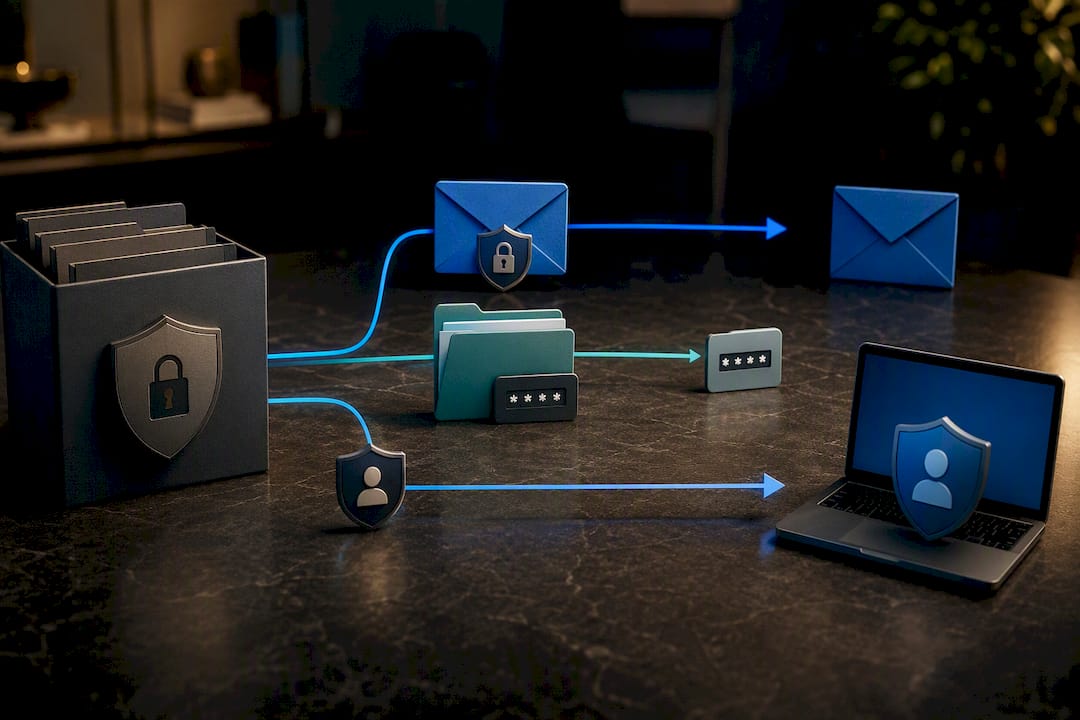
Delivery security matters just as much as content accuracy. Options include encrypted email, a password-protected file with the password sent through a separate channel, or a secure portal the requester logs into directly. Regulatory guidance notes that offering secure electronic access is often preferable to email attachments when the data set is large or sensitive, and a partner resource on secure data handling practices covers additional considerations for choosing a delivery method. Whichever channel you choose, log proof of delivery, timestamp, method, and confirmation of receipt where possible, in the request file.
What Records Do You Need to Keep After a DSAR Closes?
Regulators and auditors consistently ask for the same evidence when they review a DSAR program, so build your recordkeeping around what they'll actually want to see.
Minimum record set per request:
- The original request, including the channel and date received
- Identity verification evidence and the reasoning behind the verification tier used
- A log of every system searched and who confirmed completion
- Redaction notes with justification for each exemption applied
- A copy of the final response and proof of delivery
- Key dates: received, acknowledged, extended (if applicable), closed
Index everything under the request ID and store it in a restricted-access location, not a shared drive open to the whole company. Set a retention period consistent with your broader data retention policy rather than keeping DSAR files indefinitely. Periodic reviews of closed requests, quarterly is a reasonable cadence for most small and mid-size teams, help you spot repeat friction points, like a system that's always slow to search, before they become a pattern that costs you a deadline.
How Do You Scale the DSAR Workflow Across a Growing Team?
A DSAR process built for one person answering occasional requests falls apart once volume increases or the original owner leaves. Build role clarity and templates before that happens, not after.
Defined roles: an intake triage person who logs and routes new requests, a search lead who coordinates system owners, a legal or privacy reviewer who signs off on redactions and exemptions, and a responder who packages and sends the final delivery. In a small business, one person might wear two or three of these hats, but the responsibilities should still be named separately.
Templates worth building once: an intake acknowledgment email, a cover letter template with placeholders for data categories and retention notes, a redaction log format, and a tracker with consistent columns for every request.
Where automation helps: an intake web form instead of ad hoc emails, standard request language for vendors, and simple export scripts for systems you search repeatedly. Lightweight spreadsheet-and-template setups work fine for low-volume teams; dedicated DSAR workflow tools become worth the cost once volume climbs.
Pro Tip: Run a mock DSAR against your own team once a quarter. It reveals whether your tracker, templates, and system checklist actually hold up under a real deadline, before a real request tests them for you.
How Secure Techies Supports DSAR Readiness
Securetechie works with Southern California businesses to map where personal data actually lives across cloud systems, backups, and email archives, which is often the hardest part of any DSAR search. Our team helps build secure export processes and retain the evidence trails auditors expect. For resource-limited teams, a short systems audit paired with one mock DSAR run usually surfaces the two or three fixes worth prioritizing first.
What Most Businesses Get Wrong About DSAR Compliance
The biggest misconception about DSAR compliance is that it's primarily a legal problem. It isn't. It's an operational one. Legal teams write the policy; operations teams live or die by whether the search checklist and tracker actually work under deadline pressure. Most missed deadlines don't happen because a company didn't know the 30 day or 45 day rule existed. They happen because nobody had a current list of where personal data lives, so the search itself ate three weeks before review and redaction even started.
Conventional advice tends to overemphasize the legal nuance of exemptions and underemphasize the plumbing: the tracker, the system inventory, the habit of pausing the clock for identity verification instead of guessing. Get the plumbing right, and the legal judgment calls become manageable. Skip the plumbing, and even a team that knows the law perfectly will still miss deadlines.
If there's one thing to prioritize first, it's the system inventory. You cannot search what you don't know you have, and most businesses discover gaps in their own data map only when a real DSAR forces the question. Build that map before the request arrives, not during it.
— Alex
Get Help Operationalizing Your DSAR Process
A managed IT service provider can be an alternative to hiring a full-time privacy specialist just to keep your DSAR process audit-ready. Instead of building system inventories and secure export procedures from scratch, Southern California businesses get a local team that already handles compliance audits, secure data exports, 24/7 monitoring, and managed backups as part of day-to-day IT operations.
That combination matters most in the exact places DSARs tend to break down: knowing which systems hold personal data, exporting it securely, and proving you did it correctly if a regulator ever asks. Our compliance and security audits are built specifically to catch these gaps before a real request exposes them, covering HIPAA, GDPR, SOC 2, and CMMC requirements alongside general DSAR readiness. If your team is handling requests manually with no system inventory or evidence trail, schedule a DSAR readiness check and find out exactly where your gaps are before the next request lands.
Sources
For deeper legal guidance, review the EDPB's guidelines on the right of access and the ICO's subject access request guide. For California-specific timelines, the CCPA resources page from the California Attorney General's office is worth bookmarking.
This article is general information, not a substitute for advice from a qualified lawyer. Consult a qualified legal professional about your own circumstances before acting on anything here.
- How long do I have to respond to a DSAR? — Osano
- Guidelines 01/2022 on data subject rights - Right of access — EDPB