
Cloud cost optimization means aligning what you spend with the business value your workloads actually deliver, without sacrificing performance, reliability, or security. It is not a cost-cutting exercise. It is an engineering discipline that runs continuously.
If you have 48 hours, here is where to start:
- Turn on cost visibility tools (Azure Cost Management, AWS Cost Explorer, or GCP's Cost Management) if they are not already active.
- Pull a report of your top five spending resources by service and by team.
- Shut down anything obviously idle: dev environments left running over the weekend, orphaned test VMs, unattached disks.
- Enable a basic budget alert and anomaly notification so unexpected spikes reach someone's inbox instead of surfacing on next month's invoice.
These four moves typically recover a meaningful chunk of wasted spend within the first week, because idle and oversized resources are usually the biggest and easiest fixes available. They also carry almost no operational risk. A cloud engineer or FinOps lead should own this sprint. If nobody on the team has that title yet, whoever owns the cloud bill should claim it now.
Key Takeaways
Cloud cost optimization succeeds when visibility and ownership come before automation, and governance guardrails replace one-time cost cuts.
| Start with visibility | Enable cost tools and tagging before making any cuts or purchasing commitments. | Fix waste before buying commitments | Right-size and shut down idle resources first; reserved instances lock in whatever shape exists today. | | Use guardrails, not hard stops | Policy-driven budget controls let teams move fast without triggering shadow IT. | | Track cost per unit | Normalize savings against usage growth so a busier month doesn't look like a failure. | | Assign a named owner | Governance without accountability drifts back to waste within a year. | | Consider a managed provider | Securetechie runs cost governance as part of ongoing managed infrastructure for teams without dedicated cloud engineering bandwidth. |
Table of Contents
- What Cloud Cost Optimization Actually Means
- Prioritized Checklist for Cutting Cloud Waste
- Provider Tools, Third-Party Platforms, or a Managed Provider?
- How to Measure Savings and Prove ROI
- A 90-Day Rollout Plan You Can Actually Run
- When a Managed Provider Makes Sense
- An Editorial Take on What Actually Moves the Needle
- Get Ongoing Cloud Cost Governance Without Adding Headcount
- Frequently Asked Questions
- Sources
What Cloud Cost Optimization Actually Means
Cloud cost optimization is a cycle, not a project. You gain visibility, remove waste, optimize pricing, govern the result, and repeat. Skip a step and the savings evaporate within a quarter, because someone spins up a new environment, nobody tags it, and the cycle starts over. The Amnic guide to cloud cost optimization frames this as a continuous loop precisely because static, one-time cleanups don't hold.
The discipline rests on three principles. First, spend should track business value: a workload generating revenue can justify more headroom than a batch job running at 2 a.m. Second, guardrails beat hard stops. Microsoft's own guidance on cost optimization argues that rigid budget caps slow down engineering teams and push them toward shadow IT, while policy-driven controls let teams move fast inside defined boundaries. Third, cost decisions have to weigh against performance, reliability, and security. The cheapest configuration is worthless if it causes an outage.
Three misconceptions cause the most damage:
- Treating optimization as a one-time purge instead of an ongoing practice.
- Cutting resources indiscriminately before understanding what depends on them.
- Committing to reserved instances or savings plans before workloads are stable.
Pro Tip: Never buy a multi-year commitment based on this month's usage. Watch utilization for at least 30 to 60 days first. A single unplanned migration can strand a commitment for years.
Prioritized Checklist for Cutting Cloud Waste
This is the operational core of any cost program. Work through it roughly in order. Visibility comes first because you cannot fix what you cannot see, and pricing commitments come last because they lock in whatever shape your infrastructure happens to be in at the time.
Visibility and allocation
- Enable a unified cost view and enforce tagging. Impact: High. Without consistent tags for team, environment, and product, you cannot allocate cost to owners. Cloud cost governance frameworks treat this as foundational, not optional. Owner: platform team. Time to value: 2 to 4 weeks depending on how much retagging is needed.
- Build showback or chargeback reports by team. Impact: Medium. Visibility alone changes behavior once engineers see their own number on a dashboard. Owner: FinOps lead.
- Set budgets and alerts per environment. Impact: High. A budget alert on a dev subscription catches runaway test jobs before they hit production-level bills. Owner: cloud engineer.
Compute
- Identify idle and underutilized instances. Impact: High. Azure's Cost Management tutorial flags VMs with average CPU utilization at or below 5% by default, then recommends resizing or shutdown with an estimated yearly savings figure attached to each suggestion. Owner: cloud engineer. Risk: low if you verify dependencies first.
- Right-size compute based on actual load, not peak provisioning. Impact: High. Most teams size for worst-case traffic and never revisit it.
- Enable autoscaling on stateless workloads. Impact: Medium. Autoscaling removes the need to guess capacity and shrinks spend during off-peak hours automatically.
- Schedule non-production environments to shut down overnight and on weekends. Impact: Medium. A dev environment running 24/7 instead of 12 hours a day on weekdays wastes a significant portion of its runtime cost.
Storage and data
- Move cold data to cheaper storage tiers. Impact: Medium. Data that hasn't been accessed in 90 days rarely needs premium performance tiers.
- Delete orphaned snapshots and unattached disks. Impact: Medium. These accumulate silently, especially after VM deletions that leave storage behind.
- Enable autoscale for provisioned-throughput databases. Azure Advisor specifically calls out enabling autoscale for Cosmos DB so request-unit capacity flexes with demand instead of sitting fixed at peak provisioning. Impact: Medium to High depending on workload variability.
Networking, containers, and platform services
- Review egress and cross-region traffic patterns. Impact: Medium. Cross-region data transfer is one of the least visible line items until it's already large.
- Right-size Kubernetes node pools and clean up unused persistent volumes. Impact: High. Overprovisioned clusters are among the most common sources of silent waste in container environments.
- Migrate legacy service tiers to current pricing models. Advisor recommendations include moving Azure Front Door Classic to Standard or Premium tiers to avoid per-domain charges that no longer apply on newer tiers. Impact: Low to Medium, but often a quick fix.
AI and token spend
- Track AI and model inference spend by feature and model, not just by total bill. Impact: High and rising. Azure's cost optimization guidance for AI workloads notes that variable, unpredictable consumption from AI features demands the same visibility discipline as compute, just applied to tokens and API calls instead of instance hours.
Pricing and commitments
- Buy savings plans or reserved instances only after usage is stable. Impact: High, but only once sizing is correct. Committing early can cost more than paying on-demand if workloads shift. This is the single most common cost-optimization mistake teams make when chasing quick wins.
- Layer spot or preemptible instances into fault-tolerant workloads. Impact: Medium. Works well for batch processing and CI runners, poorly for anything stateful.
Governance and CI/CD integration
- Add cost checks into CI/CD pipelines. Impact: Medium. A pull request that provisions an oversized instance should get flagged before merge, not after the invoice arrives.
- Assign a named owner for cost governance with authority to enforce tagging and budget policy. Impact: High. Governance without an owner is a document nobody reads.
For the first 90 days, sequence it as visibility, then obvious waste (idle resources, orphaned storage), then pricing commitments, then formal governance. Teams that reverse this order, buying reserved capacity before they understand utilization, routinely end up with either standard cost overruns or stranded commitments.
Provider Tools, Third-Party Platforms, or a Managed Provider?
The right answer depends on scale, skill, and how much cloud spend is actually on the line. Three decision factors matter most:
- Scale and complexity of spend. A single-cloud shop spending $20,000 a month has very different needs than a multi-cloud enterprise spending $2 million.
- Internal engineering bandwidth. Native tools require someone to interpret and act on recommendations continuously. If nobody owns that job, the recommendations pile up unread.
- FinOps maturity. Teams without established tagging, allocation, or budget review processes will get less value from advanced automation until the basics are in place.
Here is how the three categories stack up on practical dimensions:
| Category | Automation level | Cloud coverage | Cost model | Best for |
|---|---|---|---|---|
| Cloud provider native tools | Recommendation-based, manual action | Single cloud | Included with service | Teams already deep in one cloud with in-house engineering |
| Third-party cost platforms | Higher automation, some auto-remediation | Multi-cloud | Percent of spend or flat fee | Multi-cloud enterprises with FinOps staff |
| Managed provider | Fully operational, ongoing | Depends on provider | Flat monthly fee | SMBs and mid-market teams without dedicated cloud staff |
Before committing to any tool, check for these things: does it require agent installation or is it API-based, can it attribute cost accurately using your existing tags, does it include safety controls before applying automated rightsizing changes, and how accurate are its commitment recommendations against your actual usage history?
Pro Tip: Ask any vendor how their tool handles a rightsizing recommendation that turns out to be wrong. If the answer doesn't include a rollback or staged canary process, that's a production incident waiting to happen. Automated changes without safety controls can cause more damage than the waste they were meant to fix.
Three signals suggest it's time to bring in a managed provider instead of building this internally: your team has no cloud engineer with bandwidth to own optimization as an ongoing job, costs keep drifting upward despite having tools in place, or you operate under compliance frameworks like HIPAA or SOC 2 where governance has to be auditable, not just aspirational. A managed provider typically delivers an initial audit, a prioritized roadmap ranked by impact and effort, ongoing operational management, and monthly reporting tied to finance's own numbers rather than a vendor dashboard nobody outside IT ever opens.
How to Measure Savings and Prove ROI
Savings claims mean nothing without a baseline. Track these core metrics:
- Gross cloud spend by workload, so you know where money goes before you start optimizing.
- Realized savings, both in dollar terms and as a percentage of the pre-optimization baseline.
- Cost per unit, such as cost per transaction or cost per active user, which normalizes for growth so a busier month doesn't look like a cost failure.
- Discount coverage, the percentage of eligible spend covered by reserved instances or savings plans.
- Anomaly rate and time to detect, measuring how fast unexpected spikes get caught.
Expect different results at different timeframes. In the first 30 days, quick wins from idle cleanup dominate. By 90 days, rightsizing and autoscaling should show up in the monthly trend line. By 6 to 12 months, pricing commitments and governance maturity produce the largest, most durable gains.
A simple reporting structure keeps stakeholders aligned:
| Field | Purpose |
|---|---|
| Workload | Identifies what was changed |
| Owner | Who is accountable for the resource |
| Action taken | The specific optimization applied |
| Baseline cost | Spend before the change |
| Post-change cost | Spend after the change |
| Savings | Dollar and percent difference |
Run engineering-facing dashboards weekly, a FinOps review monthly, and an executive summary quarterly. That cadence matches how governance frameworks recommend pairing measurement with continuous feedback, since a quarterly-only report misses the anomalies that need same-week action.
A 90-Day Rollout Plan You Can Actually Run
- Weeks 0 to 2: Turn on cost visibility tools, enforce tagging on new resources, and identify the top five cost drivers. Owner: cloud engineer, with platform team support.
- Weeks 3 to 6: Execute idle resource cleanup, right-size flagged instances, and enable autoscaling on eligible workloads. Owner: cloud engineer; FinOps lead tracks savings realized.
- Weeks 7 to 12: Evaluate commitment purchases now that usage has stabilized, formalize governance policy, and integrate cost checks into CI/CD pipelines. Owner: FinOps lead with security sign-off on any policy affecting compliance-driven retention.
Quick wins (idle shutdown, orphaned storage cleanup) deliver value in the first two weeks. Long bets (reserved capacity, Kubernetes rightsizing at scale) take a full quarter to pay off but produce the largest sustained savings.
- Train engineers on cost-aware design during onboarding, not as an afterthought.
- Surface live cost estimates in pull requests so developers see the financial impact of infrastructure changes before merge.
- Review governance policy quarterly and adjust budget guardrails as workloads change.
When a Managed Provider Makes Sense
Some teams are better served handing this to a managed partner than building it internally. That's typically true for small and mid-market organizations without a dedicated cloud engineer, or for businesses under compliance obligations like HIPAA where cost decisions and retention policy have to be defensible in an audit.

What a managed engagement typically includes:
| Deliverable | What it means for you |
|---|---|
| Initial audit | Baseline of current spend and top waste sources |
| Prioritized roadmap | Ranked fixes by impact and effort |
| Ongoing monitoring | Continuous tracking, not a one-time report |
| Monthly reporting | Numbers tied to your actual finance reports |
Pro Tip: If your team already struggles to keep up with day-to-day operations, adding cost governance on top usually means it never gets done. A co-managed model lets your internal team keep ownership while an outside partner handles the ongoing optimization work.
An Editorial Take on What Actually Moves the Needle
Most cloud cost content treats optimization as a checklist you finish once. That framing is the biggest reason organizations relapse into overspending every 12 to 18 months. The checklist isn't wrong, it's incomplete. What's missing is ownership: someone whose job explicitly includes watching the trend line every week, not just running a cleanup sprint when finance complains.
The conventional advice also overweights tooling and underweights sequencing. Buying a third-party cost platform before you've fixed tagging is like installing a thermostat in a house with no insulation. It'll show you the problem in more detail, but it won't fix it. Visibility and ownership have to come before automation, every time, regardless of how sophisticated the tool is.
If I had to pick one thing readers should prioritize first, it's assigning a named owner to cost governance before doing anything else on the checklist. Tools and platforms are replaceable. An organization with no one accountable for the number will drift back to waste no matter which platform sits on top of it.
Get Ongoing Cloud Cost Governance Without Adding Headcount
Running this playbook internally works if you have the engineering bandwidth to own it every week, not just during a cleanup sprint. If you don't, Securetechie runs cloud cost governance as part of managed infrastructure operations, so optimization doesn't quietly lapse the month after the initial audit.

Securetechie's managed infrastructure services build cost visibility, tagging enforcement, and rightsizing reviews into ongoing 24/7 monitoring rather than treating them as a separate project. For businesses in Southern California managing HIPAA, SOC 2, or CMMC compliance requirements, that governance work doubles as documentation an auditor can actually review. If your team is already stretched thin on day-to-day support, a compliance and security audit is a practical starting point to see where cost and risk overlap. Reach out to Securetechie to scope a cloud cost review and find out what a prioritized roadmap looks like for your environment.
Frequently Asked Questions
What is cloud cost optimization in simple terms? It's the ongoing practice of aligning cloud spend with actual business value, cutting waste like idle resources and oversized instances while keeping performance and security intact.
How do I reduce Azure costs quickly? Run Azure Advisor to surface resource-level recommendations, shut down flagged low-utilization VMs, and enable autoscale on services like Cosmos DB where demand varies.
What's the difference between cloud cost optimization and cloud cost governance? Optimization is the set of actions that reduce waste, like rightsizing and storage tiering. Governance is the ongoing structure, tagging, budgets, and guardrails, that keeps those gains from eroding.
Should I use a tool or hire a managed provider for cloud cost management? It depends on internal bandwidth. Teams with a dedicated cloud engineer can run native tools effectively. Teams without one often get faster, more durable results from a managed provider that owns the process continuously.
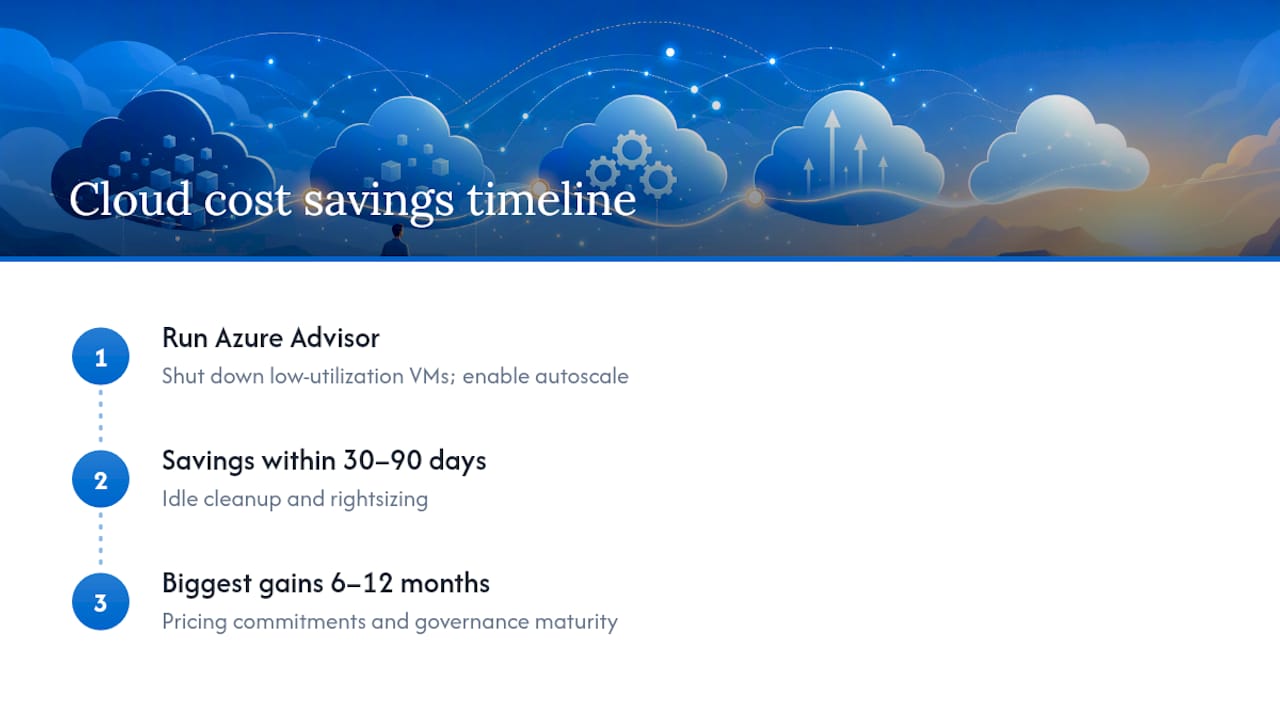
How soon will I see savings from cloud cost optimization? Idle cleanup and rightsizing typically show measurable savings within 30 to 90 days. Pricing commitments and governance maturity produce their biggest gains over 6 to 12 months.
Sources
- Cloud Cost Optimization: Principles that still matter | Microsoft Azure Blog
- Cost Management tutorial: view cost optimization recommendations
- cloud-cost-optimization-guide
- What Is Cloud Cost Governance: Framework, Best Practices, and KPIs - Usage AI