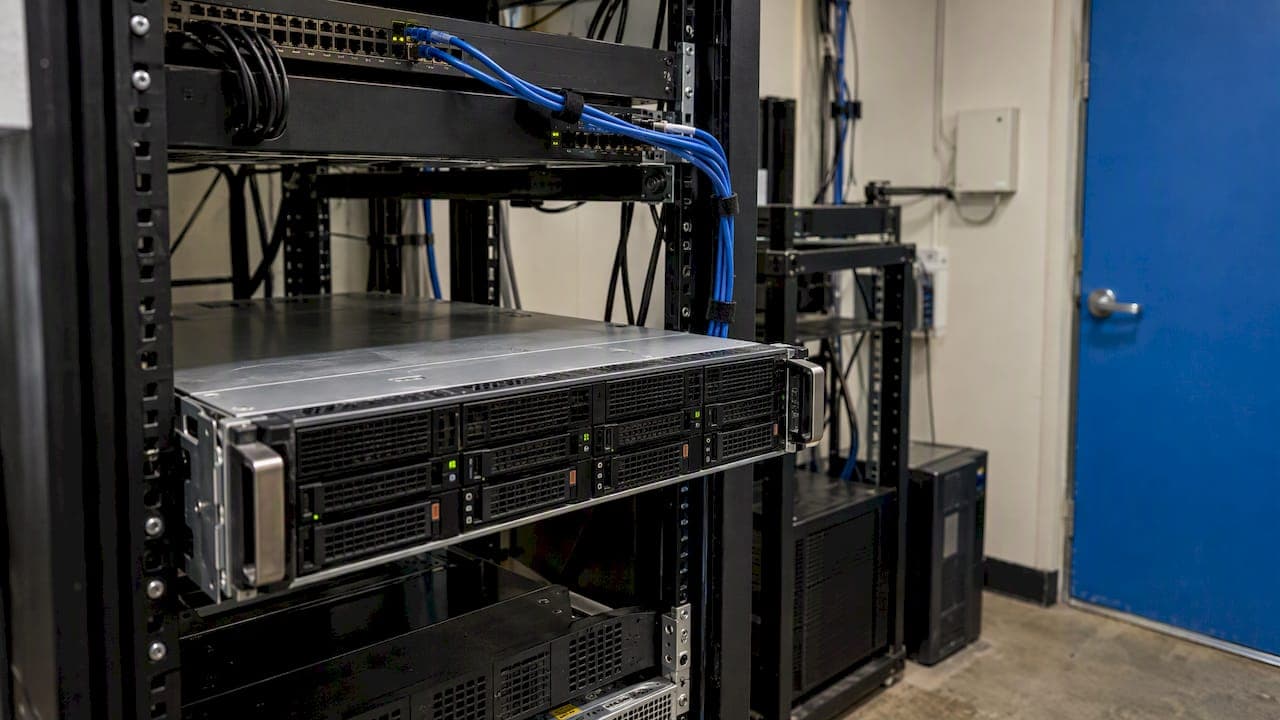
Server virtualization lets a small or mid-size business run several servers as software on one physical machine instead of buying one box per workload. The main benefits are better use of hardware you already pay for, fewer servers to power and cool, faster deployment, and easier backup and recovery. The main costs are upfront planning, licensing, and a larger security responsibility. This guide explains each, compares virtual and physical servers, and shows how to decide whether it fits your business.
TL;DR
- Virtualization runs multiple operating systems and applications on one physical server, so you buy and maintain less hardware.
- Savings come from fewer servers, lower power and cooling, and less admin time, but software, hardware, and training cost money upfront.
- Virtual machines can be provisioned in minutes and copied to a second site, which makes recovery faster and cheaper than with physical servers.
- Consolidation concentrates risk: one host failure or compromise affects every workload on it, so redundancy and security planning are required.
- Physical servers still make sense for a few specific workloads. Most SMBs with three or more servers should at least evaluate virtualization.
Table of Contents
- What server virtualization is, in plain terms
- The benefits of virtualization for a small business
- Virtual servers vs. physical servers
- How virtualization cuts costs, and what offsets the savings
- The risks and disadvantages
- When physical servers are still the better choice
- How virtualization supports continuity and what to plan for
- Is your business ready to virtualize? A checklist
- Our perspective: plan the environment, not just the migration
- Planning a virtualized environment with Secure Techies
- FAQ
- Sources
What server virtualization is, in plain terms
Virtualization creates a virtual version of computer hardware, storage, or network resources. In practice, a layer of software called a hypervisor divides one physical server into several isolated virtual machines (VMs). Each VM has its own operating system and applications, and behaves like a separate server. The U.S. Chamber of Commerce describes the purpose for small businesses as making better use of hardware resources and saving money by using fewer servers.
A typical before-and-after looks like this:
- Before: a file server, an accounting application server, a domain controller, and a line-of-business database server, each on its own hardware, each mostly idle.
- After: the same four servers running as VMs on one or two well-sized hosts, managed from a single console.
This is separate from moving to the cloud. Virtualization can run on hardware in your own office or in a data center, and cloud services are themselves built on it. If you are weighing the cloud as well, our cloud migration checklist covers that decision.
The benefits of virtualization for a small business
Better use of hardware you already pay for
Traditional servers are usually sized for peak demand and sit mostly idle. Virtualization puts that spare capacity to work. In a 2009 survey of U.S. and Canadian SMBs, 72% of respondents cited improving server utilization as their top reason for adopting virtualization, ahead of reducing server counts (57%) and improving security (49%). The survey is dated and was vendor-sponsored, so treat the percentages as a picture of motives rather than a current benchmark. The reasoning behind them still holds.

Lower power, cooling, and hardware costs
Fewer physical servers draw less electricity. ENERGY STAR notes that virtualization can cut costs for power infrastructure, cooling, hardware, and provisioning. It also states that saving one watt-hour at the server level typically saves an additional 1.9 watt-hours at the facility level, because less heat has to be removed. For an office with a small server closet, that shows up as a lower cooling load and fewer devices to replace on a five-year cycle.
Faster deployment
Ordering, shipping, racking, and configuring a physical server can take days or weeks. IBM notes that a virtual server can be provisioned in minutes. ENERGY STAR likewise lists faster deployments among the benefits. For a growing business, this means a new application, a test environment, or a temporary project server does not wait on a hardware order.
Easier management
Virtualization platforms include centralized management tools where every virtual server can be monitored and adjusted. TechTarget points out that consolidating management tools can save time and money. The U.S. Chamber also notes that routine tasks such as backups and updates can be automated. Less time spent on repetitive server care is time your staff or your IT provider can spend on work that moves the business forward.
Scaling up without a hardware purchase
Need more memory or processor capacity for a database? In a virtual environment you can often reassign resources from the console, within the limits of the host. IBM describes this ability to scale resources with demand as one of the core advantages over fixed physical servers. The limit is the host itself, so capacity planning still matters.
Stronger backup and recovery
A VM is a set of files, which makes it simple to copy, replicate, and move. The U.S. Chamber notes that VMs can be copied to a secondary site or cloud environment, replicated, and migrated between hosts. TechTarget adds that virtual servers can be spun up quickly at a remote site when a disaster disables the primary location, which makes continuity planning easier and cheaper than duplicating physical hardware. For the full picture, see our guides on backup and disaster recovery planning and the business continuity plan for small businesses.
Virtual servers vs. physical servers
The choice is rarely all or nothing. This table summarizes how the two compare on the criteria that matter most to a small business.
| Criteria | Virtual servers | Physical servers |
|---|---|---|
| Hardware use | Several workloads share one host, so less idle capacity | One workload per box, often underused |
| Upfront cost | Hypervisor licensing, a capable host, and planning | Lower per server, but multiplied by server count |
| Ongoing cost | Fewer devices to power, cool, and replace | More devices, more power, more cooling |
| Deployment speed | Minutes once the host exists | Days to weeks |
| Recovery | Replicate or restore VMs to other hosts or a remote site | Rebuild or restore to matching hardware |
| Failure impact | A host failure affects every VM on it unless there is redundancy | A failure affects one workload |
| Security management | More layers to patch and secure | Fewer layers, simpler model |
| Best for | Most general business workloads, growth, test environments | Specialized hardware needs, very heavy single workloads |
How virtualization cuts costs, and what offsets the savings
The savings are real but not automatic. ENERGY STAR is direct about this: moving to a virtualized environment typically requires upfront investment in software, hardware, and training. Here is how to think about both sides.
Where the savings come from
- Fewer physical servers to buy, warranty, and replace.
- Lower electricity and cooling use, as covered above.
- Less rack or closet space.
- Less staff or provider time on routine administration.
- Cheaper disaster recovery, since you replicate VMs instead of owning a matching second set of hardware.
Where costs show up
- A host server with enough processor, memory, and fast storage to carry several workloads, and usually a second host for redundancy.
- Hypervisor and management software, depending on the platform.
- Operating system and application licensing, which needs care (see below).
- Planning, migration labor, and staff or provider training.
The U.S. Chamber (2024) notes that virtualization is increasingly accessible and can make economic sense for companies running as few as three or four servers. Below that, the math depends on how old your hardware is and how soon it needs replacing.
A note on licensing
Licensing is the cost most often missed in early estimates. Microsoft sells Windows Server Standard edition for low-density or non-virtualized environments, and Datacenter edition for highly virtualized environments, with licensing based on cores. The right edition depends on how many VMs you run per host. Our guide to SMB server virtualization and Windows licensing walks through that decision in more detail. Confirm current terms with Microsoft or your reseller before you buy, since licensing rules change.
The risks and disadvantages
Virtualization has real downsides. A balanced decision weighs them honestly.
- Concentrated failure. Several servers share one physical host. If it fails without a second host to take over, every VM on it goes down together.
- Added security burden. NIST Special Publication 800-125 notes that virtualization adds technology layers that can increase the security-management burden. It also warns that consolidating systems on one physical computer can increase the impact of a compromise, and that shared virtual channels can create additional attack paths.
- Upfront spending. The first year can cost more than simply replacing one old server with one new one.
- Skills. Someone has to configure, patch, monitor, and back up the hypervisor layer correctly.
- Sprawl. Because a new VM takes minutes, unmanaged VMs can pile up, unpatched and unmonitored, if no one owns the inventory.
None of these is a reason to avoid virtualization. They are reasons to plan it. NIST advises that security planning for virtualization happen at the initial design phase, because addressing security after deployment is significantly more difficult and expensive. It also recommends restricting access to the virtualization management system to authorized administrators.
If you handle regulated data, build that planning around your compliance obligations from the start. Our compliance and security audits help map HIPAA, SEC, SOC 2, and similar requirements onto the environment you are designing.
When physical servers are still the better choice
Some situations favor keeping a workload on dedicated hardware:
- An application that needs specialized hardware, such as a particular card, dongle, or device attached directly to the server.
- A single very heavy workload that would consume most of a host on its own, leaving little to share.
- A vendor that does not support its software on virtual platforms.
- A business with only one or two servers that are new, and no plan to grow.
Many SMBs end up with a mix: most workloads virtualized, one or two exceptions left physical on purpose.
How virtualization supports continuity and what to plan for
The recovery advantage depends on how you set it up. A replicated VM at a second site, or in a cloud environment, can be brought online far faster than a physical server can be rebuilt. IBM says VM replication, migration, and failover improve resilience, and the U.S. Chamber notes this can restore workloads in minutes rather than hours.
To get that result, plan for these limits:
- Backups are not replication. A replica protects against hardware failure. A separate, tested backup protects against deletion, corruption, and ransomware. You need both.
- Test restores. An untested recovery plan is an assumption. Run a restore on a schedule and record how long it took.
- Define recovery targets. Decide how much downtime and data loss each system can tolerate, then match the design to those numbers.
- Avoid lock-in. If you use cloud-hosted VMs, NIST advises having a plan to migrate workloads to another provider or back on premises if service terms change in a way you cannot accept.
Is your business ready to virtualize? A checklist
Work through these questions before you commit:
- How many servers do you run, and how old are they? Three or more, with some near end of life, is the usual point where the case becomes strong.
- What does each server do, and how busy is it? Measure actual processor, memory, and storage use over a few weeks instead of guessing.
- What data do you hold? Patient, client, financial, or mortgage data brings compliance requirements that shape the design.
- What is an hour of downtime worth? The answer decides whether you need a second host, a replica site, or both.
- Who will manage it? If no one on staff has hypervisor experience, plan for a provider to run it.
- What do your software vendors support? Check each application before you migrate it.
- What is the licensing plan? Price operating system and application licensing for the virtual design, not the physical one.
Some businesses go a step further and combine compute, storage, and networking into a single appliance. Our overview of hyperconverged infrastructure for SMBs explains when that approach is worth the added cost.
Our perspective: plan the environment, not just the migration
We see virtualization projects succeed or struggle for the same reason: how well the surrounding environment was planned. The hypervisor is the easy part. What decides the outcome is whether the host has redundancy, whether backups are tested, whether the management console is locked down, and whether someone is watching it all day and night.
That is why we approach infrastructure the same way we approach everything else, proactively and not as break-fix. Issues caught by monitoring, such as a failing disk or a host running out of memory, can be resolved before users notice. For our clients in healthcare, legal, financial, and mortgage services, we treat security and compliance as design inputs from the first meeting, which matches the NIST guidance to plan security at the design phase.
Our advice to a small business owner is simple. If you run three or more servers, get a workload assessment before your next hardware purchase. Do not virtualize everything by default, and do not keep everything physical out of habit. Let the numbers on utilization, downtime cost, and compliance decide.
— Alex
Planning a virtualized environment with Secure Techies
Secure Techies designs, builds, and manages virtualized infrastructure for small and mid-size businesses in Southern California, with 24/7 monitoring and a local team. Our managed infrastructure services cover assessment, design, virtualization, and ongoing management. We pair them with backup and disaster recovery so the environment you consolidate can also be restored. Billing is flat-rate and transparent, without long-term contracts. If you want a straight answer on whether virtualization fits your servers, contact our team through our managed IT services page.
FAQ
Why virtualize servers instead of buying more physical ones?
Virtualizing lets several workloads share one host, so you buy less hardware and use more of its capacity. It also lowers power and cooling needs and makes new servers available in minutes instead of days or weeks. The tradeoff is upfront planning and the need to protect a shared host.
Does virtualization really save money?
Often it does, through fewer servers, lower energy use, and less administration. ENERGY STAR also notes that upfront costs for software, hardware, and training are typical. Savings are most reliable for businesses running three or four servers or more, according to the U.S. Chamber of Commerce.
What are the disadvantages of virtualization?
The main ones are concentrated failure risk, a larger security-management burden, upfront cost, and the need for skilled administration. NIST notes that a compromise of one host can affect every system on it. Redundant hosts, tested backups, and restricted administrative access reduce these risks.
Are virtual servers slower than physical servers?
Not when the host is sized correctly. Performance problems usually come from overloading a host or using slow storage, not from virtualization itself. A workload assessment before migration prevents this. A few specialized or very heavy workloads may still perform best on dedicated hardware.
Is virtualization the same as moving to the cloud?
No. Virtualization is the technology that divides hardware into virtual machines. You can run it on your own hardware, in a data center, or use it through a cloud provider. Many businesses use a combination of these.
Sources
- The Benefits of Virtualization for Small Businesses, U.S. Chamber of Commerce
- Virtualize Servers, ENERGY STAR
- What is Server Virtualization?, IBM
- 10 benefits of server virtualization for businesses, TechTarget
- The Benefits of Virtualization for Small and Medium Businesses, 2009 SMB survey
- Windows Server licensing, Microsoft
- NIST Special Publication 800-125, Guide to Security for Full Virtualization Technologies
- NIST Special Publication 800-146, Cloud Computing Synopsis and Recommendations