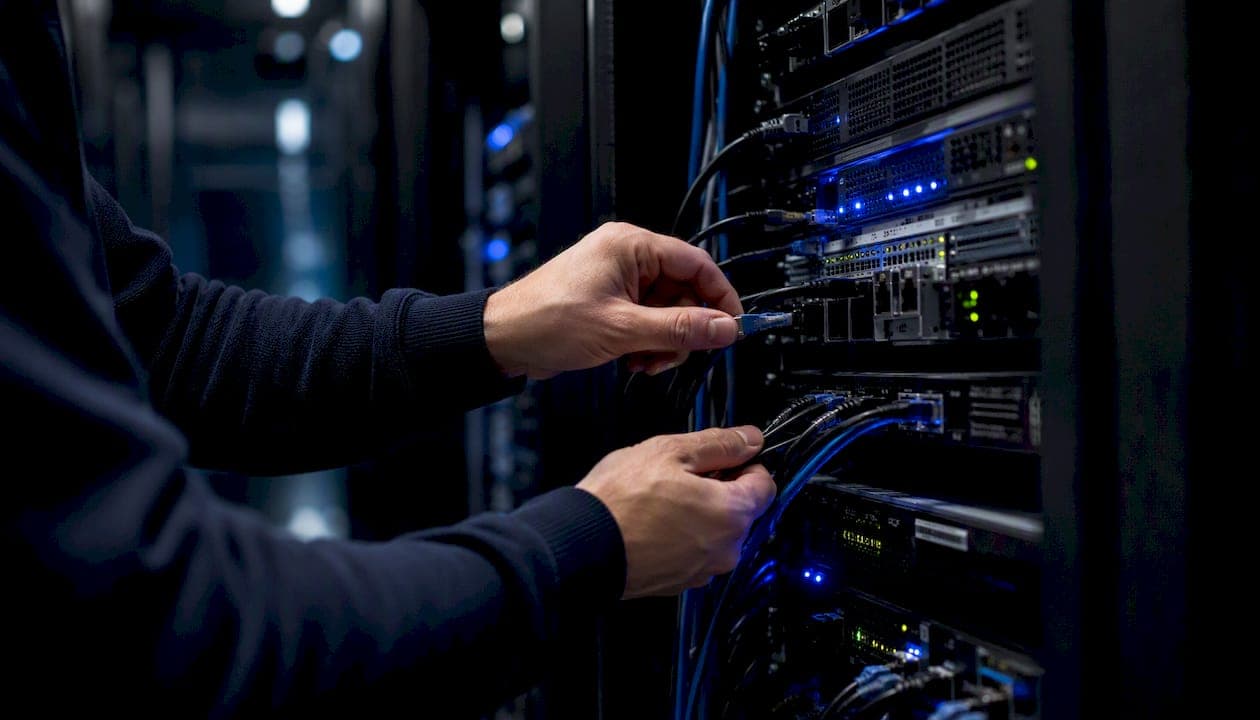
When you suspect or confirm a ransomware attack, take three actions immediately: isolate affected systems from the network, preserve forensic evidence before making any changes, and activate your designated incident response communication channels. Every minute of delay expands the blast radius.
The CISA/FBI/NSA/MS-ISAC StopRansomware Guide provides the authoritative prioritized checklist for U.S. organizations. Its core sequence is detect, isolate, capture forensic artifacts, contain, and recover. Do not pay a ransom without first consulting legal counsel and reviewing OFAC sanctions guidance, which can expose your organization to federal liability even when the payment is made in good faith.
First 15–60 minutes: your immediate checklist
- Disconnect affected systems from the network. Use switch-level isolation for multi-subnet events.
- If you cannot disconnect a system, power it down as a last resort to stop active encryption.
- Capture volatile memory (RAM) before any shutdown, where operationally possible.
- Take forensic disk images of affected hosts and preserve them with chain-of-custody documentation.
- Enable out-of-band communications (phone, Signal, or a separate email domain) to coordinate without alerting attackers still on the network.
- Notify your incident response lead, legal counsel, and cyber insurance carrier.
- Contact your managed IT or security provider for immediate containment support.
- Report to the FBI local field office, CISA (1-888-282-0870), or IC3.gov.
Key Takeaways
A well-executed ransomware incident response requires isolation before remediation, forensic evidence preserved before any system changes, and a signed, offline-accessible IRP with defined roles and executive approval.
| Point | Details |
|---|---|
| Isolate before you remediate | Disconnect affected systems at the switch level immediately; power down only when disconnection is impossible. |
| Preserve evidence first | Capture memory and disk images with chain-of-custody documentation before making any changes to affected systems. |
| Hunt for precursor malware | Search for Emotet, QakBot, Cobalt Strike, and similar tools; their presence means the attacker has been present longer than the ransomware event suggests. |
| Notify law enforcement and CISA | Contact the FBI local field office, IC3.gov, and CISA (1-888-282-0870) promptly; they may have decryptors and provide investigative support. |
| Restore from verified, immutable backups | Validate backup integrity and run forensic scans before reconnecting any restored system to production. |
| Securetechie managed response | Securetechie provides 24/7 monitoring, containment support, forensic capture assistance, and prioritized rebuilds for SMBs in Southern California. |
Table of Contents
- What does a ransomware-ready incident response plan require?
- How do you determine scope and identify the ransomware variant quickly?
- What are the tactical steps to contain ransomware and remove the attacker?
- Who do you notify, and when, after a ransomware attack?
- How do you safely restore operations after ransomware?
- What happens after the technical response is complete?
- How should your organization govern its IR program and run exercises?
- How Securetechie supports your ransomware response and recovery
- Why most organizations get ransomware response wrong
- Securetechie is ready when ransomware hits your organization
- Authoritative U.S. resources for ransomware response
- Sources
What does a ransomware-ready incident response plan require?
A ransomware incident response plan (IRP) is only useful if it is signed, version-controlled, and accessible offline before an attack begins. Microsoft's incident response guidance is direct on this point: without a predefined, documented process for communication and decision-making, organizations struggle during live events. The IRP must function as a single source of truth.
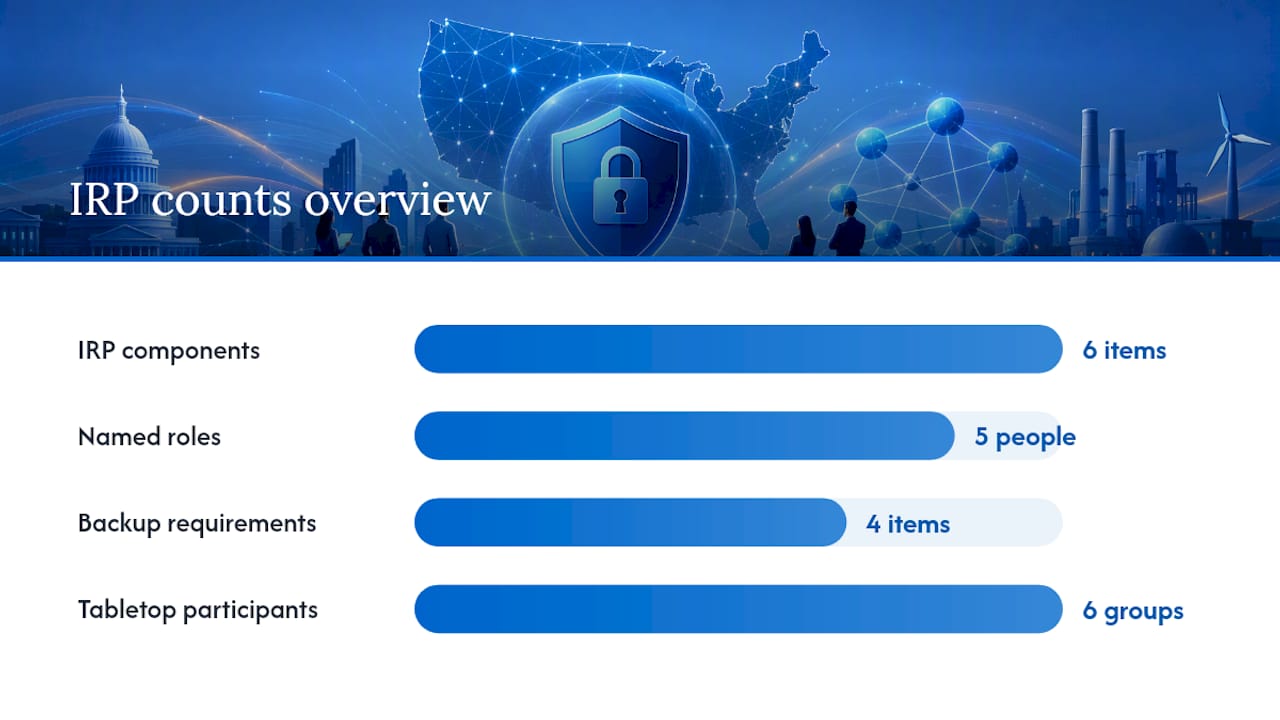
Essential IRP components
Every mature IRP covers these elements:
- Roles and responsibilities: Named individuals for incident commander, technical lead, legal liaison, communications lead, and executive sponsor. Backups for each role.
- Communication plan: Pre-approved holding statements for internal staff, customers, and media. Designated spokesperson and approval chain.
- Legal and insurance contacts: Outside counsel, cyber insurance carrier, and the policy number, stored offline.
- Evidence preservation guidance: Chain-of-custody procedures, approved forensic tools, and storage locations for captured images.
- Decision checkpoints: Criteria for escalating to ransom negotiation, engaging law enforcement, and authorizing a full rebuild.
- Rebuild and restore SOPs: Step-by-step procedures for restoring from clean backups, including validation criteria before reconnecting systems.
Backup and recovery requirements
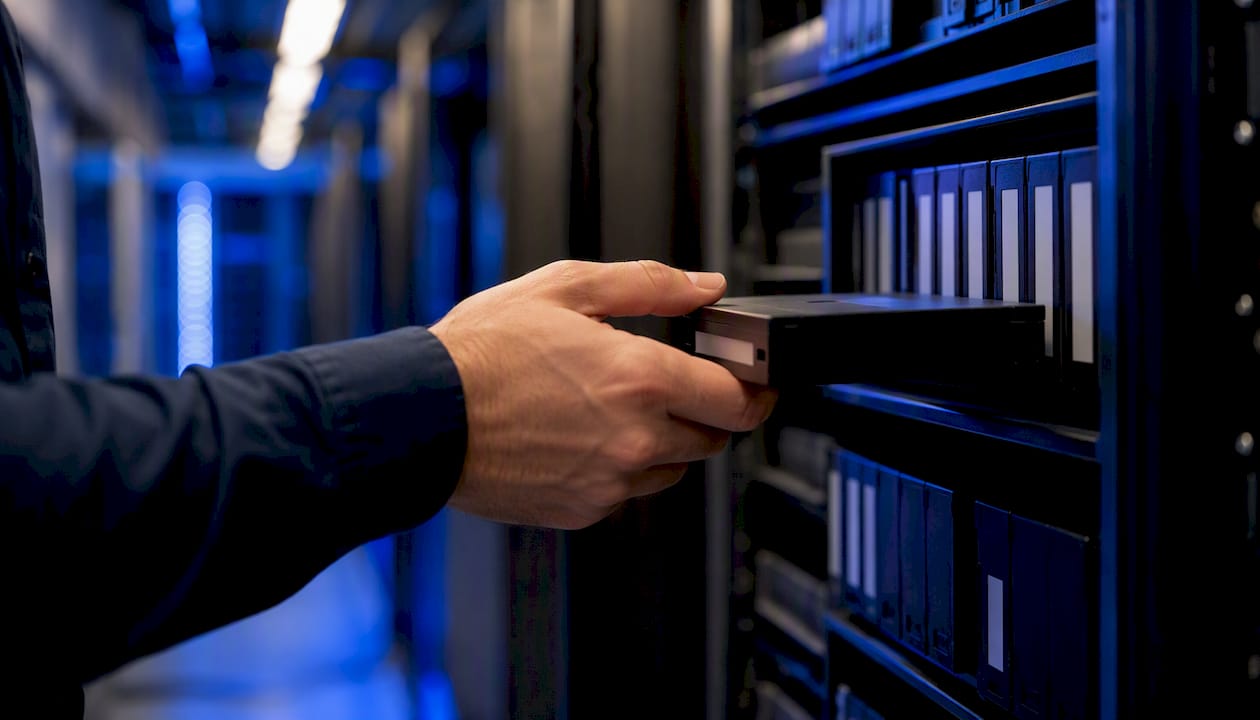
Backups are your most important recovery asset, and attackers know it. They routinely target backup infrastructure before deploying ransomware. Effective backup architecture requires:
- Offline or air-gapped copies that cannot be reached from the production network.
- Immutable storage (object-lock or WORM configurations) for cloud-based backups.
- A documented verification cadence: test restores at least quarterly, not just backup completion alerts.
- Recovery time objectives (RTOs) and recovery point objectives (RPOs) defined per system tier, reviewed annually.
Tabletop exercises and governance
CISA Tabletop Exercise Packages (CTEPs) include customizable ransomware scenarios, facilitator materials, slide decks, participant invitations, and After Action Report templates. Use them as the foundation for your annual cross-functional tabletop. Participation should include IT, legal, HR, finance, communications, and executive leadership, not just the security team.
Pro Tip: Store a printed copy of your IRP, your contact list, and your first-hour checklist in a sealed envelope in a physically secure location. Network-based plans are inaccessible when your environment is compromised.
CEO or executive sign-off on the IRP is not a formality. It establishes decision authority, confirms budget for response activities, and creates the governance record regulators and insurers expect to see. Review and re-approve the IRP annually or after any significant infrastructure change.
For a Securetechie-specific IRP template tailored to SMBs, see the cybersecurity incident response plan guide.
How do you determine scope and identify the ransomware variant quickly?
Scope discovery and evidence collection must happen in parallel, not sequentially. The two questions that drive every early decision are: which systems and accounts are affected, and have the attackers reached your backups?
Forensic artifacts to collect first
- Live memory captures (RAM) from affected hosts before any shutdown.
- Forensic disk images of encrypted and potentially staging systems.
- EDR and antivirus logs, including quarantine events from the 30 days prior.
- Active Directory logs: authentication events, group policy changes, new accounts, and privilege escalations.
- VPN and MFA logs: look for unusual access times, new device registrations, and geographic anomalies.
- Cloud provider logs: Azure AD sign-in logs, AWS CloudTrail, or GCP Audit Logs depending on your environment.
- SIEM alerts and proxy logs for lateral movement indicators.
- Mail gateway logs to identify phishing delivery if email is the suspected initial access vector.
Threat hunting for precursor malware
Ransomware rarely arrives without warning. The StopRansomware Guide specifically recommends hunting for dropper malware families including Bumblebee, Dridex, Emotet, and QakBot, as well as post-exploitation frameworks like Cobalt Strike. Finding a Cobalt Strike beacon in your environment means the attacker has likely had persistent access for days or weeks. That changes your containment strategy: a targeted isolation of one subnet is insufficient when the adversary has already moved laterally.
Check your business email compromise indicators as well, since phishing-delivered droppers are a primary initial access vector for ransomware groups.
System triage and prioritization
| System Tier | Examples | Business Impact | Restoration Priority |
|---|---|---|---|
| Tier 1 — Critical | EHR, ERP, payment processing, AD | Operations halt without these | Restore first |
| Tier 2 — High | File servers, email, VPN | Significant productivity loss | Restore second |
| Tier 3 — Standard | Workstations, non-critical apps | Manageable degradation | Restore third |
| Tier 4 — Low | Dev/test, archival systems | Minimal operational impact | Restore last |
Assign each affected system to a tier during triage. This table drives your restoration order in the recovery phase and helps you communicate business impact to executives accurately.
What are the tactical steps to contain ransomware and remove the attacker?
Containment is the phase where speed and precision matter most. The CISA operational guidance recommends isolating at the switch level when multiple subnets are affected, and using out-of-band communications throughout to avoid alerting attackers who may still be monitoring your environment.
Containment sequence
- Isolate affected VLANs or subnets at the switch level. Do not rely on host-based firewalls alone.
- Disable external access: VPN concentrators, RDP gateways, and any exposed SSO portals.
- Revoke active sessions for accounts suspected of compromise.
- Take cloud volume snapshots before making any changes to cloud-hosted systems.
- Preserve forensic images and memory captures with documented chain-of-custody before remediation begins.
- Identify and document all affected systems using your triage table.
Credential rotation and persistence removal
Attackers establish persistence through multiple mechanisms. After containment, work through this list:
- Rotate all service account and administrative credentials, starting with domain admin and local admin accounts.
- Reset the krbtgt account password twice in quick succession to invalidate all existing Kerberos tickets and cut off persistent unauthorized access in Active Directory environments. The Microsoft DART playbook identifies this as a critical post-compromise step.
- Audit and remove web shells, unauthorized scheduled tasks, and new or modified Group Policy Objects.
- Review startup items, services, and WMI subscriptions on affected hosts.
- Check for new local administrator accounts created during the compromise window.
Decryptors and law enforcement
Before committing to a rebuild, consult the FBI local field office and check the No More Ransom project for available decryptors. Law enforcement occasionally has decryption keys for active ransomware variants. The CISA Ransomware Response Checklist explicitly recommends this step. Paying ransom without this check wastes resources and, in some cases, funds sanctioned entities.
Who do you notify, and when, after a ransomware attack?
Notify internal executives, legal counsel, and your cyber insurance carrier within the first hour. External notifications to law enforcement and regulators follow a defined sequence based on your IRP and applicable breach notification laws.
Notification contact list
- FBI local field office: Report immediately. The FBI can assist with investigation and may have intelligence on the specific threat actor.
- IC3.gov: File an online complaint at the Internet Crime Complaint Center for federal tracking.
- CISA: Call 1-888-282-0870 or report at cisa.gov/report. CISA provides technical assistance and threat intelligence.
- MS-ISAC: For state, local, tribal, and territorial entities, contact the Multi-State Information Sharing and Analysis Center at 866-787-4722.
- Cyber insurance carrier: Engage immediately. Most policies require prompt notification, and late reporting can affect coverage.
- Outside legal counsel: Engage before communicating with regulators or making any public statements.
- Regulatory bodies: HIPAA-covered entities must notify HHS. Financial institutions follow their sector-specific rules. State breach notification laws vary and typically require notification within 30–72 hours of confirmed breach.
Holding statements
Pre-approved holding statements prevent inconsistent messaging during the chaos of an active incident. Keep them short and factual.
| Audience | Sample Holding Statement |
|---|---|
| Internal staff | "We are aware of a technical issue affecting some systems and are working to resolve it. Please avoid using [affected systems] until further notice. Updates will follow." |
| Customers | "We are currently investigating a security incident. We are taking this matter seriously and will provide updates as our investigation progresses. If you have questions, contact [designated point of contact]." |
| Media | "We are aware of an incident affecting our systems and are working with cybersecurity experts and law enforcement to investigate and respond. We will provide updates as appropriate." |
The communications lead approves all external statements. Legal counsel reviews any statement that references data exposure or regulatory obligations before release.
OFAC and sanctions considerations
The U.S. Treasury's Office of Foreign Assets Control (OFAC) has issued advisories making clear that ransom payments to sanctioned groups carry legal risk regardless of intent. Your legal counsel should conduct a sanctions check against the OFAC Specially Designated Nationals list before any payment decision is made. Document every step of this process for regulators and insurers.
How do you safely restore operations after ransomware?
Restore only to clean, isolated networks from verified offline or immutable backups, using pre-approved system images and documented validation checks. Reconnecting a system before confirming it is clean reintroduces the attacker.
Restoration sequence
- Stand up an isolated recovery network (a dedicated VLAN with no production connectivity).
- Restore Tier 1 critical systems first using verified backup images. Confirm backup integrity before restoration begins.
- Apply all available patches and security updates to restored systems before reconnecting.
- Rotate credentials for every account that touched restored systems.
- Run forensic scans (EDR, AV, and manual review) on each restored system before promoting it to production.
- Obtain documented sign-off from the incident commander and, for critical systems, executive sign-off before reconnecting.
- Restore Tier 2 and Tier 3 systems in sequence, repeating validation steps for each.
- Preserve a forensic copy of at least one representative infected host for later analysis and potential law enforcement use.
Validation criteria before reconnection
| Validation Check | Responsible Party | Pass Criteria |
|---|---|---|
| Forensic scan clean | Security lead | No active malware, web shells, or persistence mechanisms detected |
| Patch level current | IT lead | All critical and high patches applied |
| Credentials rotated | Identity team | All accounts on restored system have new credentials |
| Backup integrity verified | IT lead | Restore tested from backup, data confirmed intact |
| Executive sign-off | Incident commander | Written approval for return-to-service |
For cloud-hosted systems, CISA recommends taking snapshots before making any changes, preserving the pre-remediation state for forensic analysis. Use infrastructure-as-code images where available to rebuild from a known-good baseline rather than patching a potentially compromised system in place.
Securetechie's backup and disaster recovery services include immutable backup configurations and tested restore procedures that align with these requirements.
What happens after the technical response is complete?
Run a formal After Action Review (AAR) within 14 days of incident closure. Waiting longer allows institutional memory to fade and remediation items to lose urgency.
AAR template elements
- Timeline reconstruction: A chronological account of attacker activity, from initial access through detection and containment. This drives root cause analysis.
- Root cause analysis: The specific vulnerability, misconfiguration, or process failure that enabled the attack. Avoid generic conclusions like "phishing" — identify the specific control that failed.
- Impacted data inventory: Systems, data types, and estimated records affected. Required for regulatory breach notification and insurance claims.
- Lessons learned: What worked, what failed, and what was missing from the IRP.
- Remediation items: Specific, prioritized actions with assigned owners and target completion dates.
Remediation roadmap priorities
- Patch management: close the specific vulnerability exploited and audit patch cadence across all systems.
- MFA expansion: deploy MFA for all external-facing services, starting with VPN, RDP, and email.
- Network segmentation: implement or harden VLAN segmentation to limit lateral movement in future events.
- Backup hardening: verify offline and immutable backup configurations, test restores, and document RTOs and RPOs.
- Monitoring improvements: expand EDR coverage, tune SIEM alerting, and add detection rules for the specific TTPs observed.
KPIs to track improvement
- Time-to-detect (TTD): from initial attacker activity to first alert.
- Time-to-contain (TTC): from detection to network isolation.
- Time-to-recover (TTR): from containment to full production restoration.
- Percentage of systems restored from immutable backups.
- Tabletop exercise scores and AAR action closure rate.
Pro Tip: Assign a single owner to each AAR remediation item and set a 90-day review checkpoint. Remediation items without owners and deadlines consistently remain open at the next tabletop exercise.
How should your organization govern its IR program and run exercises?
Adopt a formal governance cadence: an annual cross-functional tabletop plus quarterly technical drills, with executive sign-off on the IRP after each annual review. An IR program without a documented exercise history is difficult to defend to regulators, insurers, and auditors.
Exercise schedule
- Annual tabletop (cross-functional): Use CISA Tabletop Exercise Packages as the scenario foundation. Include IT, legal, HR, finance, communications, and at least one executive. Produce a formal After Action Report with assigned remediation owners.
- Quarterly technical walk-throughs: Focused drills for the security and IT teams covering specific playbook sections: forensic capture procedures, credential rotation, backup restoration, and out-of-band communications.
- Post-change micro-exercises: After major infrastructure changes (cloud migrations, network redesigns, new identity platforms), run a targeted scenario to validate that the IRP still reflects the current environment.
Governance checklist
- Designated approval authority for the IRP (typically CISO or CTO, with CEO co-signature).
- Distribution list maintained and current, including all named responders and their backups.
- Hard-copy and offline digital copies of the IRP stored in physically secure locations.
- Annual plan review scheduled and calendared, with a defined review owner.
- AAR action items logged in a tracking system with status updated at each quarterly drill.
- Tabletop exercise results and AAR documents retained for at least three years for audit purposes.
Pro Tip: Adapt CISA CTEP scenarios to your specific environment before each tabletop. A generic scenario that does not reflect your actual technology stack or regulatory obligations produces generic lessons. Customize the injects to match your EHR, cloud provider, or payment system.
For a ransomware-specific preparation checklist tailored to smaller organizations, the Securetechie ransomware protection playbook covers these governance steps in detail.
How Securetechie supports your ransomware response and recovery
Securetechie provides 24/7 monitoring, incident containment support, forensic capture assistance, and prioritized rebuild services for small to mid-size businesses across Southern California. When an incident occurs, having a managed partner already familiar with your environment shortens every phase of the response timeline.
Services available for ransomware response
- Managed detection and response (24/7): Continuous endpoint monitoring with alert triage and escalation, so threats are identified before encryption begins.
- Backup and disaster recovery: Immutable backup configurations, tested restore procedures, and documented RTOs and RPOs aligned with your business requirements.
- Incident response retainer: Pre-negotiated engagement terms so response begins immediately, without contract delays during an active incident.
- Tabletop exercise facilitation: Structured annual tabletops using CISA CTEP scenarios, adapted to your environment, with After Action Report production.
- Insurance coordination assistance: Documentation support for cyber insurance claims and regulatory breach notification.
Sample response timeline with Securetechie
- 0–4 hours: Detection, alert escalation, and network isolation. Out-of-band communications established. Executive notification completed.
- 4–24 hours: Forensic capture (memory, disk images, logs). Scope determination and triage. Law enforcement notification.
- Days 2–7: Credential rotation, persistence removal, and environment validation. Tier 1 system restoration from verified backups.
- Days 7 and beyond: Full restoration by tier, validation sign-off, and AAR preparation. Remediation roadmap delivered.
Why most organizations get ransomware response wrong
The most common operational mistake is not paying the ransom. It is fighting infected endpoints while they are still connected to the network. Security teams under pressure instinctively want to investigate and remediate on the affected machine, but every minute that machine stays connected is a minute the attacker can use to encrypt more files, exfiltrate data, or move laterally to systems that were previously clean.
The second mistake is discovering, mid-incident, that the IRP lives on a SharePoint site that is now encrypted. An offline plan is not a nice-to-have. It is the document your team reads at 2 AM when nothing else is accessible.
One non-obvious tactic that consistently reduces recovery time: maintain an isolated, pre-approved rebuild VLAN and a golden image repository updated at least quarterly. When you need to restore a workstation or server, you pull a known-good image into an isolated network, validate it, and promote it to production. Teams that do this recover individual systems in hours rather than days.
The guidance in this article is grounded in CISA, FBI, and Microsoft practitioner frameworks. The specific controls and timelines are realistic for organizations with 50–500 users. Larger environments will need to scale the forensic and restoration phases accordingly, but the sequence does not change.
Securetechie is ready when ransomware hits your organization
For Southern California businesses that need immediate ransomware containment support, Securetechie offers 24/7 emergency response through its managed cybersecurity services. You get a team that already knows how to execute containment, forensic capture, and prioritized restoration, without the delay of onboarding a new vendor during a crisis.

What Securetechie provides for active incidents:
- Emergency containment and isolation support, available around the clock.
- Forensic capture assistance and chain-of-custody documentation.
- Prioritized system rebuilds from verified, immutable backups.
- Cyber insurance claim documentation and coordination.
- Post-incident AAR facilitation and remediation roadmap delivery.
Organizations that engage Securetechie before an incident through a managed services agreement benefit from pre-negotiated response terms, documented environment knowledge, and tested backup and recovery configurations. Contact Securetechie at Securetechie to discuss an incident response retainer or emergency engagement options.
Authoritative U.S. resources for ransomware response
Keep these references bookmarked and store offline copies of the most critical documents.
- StopRansomware Guide (CISA/FBI/NSA/MS-ISAC): The primary U.S. government ransomware playbook. Use it to structure your IRP, your tabletop scenarios, and your notification procedures. Download and store a copy offline.
- CISA "I've Been Hit By Ransomware!": Short-form operational checklist for the first hours of an incident. Print this and keep it with your IRP hard copy.
- CISA Ransomware Response Checklist: Condensed detection-to-eradication checklist. Use it as a quick reference during an active incident when time is short.
- CISA Tabletop Exercise Packages (CTEPs): Customizable ransomware tabletop scenarios with facilitator materials and After Action Report templates. Use annually for cross-functional exercises.
- Microsoft DART Ransomware Incident Response Playbook: Technical post-incident hardening guidance including PAM, LAPS, attack surface reduction rules, and credential reset procedures. Use during eradication and recovery phases.
- Microsoft Downloadable Incident Response Guidance: Communications templates, executive sign-off frameworks, and playbook governance guidance. Use to structure your IRP document and communications plan.
- IC3.gov: File ransomware complaints with the FBI's Internet Crime Complaint Center. Required for federal tracking and may contribute to law enforcement decryption efforts.
Store offline copies of the CISA StopRansomware Guide, your IRP, your contact list, and your first-hour checklist. These are the four documents your team needs when the network is down and the clock is running.
This article is general information, not a substitute for advice from a qualified lawyer. Consult a qualified legal professional about your own circumstances before acting on anything here.
Sources
- StopRansomware Guide (Joint CISA/FBI/NSA/MS-ISAC) — PDF
- I've Been Hit By Ransomware! | CISA
- Ransomware Response Checklist | CISA
- CISA Tabletop Exercise Packages | CISA
- Microsoft downloadable incident response guidance